
Add/remove component tags from virtual report suite curation screen | Community
Skip to main content
Andrew_Wathen_
New Participant
August 3, 2020
New

Add/remove component tags from virtual report suite curation screen

  • August 3, 2020
  • 2 replies
  • 1423 views

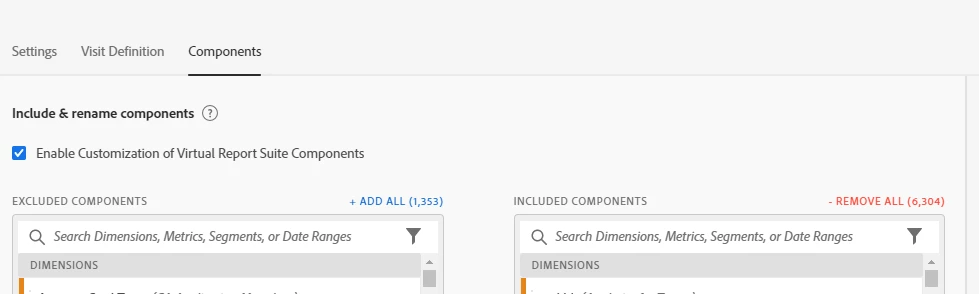
We make extensive use of tags to keep track of what components should appear in which virtual report suite (VRS).


When curating a VRS it would be a great time saver to be able to add/remove component tags from this screen in the same way you can else where in the tool (i.e. right click on the component):


2 replies

Andrew_Wathen_
New Participant
August 4, 2020

Thanks @megha2390,  I realise it is possible to tag components from with in the analysis workspace interface.  But I specifically want to be able to add/remove tags from within the VRS curation workflow so I don't have to keep going back and forth - Unfortunately this isn't currently available 😞

New Participant
August 4, 2020

Currently this option is available within VRS. However, you can restrict the use of Metrics/Dimensions/Calculated metrics by giving limited permission to a user account based on your business requirement. For that matter, you would need to create a Product profile within admin console as mentioned below:


https://helpx.adobe.com/in/enterprise/using/manage-products-and-profiles.html