Calculated metric gives incorrect number when using a segment | Community
Skip to main content
New Participant
March 21, 2023
Solved

Calculated metric gives incorrect number when using a segment

  • March 21, 2023
  • 1 reply
  • 750 views

Hello all,

I hope someone here can help me out 🙂

I'm trying to create a calculated metric of "uptake" which is the number of units of luggage (with a segment for luggage) divided by the total number of sectors.

So in the example it would be 34496/80655 which is: 0.42 or like 42%

 

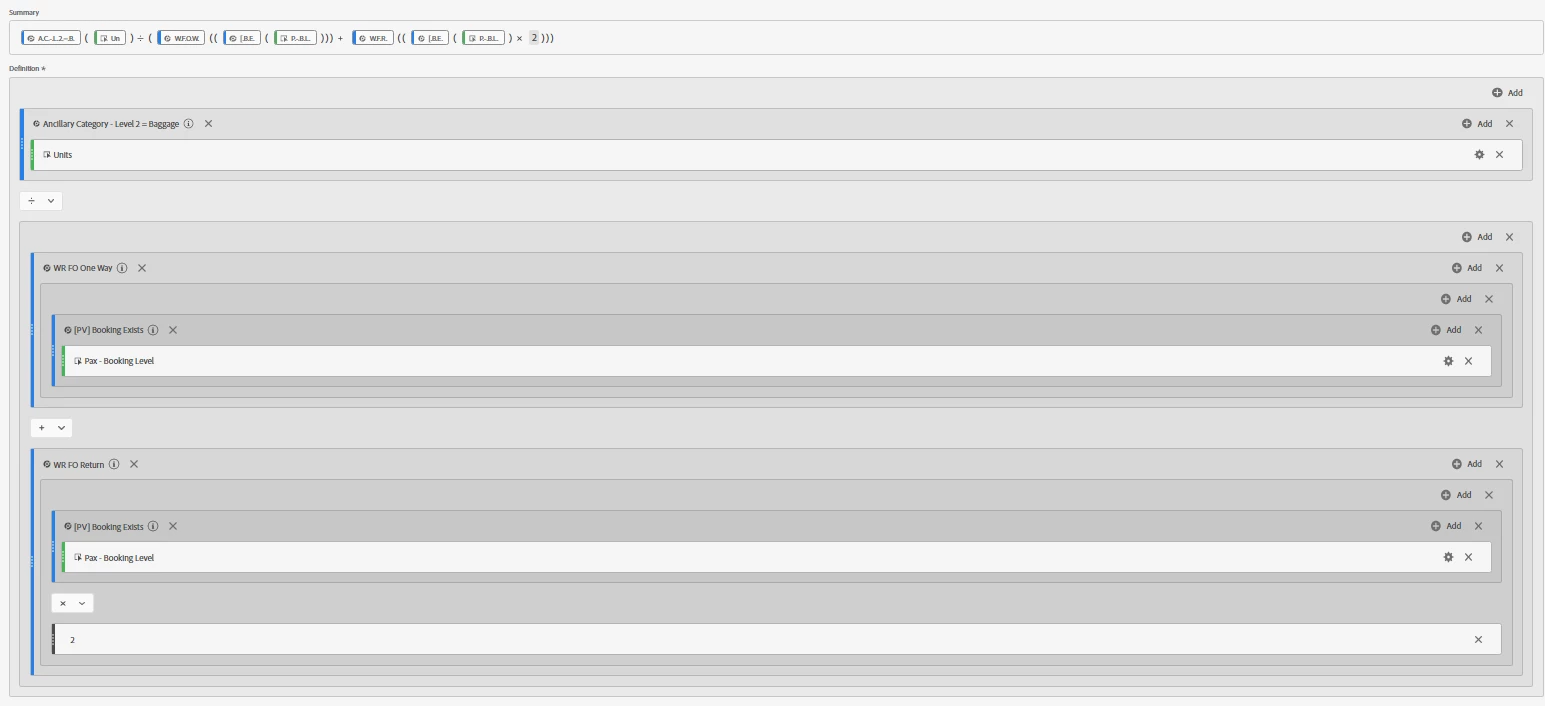
However, when I do the calculation in the calculated metric it will show 128% which is incorrect.


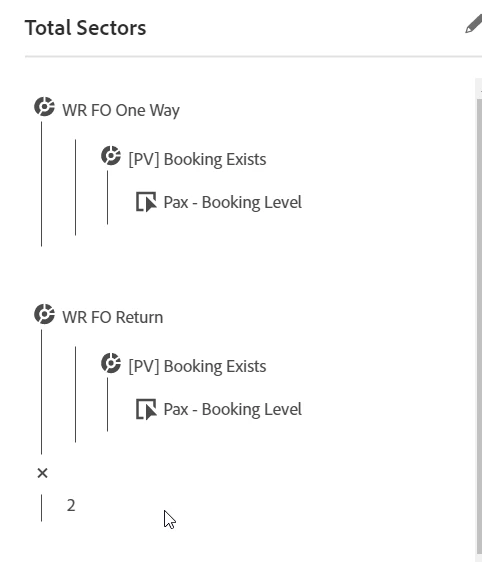
This is the calculation of sectors:


And this is the calculation of the uptake:
I've heard that this is because the units can also be for other types, so not only luggage but also insurance for example.

Does someone know a workaround for this? 

Thanks a lot!

Karlijn


This post is no longer active and is closed to new replies. Need help? Start a new post to ask your question.
Best answer by cr_17

Did you tried creating a separate calculate metric for Total Sectors itself and a new one calculating percentage. This is just my thought. I don't know exactly what the calculation represents. Also, I have a question, why you multiplied WR FO Return with 2. Just give it a try by creating a calculated metric for 'total sectors' and then create another for uptake by dividing units of luggage by total sectors.

1 reply

cr_17Accepted solution
New Participant
March 21, 2023

Did you tried creating a separate calculate metric for Total Sectors itself and a new one calculating percentage. This is just my thought. I don't know exactly what the calculation represents. Also, I have a question, why you multiplied WR FO Return with 2. Just give it a try by creating a calculated metric for 'total sectors' and then create another for uptake by dividing units of luggage by total sectors.