Campaign Classification for Historical Data | Community
Skip to main content
New Participant
April 3, 2023
Solved

Campaign Classification for Historical Data

  • April 3, 2023
  • 2 replies
  • 1193 views

Hi all, 


Our team was working with tracking code for classifying source, medium & campaign (I know that's not correct 😅) and we are getting most of the data in unspecified (I think due to the 1 week expiry).

Now we have set up proper Last Touch Channel Detail based rules for source, medium & campaign with a Lookback window of 1 month and we got properly classified data for last month but the historical data is not classified (that can be for more than 2 years). I know we can only extend the lookback window to 6 months only.

The only way I can think of is by exporting all Last touch channel detail data and manually classifying and importing the same. Is there a more effective way to resolve this issue?


Also, I want to know how frequently these classification rules are executed (daily/weekly/hourly)? Asking this because I noticed some campaigns did not get classified after I applied the rules.


Thanks in advance. 🤗
This post is no longer active and is closed to new replies. Need help? Start a new post to ask your question.
Best answer by Jennifer_Dungan

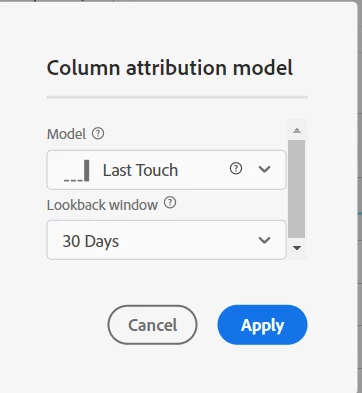
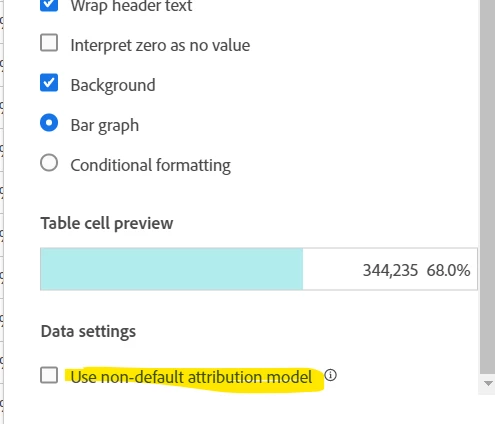
You should be able to apply a custom attribution to the tracking code value that will look at last touch against your conversion metric (I know this doesn't work with some of the standard metrics but it should work with "purchase" or any custom metric you have set up).


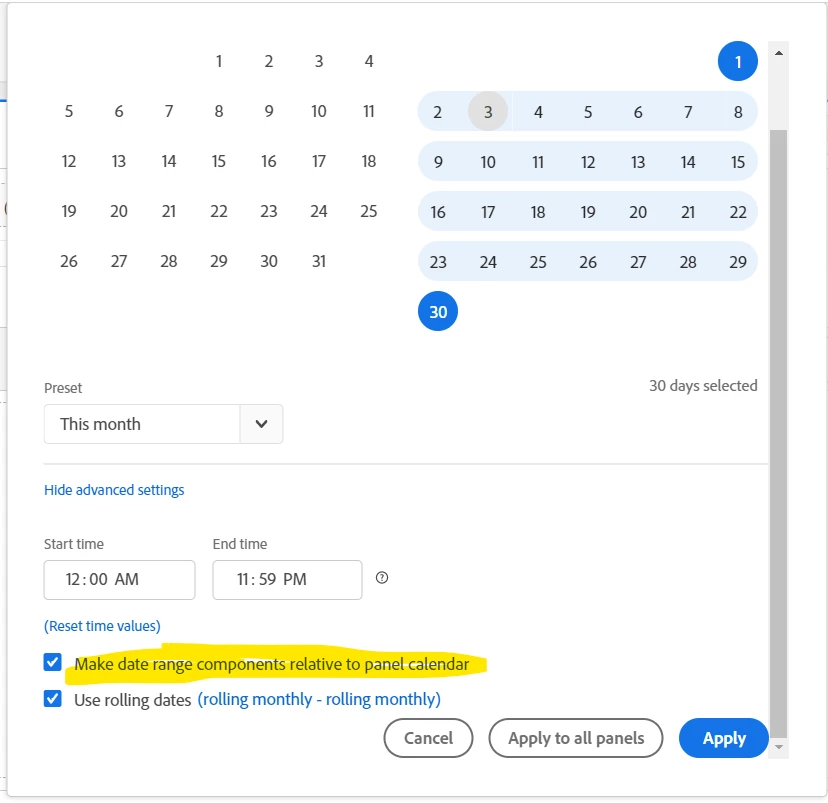
But I think you said that this was only working for the last month... have you tried this model with the new "relative date ranges" feature:


In theory, this should apply the 30 day lookback window based on the selected panel date range.. so you should be able to pull out some data month by month? It's still probably better than trying to export and process it all.....


Normal classifications process every 4-6 hours.. but Marketing Channels should be applied as the data is received... I am not sure if you are trying to see your Marketing Channel Processing Rules, or the additional classifications you can apply to them, which is why I included both answers)

2 replies

yuhuisg
New Participant
April 4, 2023

@anuragxadobe wrote:

The only way I can think of is by exporting all Last touch channel detail data and manually classifying and importing the same. Is there a more effective way to resolve this issue?

Yes, that is pretty much the solution. Classification Rule Builder can only work for data up to 6 months from the current date, but Classification Importer has no such limit AFAIK.

Jennifer_Dungan
Jennifer_DunganAccepted solution
New Participant
April 4, 2023

You should be able to apply a custom attribution to the tracking code value that will look at last touch against your conversion metric (I know this doesn't work with some of the standard metrics but it should work with "purchase" or any custom metric you have set up).


But I think you said that this was only working for the last month... have you tried this model with the new "relative date ranges" feature:


In theory, this should apply the 30 day lookback window based on the selected panel date range.. so you should be able to pull out some data month by month? It's still probably better than trying to export and process it all.....


Normal classifications process every 4-6 hours.. but Marketing Channels should be applied as the data is received... I am not sure if you are trying to see your Marketing Channel Processing Rules, or the additional classifications you can apply to them, which is why I included both answers)