Cannot access Adobe Analytics | Community
Skip to main content
Level 3
Nov 7, 2022 5:51 PM UTC
Solved

Cannot access Adobe Analytics

I see a "Welcome to your account" message after I verified my account login.  I see that I have Adobe Analyics included in my plan but cannot actually get INTO Adobe Analtyics.When I clikc on the "Access your service" I just get marketing information about Adobe Analytics.


I have been in the reportsuites in that profile a ton of times.f
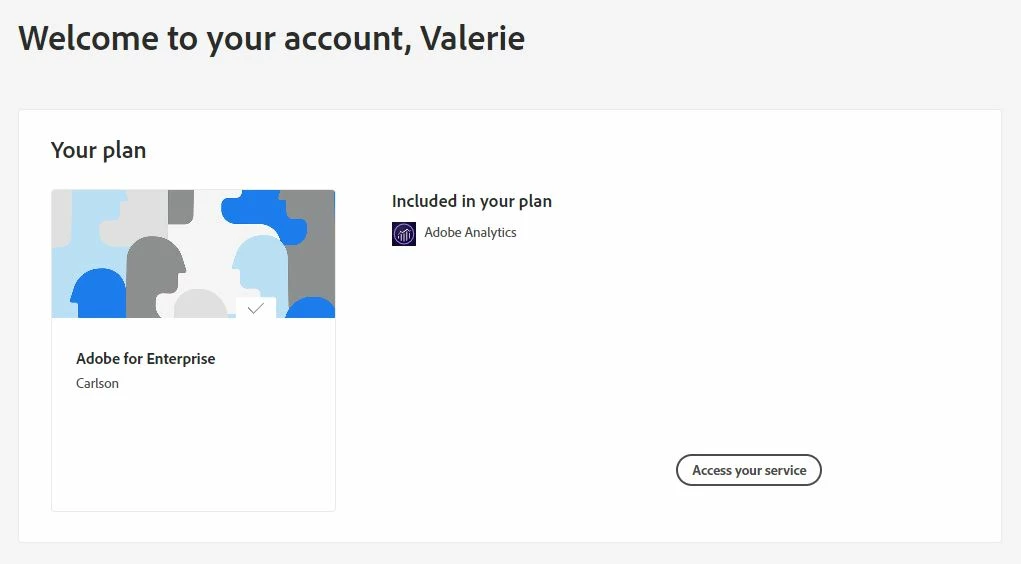
 

This is the first time I am seeing this screen.  When I click on "Access your service" I am not seeing anywhere that I can actually get to my Workspaces.

 

This post is no longer active and is closed to new replies. Need help? Start a new post to ask your question.
VaniBhemarasetty
VaniBhemarasettyAccepted solution
Employee
Nov 8, 2022 9:52 AM UTC

@valerie_anders If the issue still occurs, please reach out to client care for further asisstance on this

7 replies

New Participant
Nov 29, 2023 7:03 PM UTC

Having the same issue and can't get in touch with anyone who can help. 

Translate
Level 2
Jun 5, 2024 3:43 PM UTC

It turns out that once you move a user to a Federated ID, they don't use the SSO dashboard to login and then try to get to Analytics.  


How they actually need to logon is go to experience.adobe.com and login from there using the email that is their username for the Federated ID account.


Client Care figured it out.

Translate
VaniBhemarasetty
VaniBhemarasettyAccepted solution
Employee
Nov 8, 2022 9:52 AM UTC

@valerie_anders If the issue still occurs, please reach out to client care for further asisstance on this

Translate
New Participant
Jun 5, 2024 7:37 AM UTC

Having the same problem and this is a lame answer!!

And what is "Client Care" (Am I supposed to know?)
And why is there no link to "Client Care"?


Translate
Jennifer_Dungan
Level 2
Jun 5, 2024 1:15 PM UTC

Client Care can be accessed through the Admin Console (and only by designated "support administrators" role)... Adobe has always sort of locked down who can reach out to support (which helps them to control the flow of tickets, but can also be frustrating if all your designated support people have left....)


You should see the Support Option:


Now, if you don't see this, try to find the person in your org that does.


I wish I could contact support on your behalf, but since I don't have access to your account / account settings, or your organization, I wouldn't be a lot of help since I won't be able to action any support suggestions.


Unfortunately, this is one of those tickets no one here will have a lot of ability to help with... unless we happen to have a user in our own company with the same issue and can share what they did to support it....  no one in my org has raised any concerns....

Translate
Jennifer_Dungan
Level 2
Nov 7, 2022 10:50 PM UTC

Perhaps you need to check if you system admins were doing some changes that might have impacted your account?


I've not had any users complaining about this on my end, so I doubt it was an Adobe system issue (but I could be wrong)... that is very strange.

Translate