Cannot publish segment to experience cloud via workspace | Community
Skip to main content
New Participant
June 5, 2020
Solved

Cannot publish segment to experience cloud via workspace

  • June 5, 2020
  • 4 replies
  • 4627 views

Hi, 


I have all of the prerequisites listed to have experience cloud:

https://docs.adobe.com/content/help/en/analytics/components/segmentation/segmentation-workflow/seg-publish.html


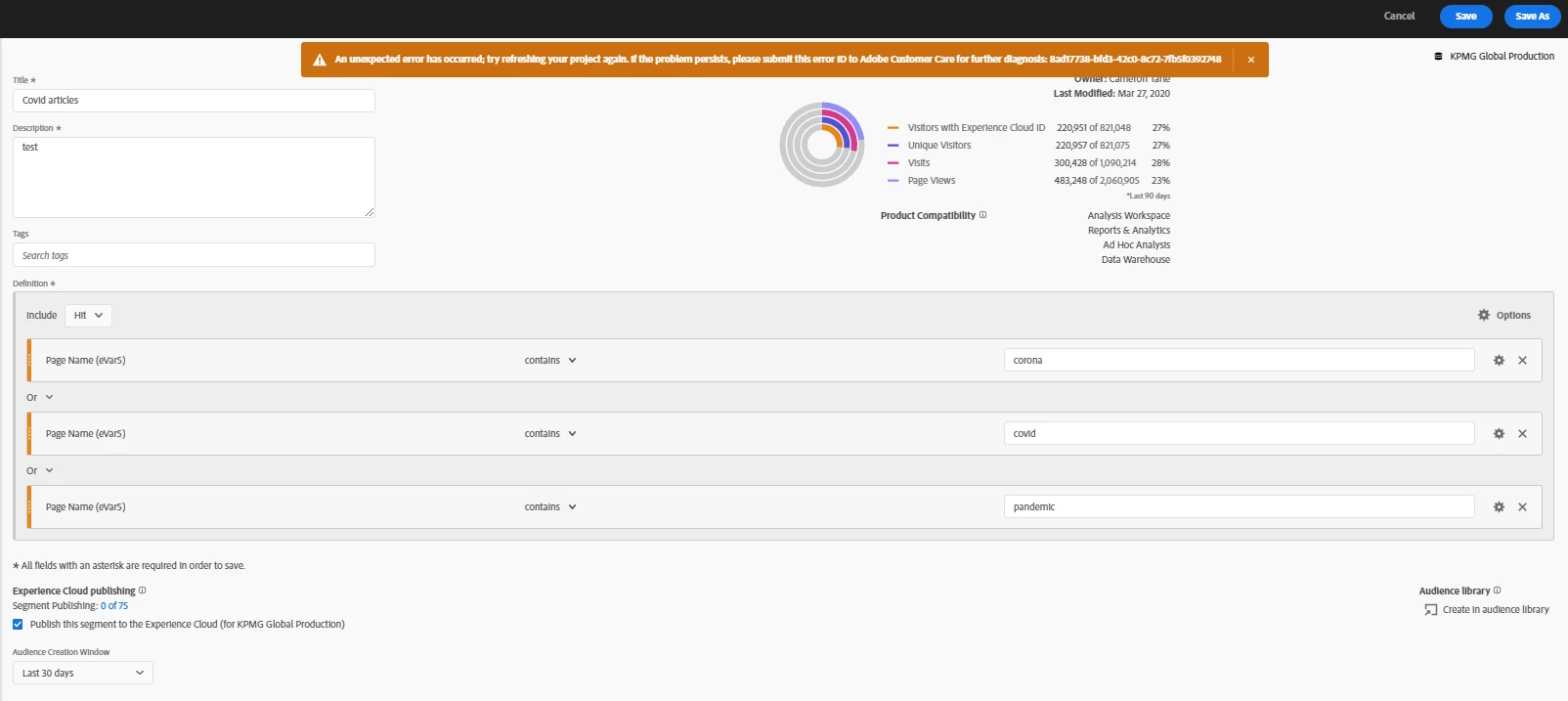
I have on this enterprise Adobe Target and Adobe Analytics, and A4T. Additionally I have admin access, the report suites are set up, I even can see the check box indicating I can publish to experience cloud. But when I try to publish, and save, a segment in workspace, I get an error. I would create a support ticket but creating a ticket makes an error occur too!


Has anyone run into this? Does this organisation need Adobe Audience Manager to accomplish this?
 

Thanks,


Cameron Tarle

This post is no longer active and is closed to new replies. Need help? Start a new post to ask your question.
Best answer by isinha

Hi @cameront2125600 ,

Not sure if this was addressed. However, it looks like the Shared Profile hasn't been enabled for the report suite. This process basically creates a folder for each data source in Adobe Audience Manager which is required to publish segments from Analytics to Experience Cloud.

The setting can be enabled internally by Adobe and the Adobe Client Care can do it easily.

I hope this helps!

4 replies

jantzen_b
Employee
September 16, 2020
Were you able to solve this issue? If so, would you mind posting the solution so others that find this thread have the answer?
isinhaAccepted solution
Employee
June 15, 2020

Hi @cameront2125600 ,

Not sure if this was addressed. However, it looks like the Shared Profile hasn't been enabled for the report suite. This process basically creates a folder for each data source in Adobe Audience Manager which is required to publish segments from Analytics to Experience Cloud.

The setting can be enabled internally by Adobe and the Adobe Client Care can do it easily.

I hope this helps!

Employee
June 15, 2020
Let me know if that helps.
Andrey_Osadchuk
New Participant
June 9, 2020

Maybe it was a temporary issue. Could you try again and share a screenshot if the error persists?

New Participant
June 9, 2020
Hi Andrey, still persisting. Shared a screenshot. Code is: 7cafe67a-86e7-40f3-9b83-df9742eb8513
New Participant
June 9, 2020
Do I need to enable server side forwarding? I may have missed that.