Capture adobe launch rule name in a prop variable? | Community
Skip to main content
Level 3
Mar 27, 2023 12:48 PM UTC
Solved

Capture adobe launch rule name in a prop variable?

As the title - 


I am looking to capture the adobe tag name that fires on a page as a prop variable. How can I go on about this?


leocwlau
leocwlauAccepted solution
New Participant
Mar 29, 2023 4:56 AM UTC

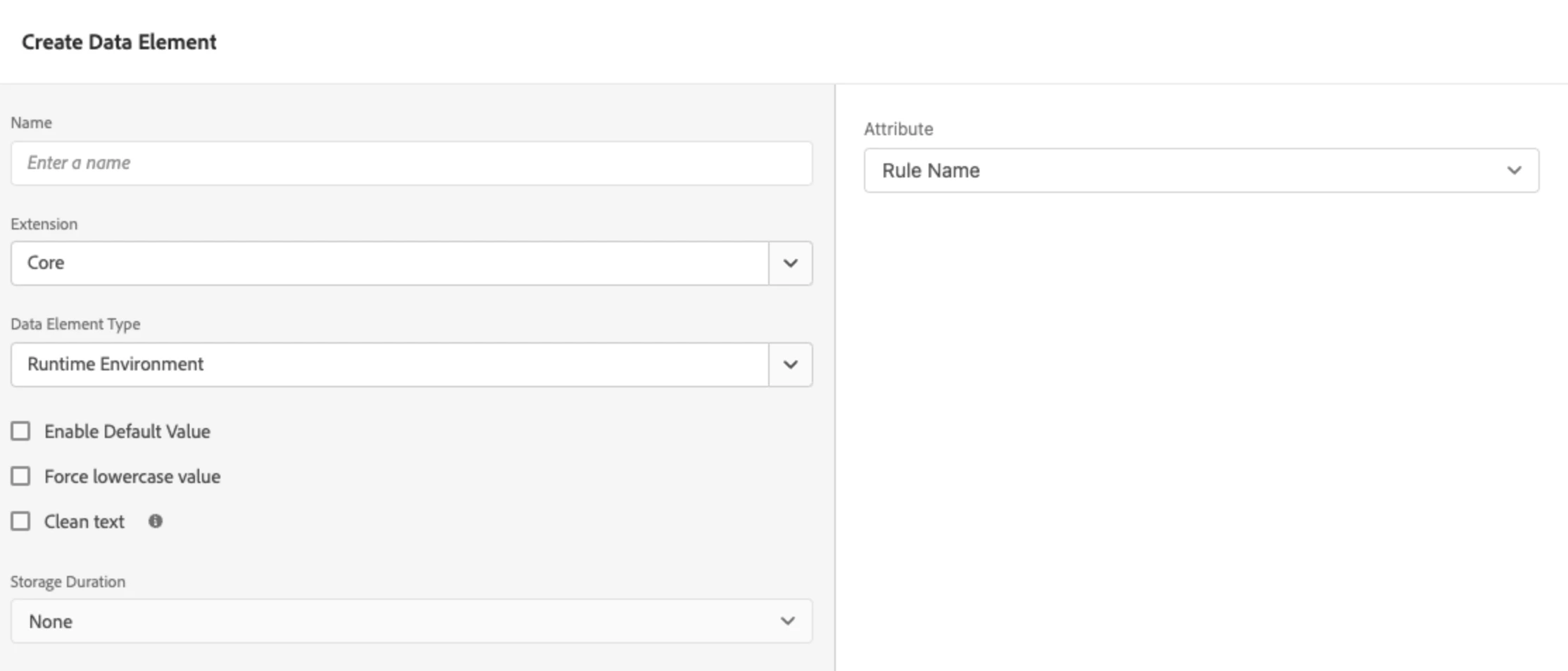
Launch has  a data element for the rule name. However, the key is as reminded by others, there can be multiple rules fired before a hit sent to Adobe Analytics and you need to think about how to handle multiple names in the prop. Or if you are certain that in your implementation each rule fires a hit, then you are safe to go simple.

9 replies

leocwlau
leocwlauAccepted solution
New Participant
Mar 29, 2023 4:56 AM UTC

Launch has  a data element for the rule name. However, the key is as reminded by others, there can be multiple rules fired before a hit sent to Adobe Analytics and you need to think about how to handle multiple names in the prop. Or if you are certain that in your implementation each rule fires a hit, then you are safe to go simple.

Translate
Jennifer_Dungan
Level 2
Mar 29, 2023 1:47 PM UTC

Well that is handy! 

Translate
Jennifer_Dungan
Level 2
Mar 27, 2023 3:39 PM UTC

Depending on your implementation, you could have multiple rules triggered... 


Some people use multiple rules to set the different dimensions, then have one final rule that sends the beacon....


However, if you aren't using that, and know that send beacons are always paired with set variables within your rules... while I don't know of any automatic way to pull this data... you could easily add to your "set variables" portion of your rules, a prop that is hard coded to a value (that indicates the rule name)... 


This will require that your team is aware that if they copy rule and make modifications, they will need to manually edit the value of the prop. If the rule name is changed, they should also update this hard coded value.


I did also find this, but I have never tested it: https://experienceleague.adobe.com/docs/experience-platform/tags/client-side/satellite-object.html?lang=en


Under "Debugging Functions", I see some code to read the event.rule


You could try writing some custom JS in your rules custom code area to try and using these debugging options to populate a prop with the value (rather than logging it to the console).


If you are familiar with Javascript Coding, with some trial and error you can probably get something working... or ask your developers to help.... if those options don't work.. the manual process is the safest option, but like all manual processes, it's highly reliant on people following that process and it's subject to human error.

Translate
franzli
Level 4
Mar 28, 2023 12:49 AM UTC

Just to add, rules can also go very long, props have a maximum of 100 bytes (100 characters). So you will need to figure out how you would go around that. Yes, you can technically use eVars, but you will run into 255 char limit as well.


So if you had your rules:

LB50 - Page View Beacon, you could only fit about 4 other rules (including commas if you are going to use a list prop)


May not be a practical solution. 


I guess the question comes back what will you do with the Rule Names. Once you know what rule fires what will you do with it? Audit and remove rules? etc. There might be other solutions instead of setting it as a prop/evar

Translate
Level 3
Mar 28, 2023 1:27 AM UTC

I am thinking about capturing the rule-names for Q/A purposes. This is to prevent rules that should be running for Product A from not firing on Product B and so on. 


My expectation is to capture a rule name on hit-level instances so one rule name per hit in the prop. We can update our rule names to fit the 100 Ch limit which isn't an issue. 


So if I visit a page and then interact, the rule that sends the beacon should be captured.  

Translate