Classification Importer "data set to be classified" missing evars | Community
Skip to main content
New Participant
Jun 30, 2021 1:33 PM UTC
Solved

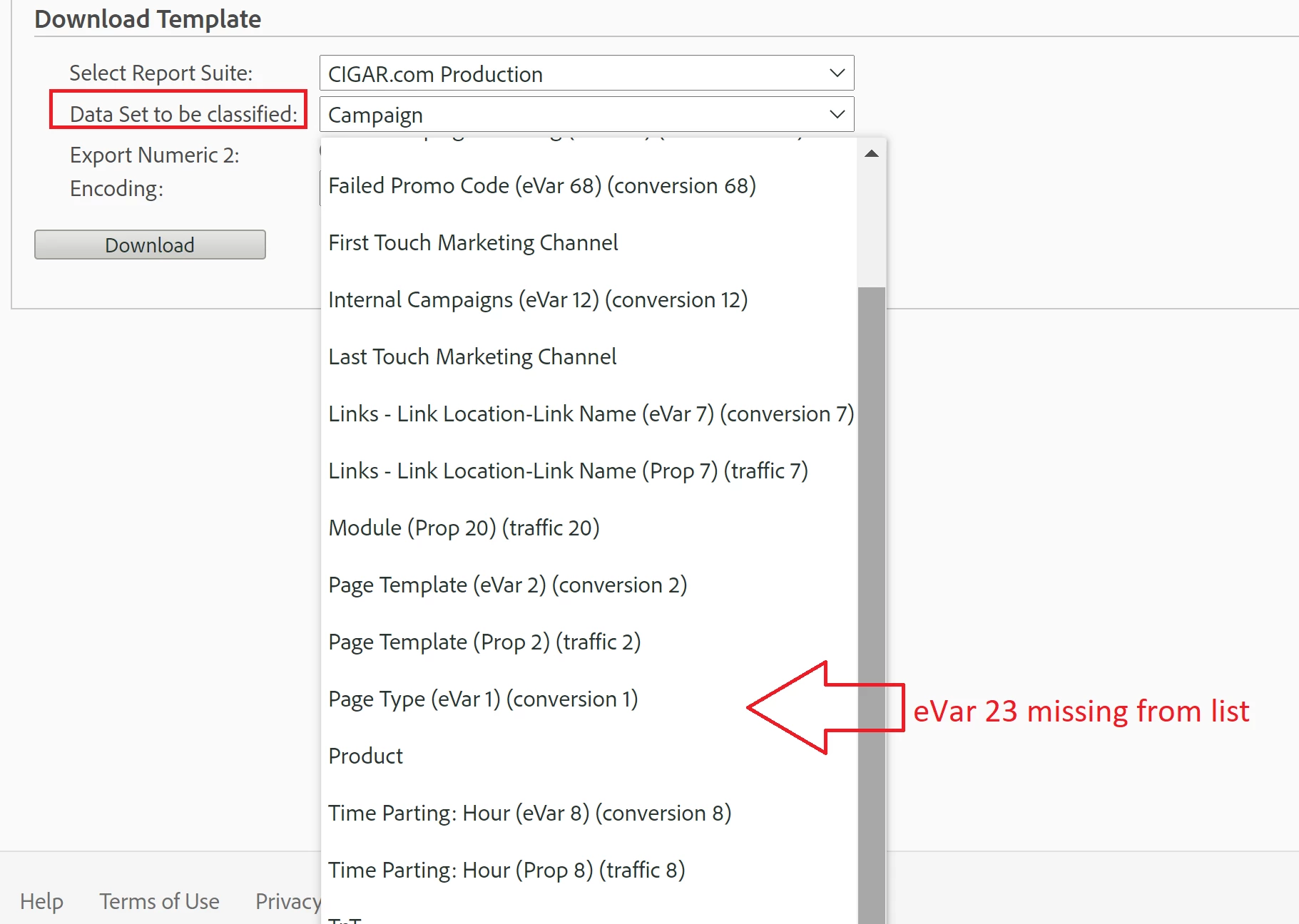
Classification Importer "data set to be classified" missing evars

Inside of Classification Importer.

Evar is missing from "Data set to be classified"

How do I get eVars to appear in Classification Importer "Data set to be classified".
 

This post is no longer active and is closed to new replies. Need help? Start a new post to ask your question.
meghat43023313
meghat43023313Accepted solution
Employee
Jun 30, 2021 3:05 PM UTC

@eham1907 - Please make sure you have created a Classification of evar 23 under
Admin > Report Suites> Edit Settings > Conversion > Conversion Classifications.


3 replies

meghat43023313
meghat43023313Accepted solution
Employee
Jun 30, 2021 3:05 PM UTC

@eham1907 - Please make sure you have created a Classification of evar 23 under
Admin > Report Suites> Edit Settings > Conversion > Conversion Classifications.


Translate
eham1907Author
New Participant
Jun 30, 2021 3:59 PM UTC
@meghat43023313 this was it. Thank you for the reply.
Translate
Employee
Jun 30, 2021 2:23 PM UTC

Hi @eham1907 ,

This could happen when not all the report suites have the same "Display Name" for that particular classification eVar, i.e. the name of eVar23 is not consistent in all report suites with classification structure.

Please check custom name of eVar23 in other report suites and that might be present in the list.

If you still can't find it then report it to Client Care.

Translate