"Compare Time Periods" option in workspaces not showing up in drop-down | Community
Skip to main content
New Participant
March 28, 2020
Solved

"Compare Time Periods" option in workspaces not showing up in drop-down

  • March 28, 2020
  • 1 reply
  • 3560 views

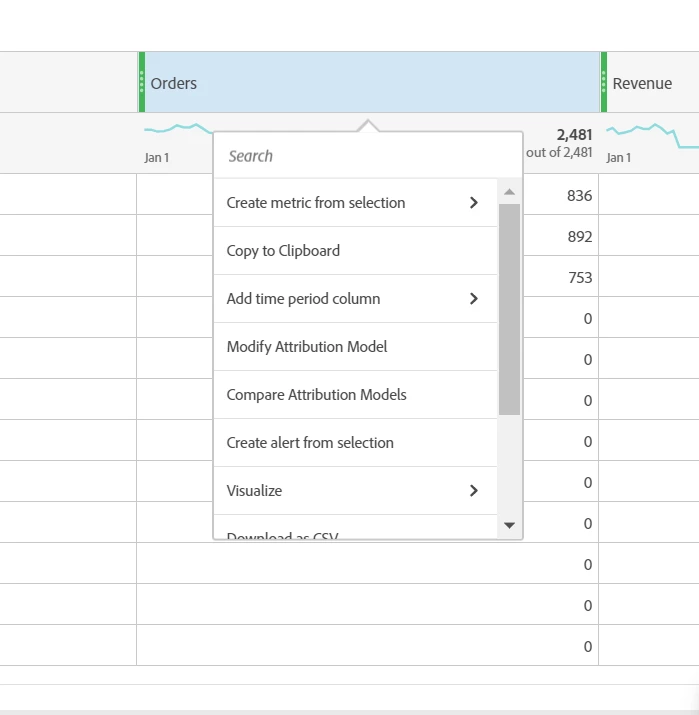
I am trying to do a YoY comparison and the "Compare Time Periods" is not in the drop down. 
 

This post is no longer active and is closed to new replies. Need help? Start a new post to ask your question.
Best answer by ElsaWr
Compare Time Periods will appear for Ranked Reports where the values of the Dimensions are listed. In Trended Reports only Add a Time Period option will appear.

1 reply

PratheepArunRaj
New Participant
March 29, 2020

Dear Wsmith,

What is the Dimension you are using? You cannot have Time Periods in the Dimension to compare i.e. Month, Day, Hour, etc.

Thank You, Arun

ElsaWrAccepted solution
Employee
March 31, 2020
Compare Time Periods will appear for Ranked Reports where the values of the Dimensions are listed. In Trended Reports only Add a Time Period option will appear.