Comparing YtD | Community
Skip to main content
New Participant
May 16, 2018
Solved

Comparing YtD

  • May 16, 2018
  • 2 replies
  • 1245 views

Hello,

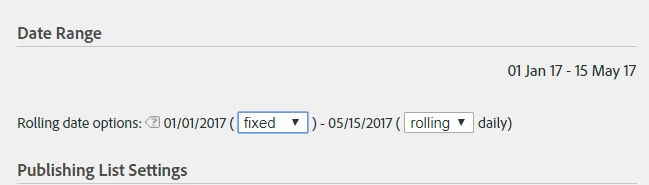
I am trying to create a dashboard that would compare metrics for this and last year (YtD), however when making report as a dashboard element it only allows to choose for one of the time periods fixed start and rolling end date.  

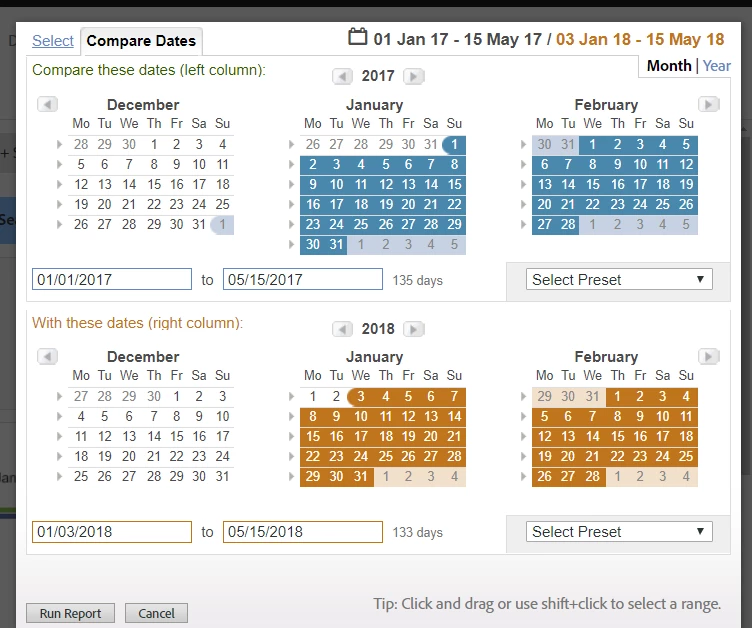
In my specific case I chose Jan 1- May 15 for both 2017 and 2018, and when making it a dashboard element I chose 01/01/2017 ( fixed) and 01/01/2017 ( rolling) daily.

However, this makes only data for 2017 rolling YtD but not for 2018. Is there a possibility to make both 2017 and 2018 YtD comparison?

Thank you!

Kind regards,

Rasa
This post is no longer active and is closed to new replies. Need help? Start a new post to ask your question.
Best answer by Gigazelle

Have you tried using the date comparison capabilities inside analysis workspace? They are more robust, and I would anticipate be able to resolve your issue.

More info on date compare in workspace: Date Comparison

2 replies

New Participant
June 8, 2018

Hello,

Thank you for your reply.

At the end I created a repot in Workspace. However, in some cases and when presenting to management dashboard layout seems nicer, unfortunately there is no option for date comparison there.

Kind regards,

Rasa

Gigazelle
GigazelleAccepted solution
Employee
June 5, 2018

Have you tried using the date comparison capabilities inside analysis workspace? They are more robust, and I would anticipate be able to resolve your issue.

More info on date compare in workspace: Date Comparison