Dynamic date range? | Community
Skip to main content
karah18933168
New Participant
Jul 18, 2019 5:27 PM UTC
Solved

Dynamic date range?

Hi,

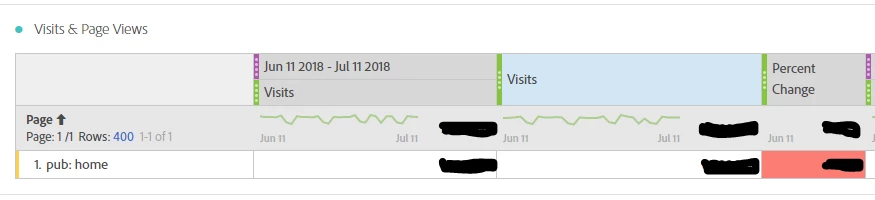
I have a workspace dashboard that compares page visits for a set month with the month of the previous year. I would like to be able to change the month in the top right of the panel and have the month for the previous year automatically update. Is this possible or is there a better way to do this?

Thanks,

Kara
This post is no longer active and is closed to new replies. Need help? Start a new post to ask your question.
Urs_Boller
Urs_BollerAccepted solution
New Participant
Jul 18, 2019 10:20 PM UTC

on top right of the project, select "last month" as date range. this way, the project has always data from the last month when you open it.

next, select your desired metric and select the "compare to" and desired date range. even there is a date in the header, it will change dynamically when the whole project changes. it will look similar to your screenshot except with other date ranges

remark: you can create new dynamic date ranges by using the "rolling" options, see here: Calendar and date ranges overview

4 replies

Urs_Boller
New Participant
Jul 19, 2019 5:38 PM UTC

sorry to say that this is not possible (yet). please upvote the idea in this forum to get it implemented:

Dynamic date comparison

Translate
karah18933168
New Participant
Jul 19, 2019 2:34 PM UTC

I need to be able to change the date range in the top right, to a certain month or week of the current year, and for the date comparison to update to the corresponding time period of the previous year. Also when I tried your method, the comparison date range is still not updating as I change the project's date range.

Translate
Level 2
Nov 17, 2020 8:22 AM UTC

Hi,


I have the same issue.


I create the time comparison using rolling dates, but the "Percentage change" column always shows the same metrics.

Translate
Urs_Boller
Urs_BollerAccepted solution
New Participant
Jul 18, 2019 10:20 PM UTC

on top right of the project, select "last month" as date range. this way, the project has always data from the last month when you open it.

next, select your desired metric and select the "compare to" and desired date range. even there is a date in the header, it will change dynamically when the whole project changes. it will look similar to your screenshot except with other date ranges

remark: you can create new dynamic date ranges by using the "rolling" options, see here: Calendar and date ranges overview

Translate