Error that appears after logging into Adobe Analytics | Community
Skip to main content
New Participant
August 23, 2024
Solved

Error that appears after logging into Adobe Analytics

  • August 23, 2024
  • 3 replies
  • 588 views

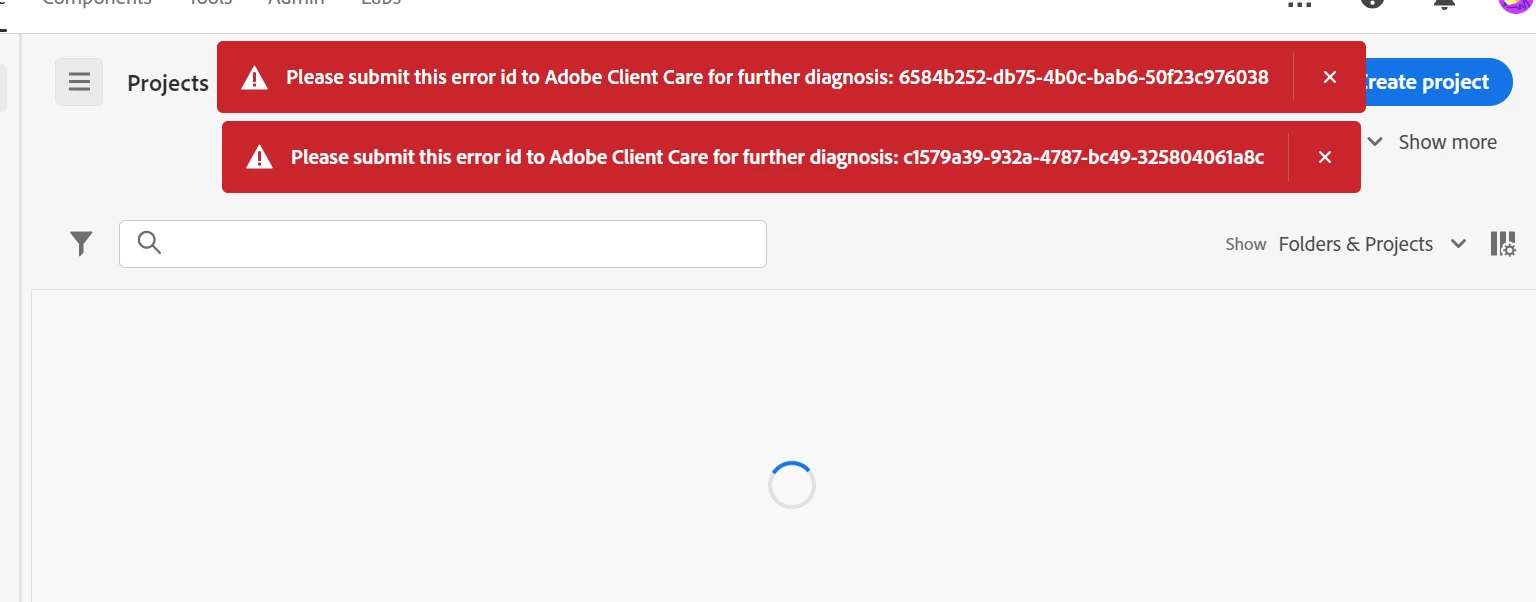
Why is this error occurring?


[Error code]

Please submit this error id to Adobe Client Care for further diagnosis: 6584b252-db75-4b0c-bab6-50f23c976038
Please submit this error id to Adobe Client Care for further diagnosis: c1579a39-932a-4787-bc49-325804061a8
 

This post is no longer active and is closed to new replies. Need help? Start a new post to ask your question.
Best answer by bjoern__koth

Hi @sunghunyo 

maybe it was caused by a release window which can happen.


Typically, in these cases go to https://status.adobe.com/ and check if any major changes or issues are in your region.

Does the issue still exist?


Cheers


3 replies

Krishna_Musku
New Participant
August 27, 2024

@sunghunyo There was a minor issue noted by adobe system status during that time, but resolved on the same day. If it is still persisting for you please log a client care ticket.

Isha__Gupta
New Participant
August 23, 2024

Hi @sunghunyo ,


Along with what @bjoern__koth mentioned, I also try to login using Incognito or login again after clearing browser cache/cookies. If the issue still persists, and you can not see anything on https://status.adobe.com/, you need to raise a support ticket with client care.

Best,

Isha

bjoern__koth
bjoern__kothAccepted solution
New Participant
August 23, 2024

Hi @sunghunyo 

maybe it was caused by a release window which can happen.


Typically, in these cases go to https://status.adobe.com/ and check if any major changes or issues are in your region.

Does the issue still exist?


Cheers


Cheers from Switzerland!