Error when downloading items as CSV | Community
Skip to main content
ダビュンチバーター
Level 2
Oct 28, 2024 2:28 AM UTC
Solved

Error when downloading items as CSV

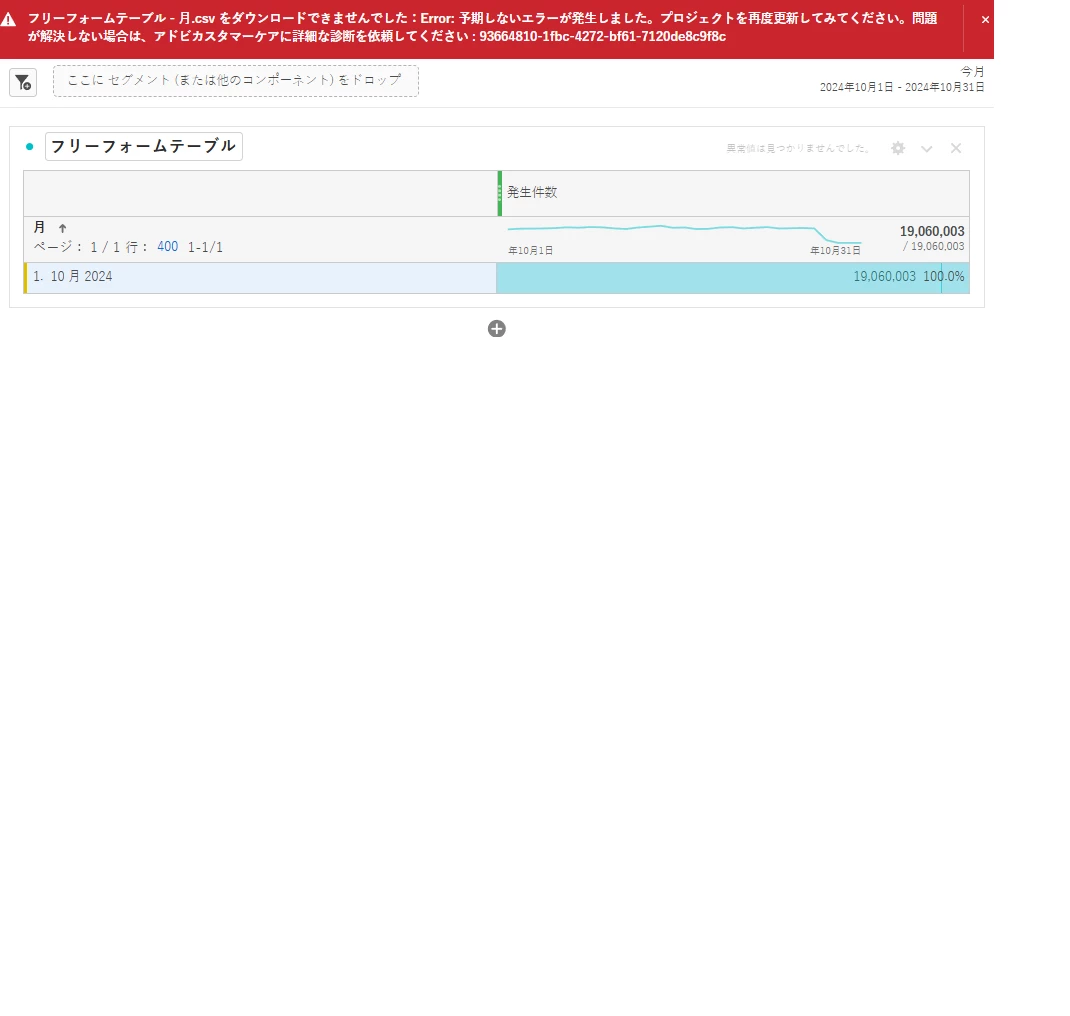
From October 25th, when I click "Download items as CSV" in the right-click menu in the Adobe Analytics workspace, the following message appears and I cannot download. Message: Error: An unexpected error has occurred. Please try updating the project again. Does anyone know how to solve this?

 

This post is no longer active and is closed to new replies. Need help? Start a new post to ask your question.
FarazHusain
FarazHusainAccepted solution
Employee
Oct 28, 2024 10:15 AM UTC

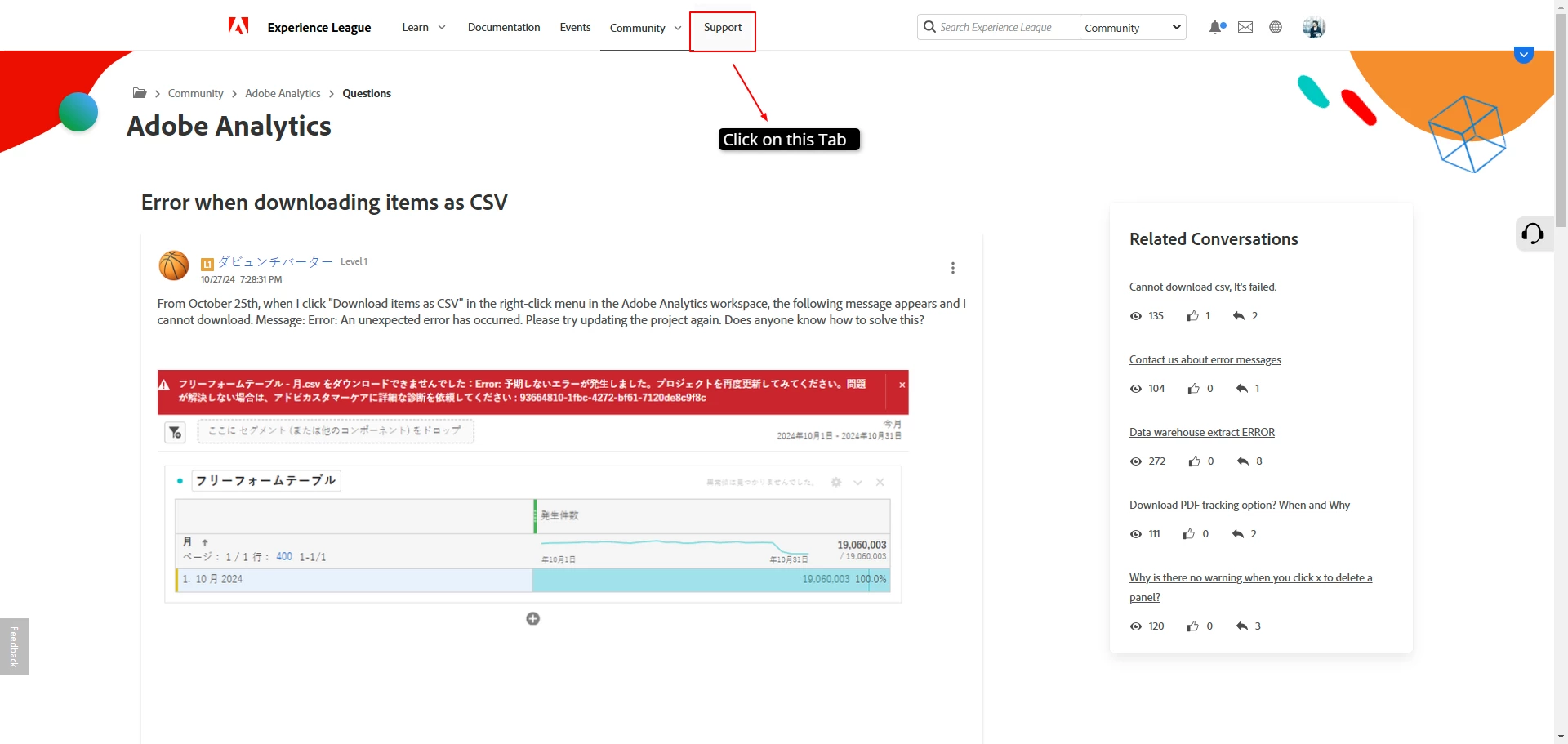
You need to navigate to Support Tab as highlighted below:


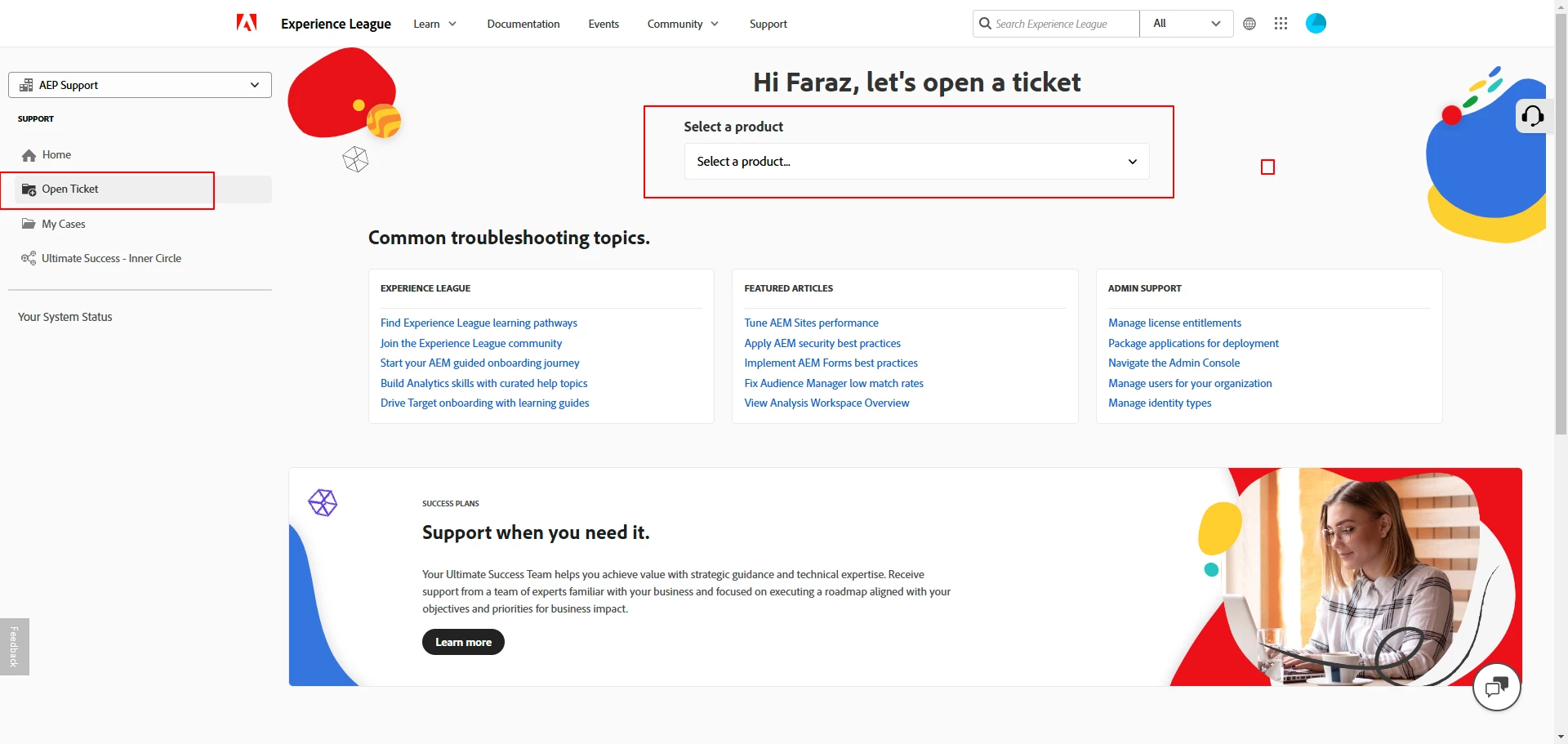
Then, Navigate to Open ticket tab and choose Analytics as a product and fill in the issue details:


4 replies

FarazHusain
Employee
Oct 28, 2024 9:32 AM UTC

Hey @ダビュンチバーター This is an ongoing bug. You can log a support ticket via Experience League for more details on the same.

Translate
ダビュンチバーター
Level 2
Oct 28, 2024 10:00 AM UTC

Sorry, but can you tell me how to log a support ticket in Experience League?

Translate
FarazHusain
FarazHusainAccepted solution
Employee
Oct 28, 2024 10:15 AM UTC

You need to navigate to Support Tab as highlighted below:


Then, Navigate to Open ticket tab and choose Analytics as a product and fill in the issue details:


Translate