Export time metrics to Excel
Hi,
Does anyone know how to export time metrics (like time on site or time spent per visit) to excel? When I download a dashboard with time metrics form Adobe Analytics Workspace, I get completely different numbers in Excel. I have the same problem with Report Builder.
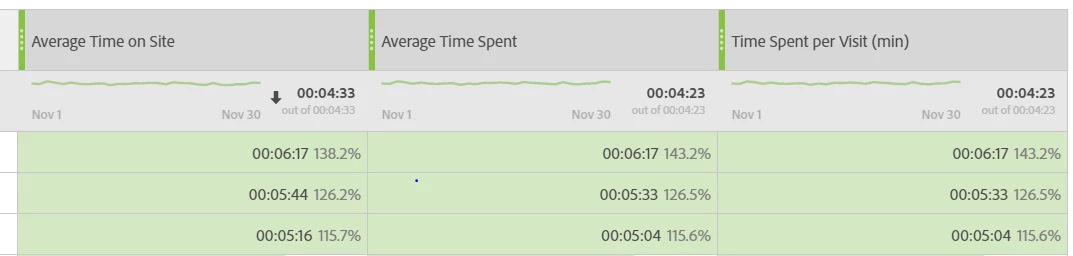
Example 1: fragment of a workspace dashboard:
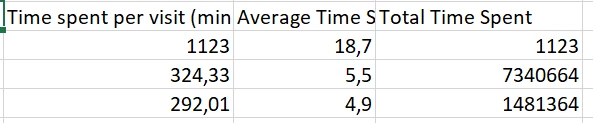
This is what I see when I download these numbers to Excel. The numbers seem incomprehensible and unusable to me.

Example 2: fragment of a table I requested with Report Builder in Excel:
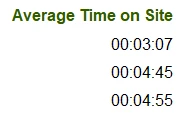
My current workaround is to download the numbers I need from the Reports section (instead of Workspace or Report Builder). Then copypaste the numbers to the Excel dashboard. This works for the Average Time on Site metric. Fragment from an export from the Reports section:
I would save time if I could download time on site numbers directly from Workspace to Excel. Hope somebody knows a solution.
Thanks!
Michaël
