Level 3
July 20, 2017
Solved

Extracting ALL data in Analytics Workspace (not just first 10 rows from the first page)

  • July 20, 2017
  • 3 replies
  • 6510 views

Hi there,

Is it possible to download all the Data (CSV/PDF) format in Workspace? I am only seeing the first 10 rows on the first page of each report. Please see screenshot below.
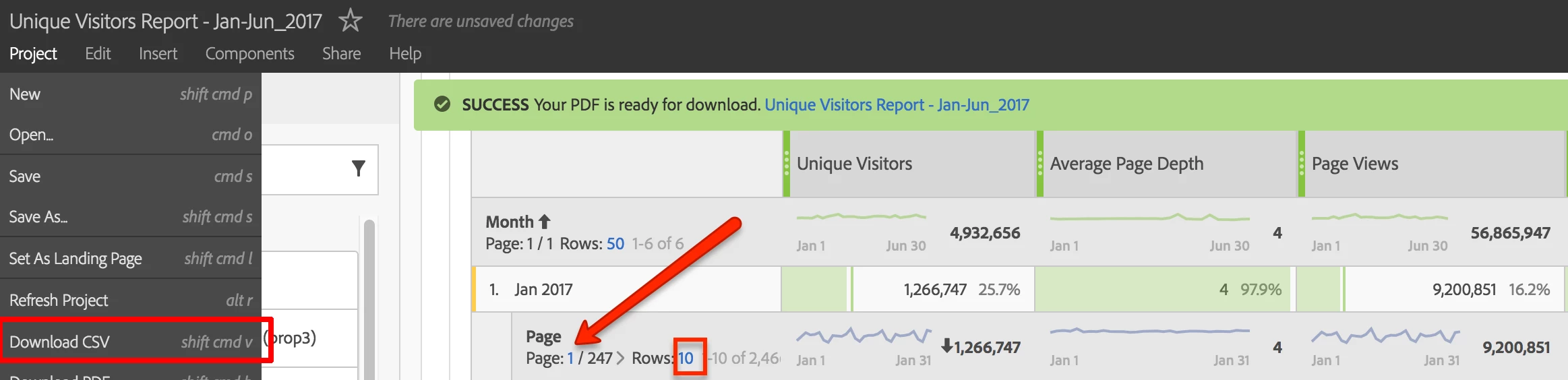
Thank you!
ParitMittal​ Jantzen.Belliston​

This post is no longer active and is closed to new replies. Need help? Start a new post to ask your question.
Best answer by RameshAnalytics

Hi,

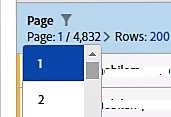
In workspace, Max of 200 rows can be downloaded as (CSV/PDF) in the workspace. You can change filter options from Page 1 to 2, 3, 4 etc. and

each page have max 200 rows can be download at a time.

Hope this helps

3 replies

Level 4
July 20, 2017

Through 'Data Warehouse' you can download unlimited data at once.

For more detailed comparisons here: Analytics Product Comparison and Requirements

NiraEpAuthor
Level 3
July 20, 2017

Thanks, this helps (a little bit ). I wish there was an option to download all the data at once. Is that possible using API or something?

RameshAnalyticsAccepted solution
Level 4
July 20, 2017

Hi,

In workspace, Max of 200 rows can be downloaded as (CSV/PDF) in the workspace. You can change filter options from Page 1 to 2, 3, 4 etc. and

each page have max 200 rows can be download at a time.

Hope this helps