
(Federated ID based) Account Deactivated - How do we reactivate it? | Community
Skip to main content
Kishore_Reddy
New Participant
Sep 20, 2022 7:48 PM UTC
Solved

(Federated ID based) Account Deactivated - How do we reactivate it?

Hi All,

Hope you are doing well.

One of the users in our Org. is facing an issue to access our Adobe marketing cloud solutions using Federated ID. We have provided the access to product profiles, but we are seeing "Account status" for the user as "Deactivated". Screenshot below:
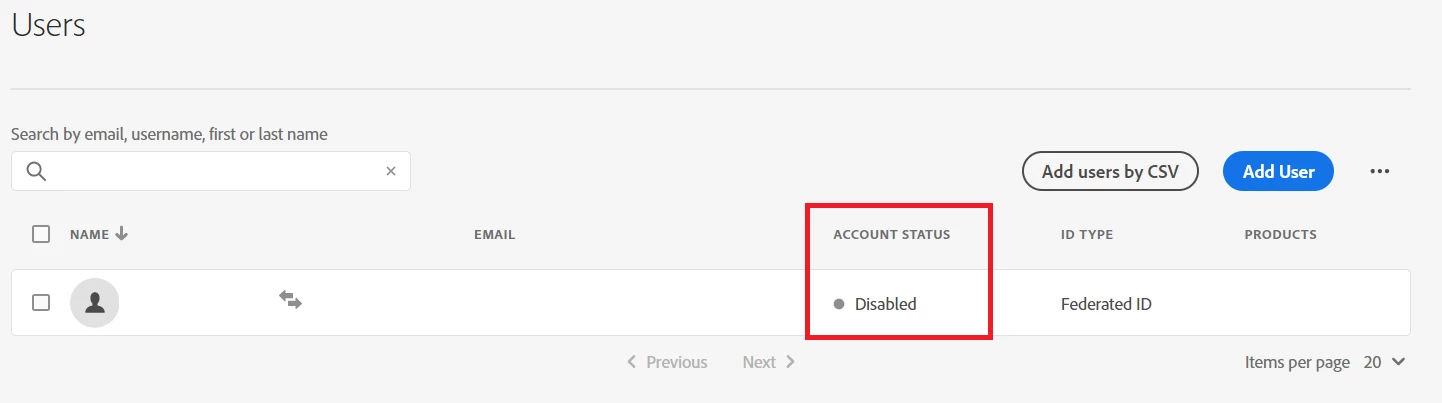
How do we re-activate the Adobe Account with Federated ID?


Best,

Kishore

This post is no longer active and is closed to new replies. Need help? Start a new post to ask your question.
Pankaj_SabharwalAccepted solution
Level 5
Sep 22, 2022 2:26 PM UTC

Hello @kishore_reddy 


The licenses are assigned by the AD group, when an account's group is disabled in Azure AD at the same time,it will be shown as disabled account, but still will have a license assigned even though the group was removed.


Below attached is the documentation for Reactivation of Federated Adobe Account.


Hope this helps.

1 reply

Pankaj_SabharwalAccepted solution
Level 5
Sep 22, 2022 2:26 PM UTC

Hello @kishore_reddy 


The licenses are assigned by the AD group, when an account's group is disabled in Azure AD at the same time,it will be shown as disabled account, but still will have a license assigned even though the group was removed.


Below attached is the documentation for Reactivation of Federated Adobe Account.


Hope this helps.

Translate