Finding Discount Code Usage not associated to a UTM Campaign | Community
Skip to main content
New Participant
November 9, 2023
Solved

Finding Discount Code Usage not associated to a UTM Campaign

  • November 9, 2023
  • 1 reply
  • 1104 views

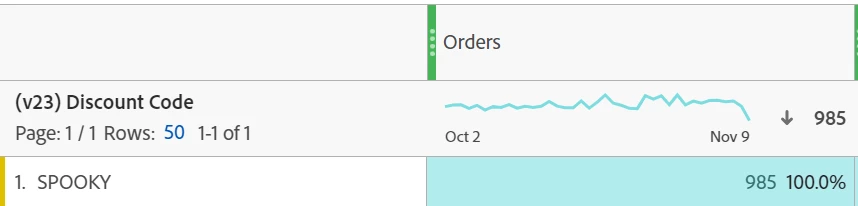
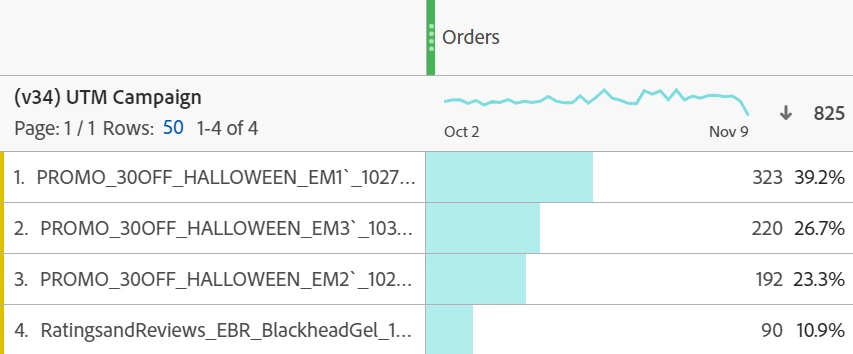
We were running a Halloween email campaign with a discount code. We had 3 separate UTM campaigns in which the code could've been redeemed on. When I pull the orders from the UTM campaigns, it shows 825. When I pull the discount code orders, it shows 985. 


Is there a way to show the discount code orders that were not redeemed in conjunction with the UTM campaign links? I know some may have ordered by clicking the UTM campaign links and didn't use the code, and others may have found the code from elsewhere and didn't come to us via the UTM campaign links. I would like to know the difference. 
 

This post is no longer active and is closed to new replies. Need help? Start a new post to ask your question.
Best answer by Jennifer_Dungan

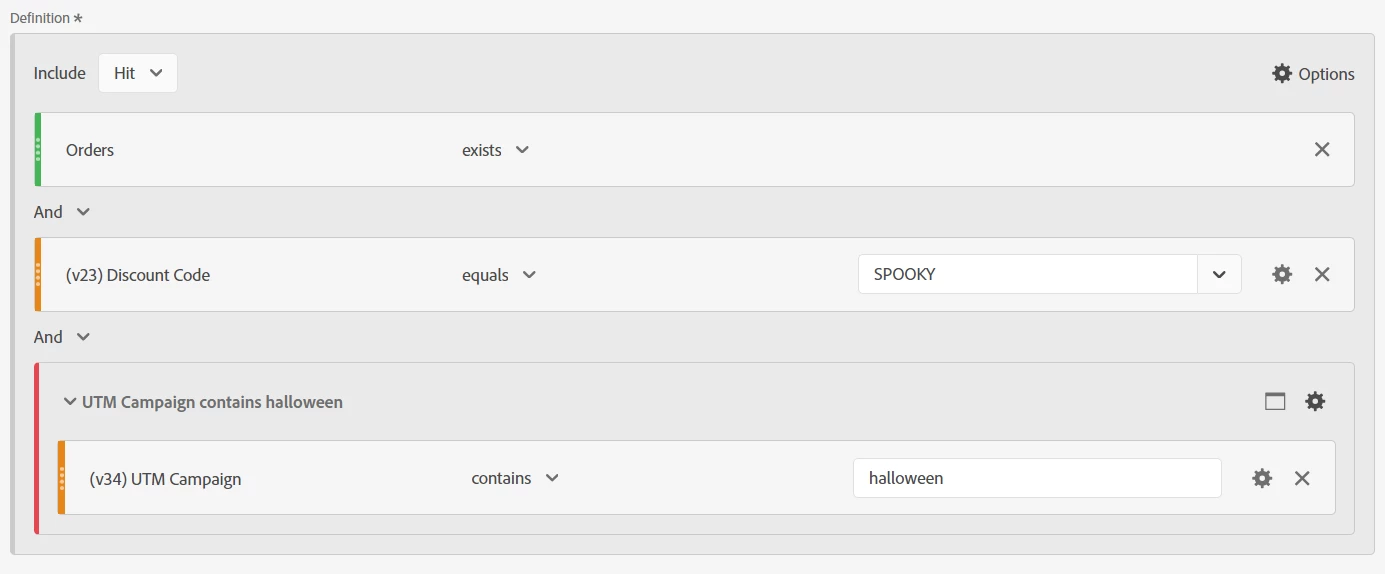
Ah sorry about that... the metric is "Orders" the logic is "exists"


You will probably need to use the Segment Builder (as opposed to the Quick Segment Builder" to do the exclusions:


1 reply

Jennifer_Dungan
New Participant
November 9, 2023

So basically you want to know the usage in v23 (for "SPOOKY") that did not come from the UTM Campaign v34 (any of the variants)?


You should be able to create a segment:

HIT

      Orders exists

      AND

      v23 equals "SPOOKY"

      AND

     HIT Container (exclude)

             v34 contains "Halloween"


I assume you are using a "contains" logic, but you cant create the exclude container to match your specific campaigns as needed.


Essentially, the segment is looking for Order using Spooky without the Campaign association.


Good luck!

TkazAuthor
New Participant
November 9, 2023

would Order exists be under Order state? I can't seem to find an "order exists" dimension. 


Jennifer_Dungan
Jennifer_DunganAccepted solution
New Participant
November 9, 2023

Ah sorry about that... the metric is "Orders" the logic is "exists"


You will probably need to use the Segment Builder (as opposed to the Quick Segment Builder" to do the exclusions: