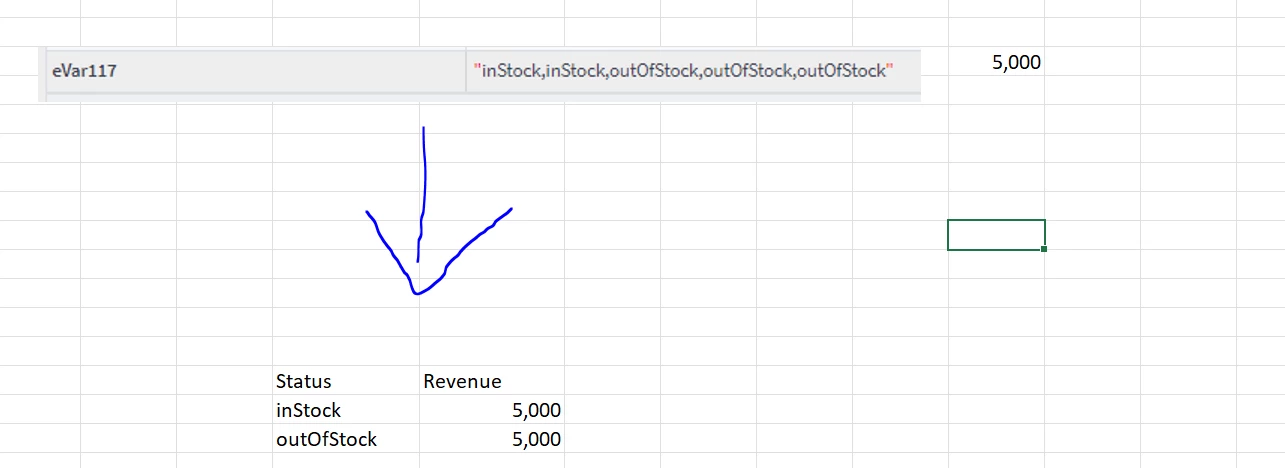
So you have a single eVar passing multiple values ("inStock,inStock,outOfStock,outOfStock,outOfStock") which is associated to a single Revenue value? And you want to split and display only the unique values in the string ("inStock" or "outOfStock") as rows, but both associated to the same revenue value??
Is this a one time thing? Or does this need to be automated?
For hypothetical, I am going to assume automated, so let's say your value of eVar117 is in cell A1 in excel
You can use this formula to split the list into sorted and unique values:
=SORT(UNIQUE(TEXTSPLIT(TEXTJOIN(",",,A1),,",",TRUE,0)))
So essentially:
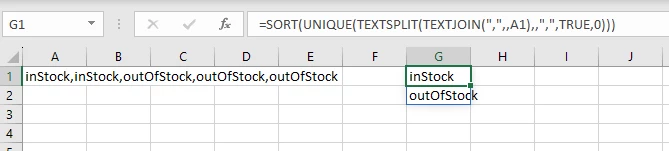
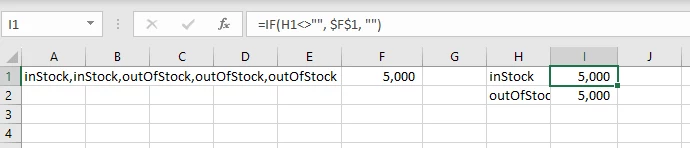
Now, you could set up in the next column (H), something like
=IF(H1<>"", $F$1, "")
As you copy the formula down, it will become "H1" the "H2" then "H3", etc, but "F1" will be locked, so:
But, I wonder if there is a better way to optimize your analytics so that you can use the data without all this manipulation, and having appropriate Revenue associated to each item.