How to remove this user from adobe analytics account? | Community
Skip to main content
Level 5
Oct 13, 2022 1:37 PM UTC
Solved

How to remove this user from adobe analytics account?

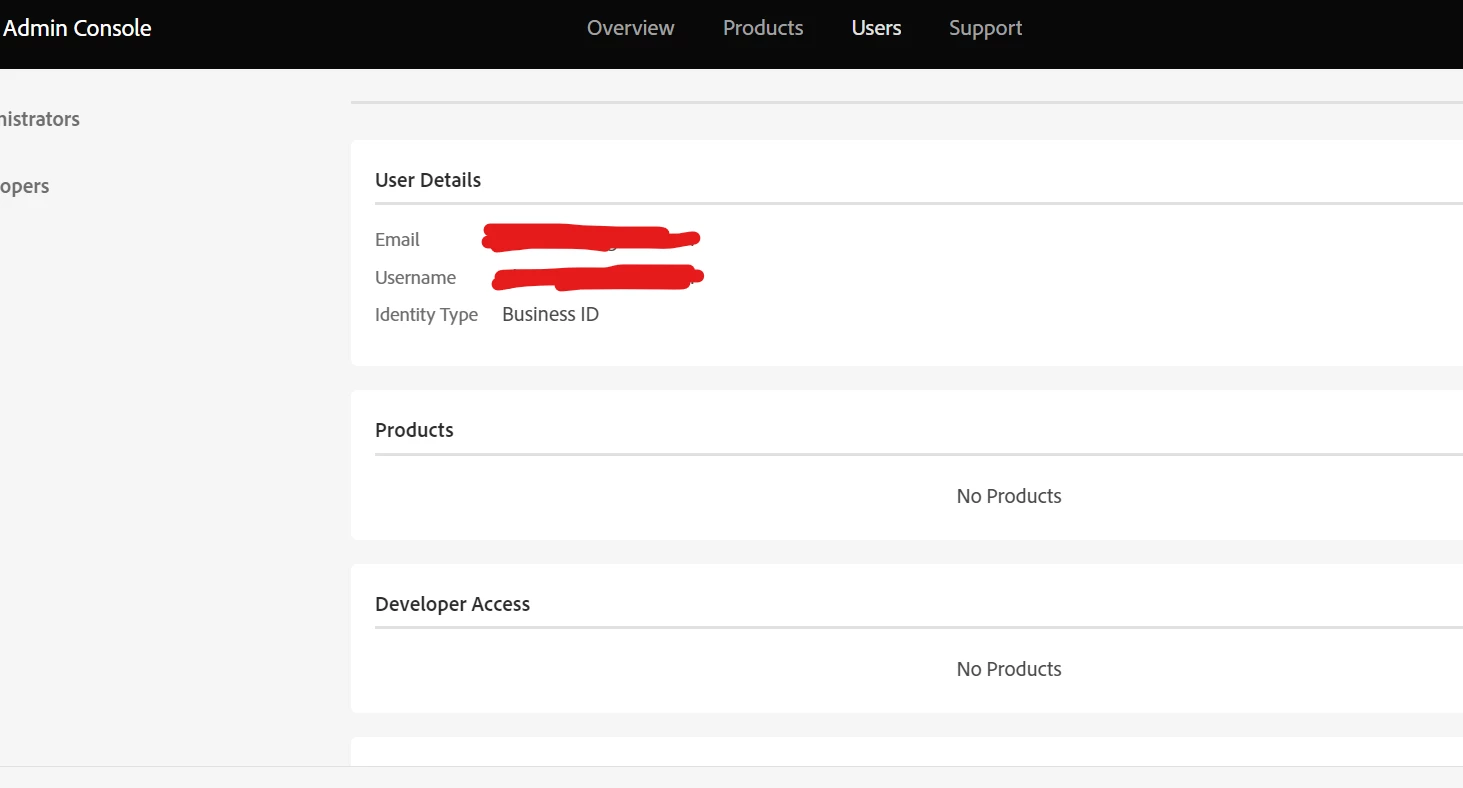
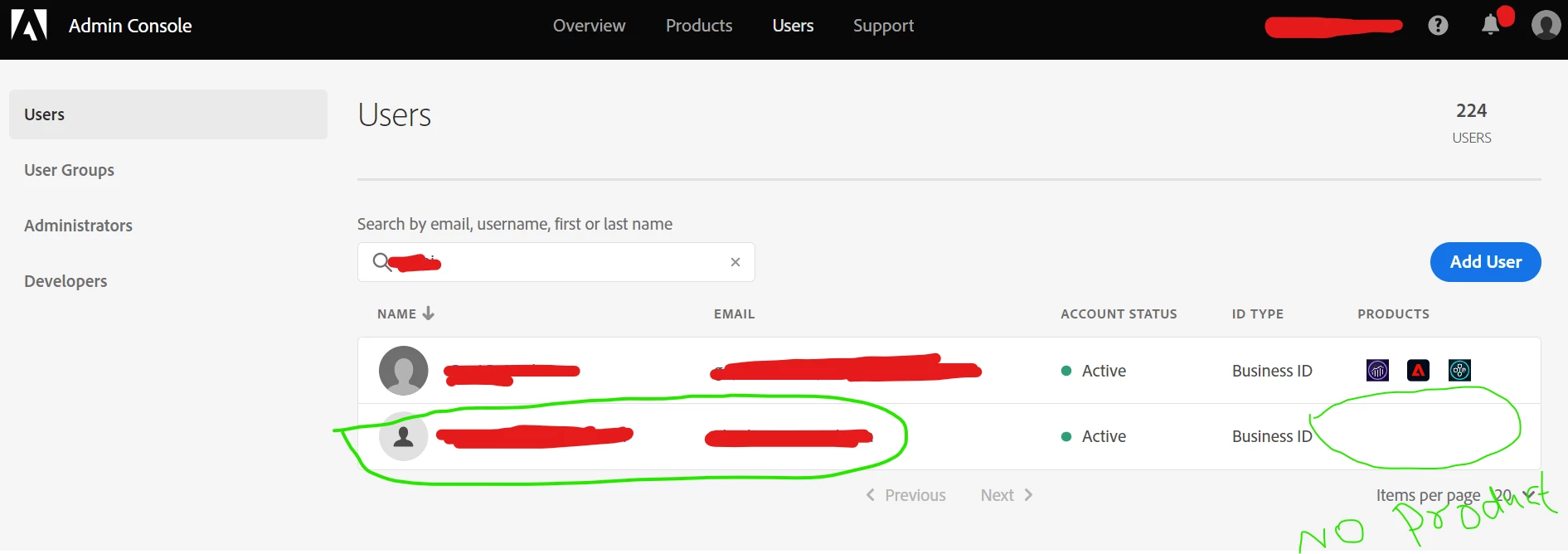
How to remove this user completely from adobe analytics account? As you can see I removed access to product (marked in green) why it is still shown as active? How to remove it?
This post is no longer active and is closed to new replies. Need help? Start a new post to ask your question.
Jennifer_Dungan
Jennifer_DunganAccepted solution
Level 2
Oct 13, 2022 6:04 PM UTC

The "account" is technically still active because you aren't really changing the account itself, you are just removing roles and permissions at this point.


The user based on your screenshot will not have access to Analytics... but their account still exists.


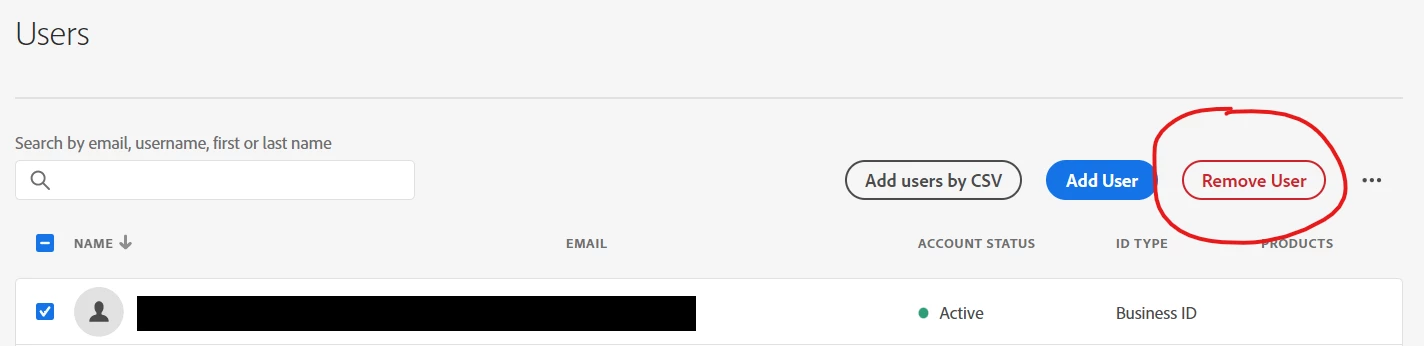
To remove them from your user lists, in the main user list... there are checkboxes next to users names... once you check at least one user (you can also select multiple), a new option appears to remove the user(s):


2 replies

yuhuisg
New Participant
Oct 14, 2022 2:04 AM UTC

Remember to also remove this user from your Analytics interface: Admin > Analytics Users and Assets. This is also the place to transfer assets (projects, segments, calculated metrics, etc) from one user to another. This is useful for ensuring that the assets created by your deleted user can still be managed by someone else.

Translate
Jennifer_Dungan
Jennifer_DunganAccepted solution
Level 2
Oct 13, 2022 6:04 PM UTC

The "account" is technically still active because you aren't really changing the account itself, you are just removing roles and permissions at this point.


The user based on your screenshot will not have access to Analytics... but their account still exists.


To remove them from your user lists, in the main user list... there are checkboxes next to users names... once you check at least one user (you can also select multiple), a new option appears to remove the user(s):


Translate