How to sync Report Builder? | Community
Skip to main content
New Participant
June 17, 2019
Solved

How to sync Report Builder?

  • June 17, 2019
  • 1 reply
  • 737 views

Hi,

I have trouble syncing my report builder with my Adobe Analytics and eventually my excel worksheet.

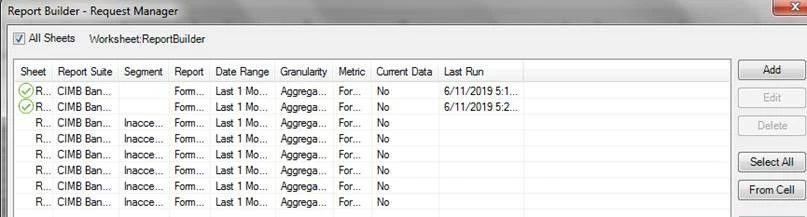
I have created segments in my Adobe Analytics. But in my Excel, when I try to sync the segments, it does not work. When I run my results, segment is not filtering and all results are the same.

I have tried restarting my laptop, logging in and out, created new segments. Please help.
This post is no longer active and is closed to new replies. Need help? Start a new post to ask your question.
Best answer by Andrey_Osadchuk

Do you mean the data in Analysis Workspace does not match the data you get with Report Builder in Excel?

If yes, check that the data set you're querying is in the past as if you are checkin this on the most recently captured data the discrepancy may be due to the Current Data setting.

1 reply

Andrey_Osadchuk
Andrey_OsadchukAccepted solution
New Participant
June 17, 2019

Do you mean the data in Analysis Workspace does not match the data you get with Report Builder in Excel?

If yes, check that the data set you're querying is in the past as if you are checkin this on the most recently captured data the discrepancy may be due to the Current Data setting.