It is possible to make a segment with Multiple date ranges? | Community
Skip to main content
New Participant
December 14, 2023
Solved

It is possible to make a segment with Multiple date ranges?

  • December 14, 2023
  • 1 reply
  • 965 views

How can I create a segment of two date ranges in workspace?

I want to combine the data being pulled.


For example, dates:  Nov 1-10, 2023 and Nov 20-30, 2023

(Adobe Target experiment was deactivated from the 11-19th).


This post is no longer active and is closed to new replies. Need help? Start a new post to ask your question.
Best answer by SrividyaVenkat

Hi @jpfiber ,


1) If you are looking to create a segment where both the date ranges should be present & you should get the data for the segment when using it. You can create the segment with "or" condition & use the segment to view your data.
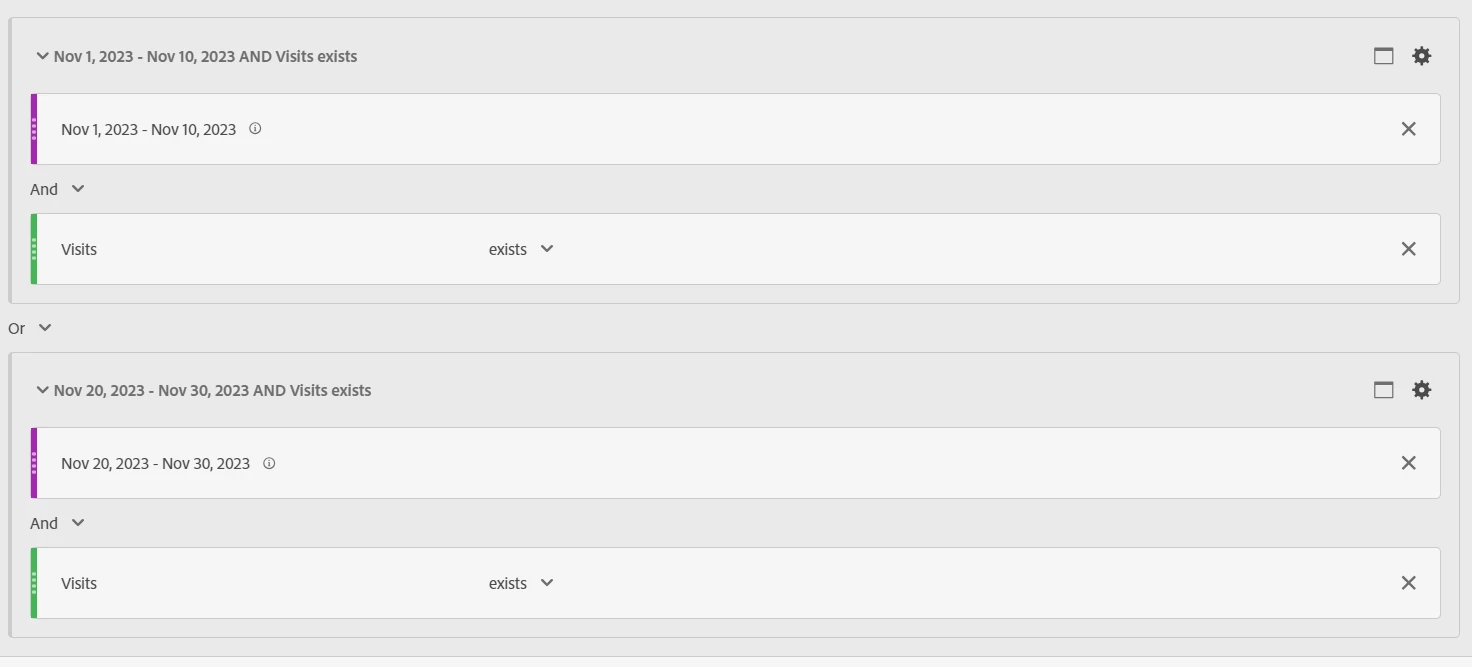


2) If not, if you are planning for comparison kind of thing, you can create a segment with one specific date range & duplicate the same segment by just editing the date range.
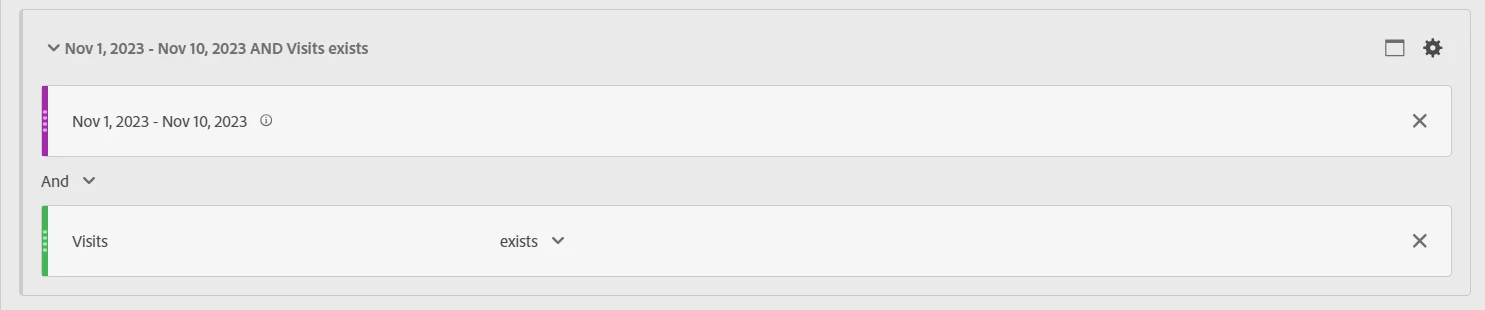
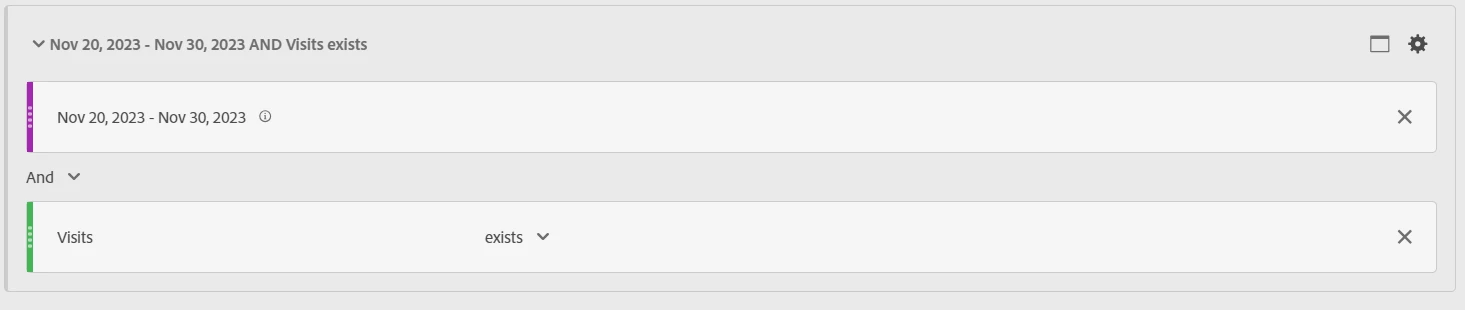
3) Or else, you can just create date range segment & use calculated metric builder to add the data. This would be helpful in the process of combining the data.


4) As well, you can just view the data in the below mentioned way if required.
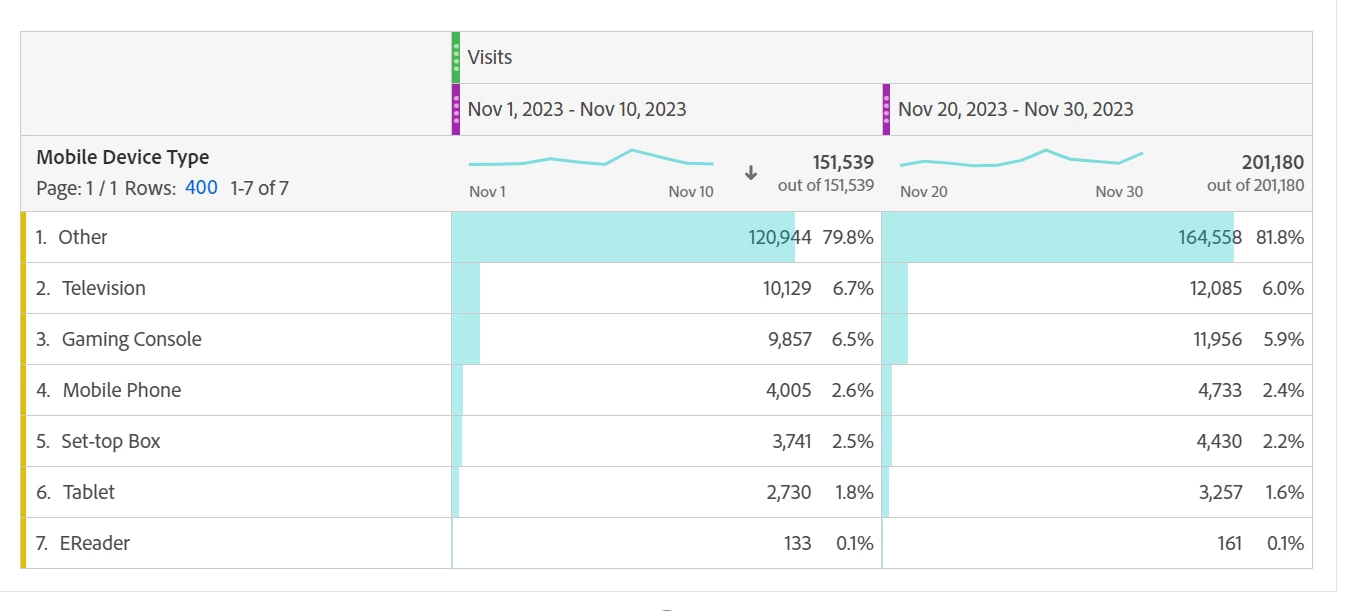
 

1 reply

SrividyaVenkat
SrividyaVenkatAccepted solution
New Participant
December 15, 2023

Hi @jpfiber ,


1) If you are looking to create a segment where both the date ranges should be present & you should get the data for the segment when using it. You can create the segment with "or" condition & use the segment to view your data.


2) If not, if you are planning for comparison kind of thing, you can create a segment with one specific date range & duplicate the same segment by just editing the date range.

3) Or else, you can just create date range segment & use calculated metric builder to add the data. This would be helpful in the process of combining the data.


4) As well, you can just view the data in the below mentioned way if required.

 

Jennifer_Dungan
New Participant
December 15, 2023

I agree with the above. Depending on the usage, all of these could be a valid way to pull the data 🙂