New Participant
Apr 26, 2022 7:43 PM UTC
Solved

List pages before and after an specific page given with constrains

Greetings!

I have a page Something|Subsomething|Main with 100 visits, for example.

I want to know the pages not starting with "Something|Subsomething" where some of my 100 visits came from to visit Something|Subsomething|Main and their respective visits (the respective part of the 100 visits). i.e:

1. Something|A|index : 10 visits (10% of 100)
2. Something|B|index : 10 visits (10% of 100)
3. Something|C|index : 10 visits (10% of 100)
4. Something|Subsomething|Chat: 20 visits (20% of 100) This one is out of the sample I want because the rule.
[...]

And then, quite the same logic but the pages after Something|Subsomething|Main. In this case, some of the 100 visits wont go anywere. But, to say 50 visits will arrive to any page, in this case, pages starting with Something|Subsomething can be included, i.e.

1. Something|Subsomething|AdditionalInformation: 25 visits (50%)
2. Something|SocialMedia: 25 visits (50%)

I alredy tried using sequential segmentation but I'm not getting the desired results.

Here's the try for the first case:
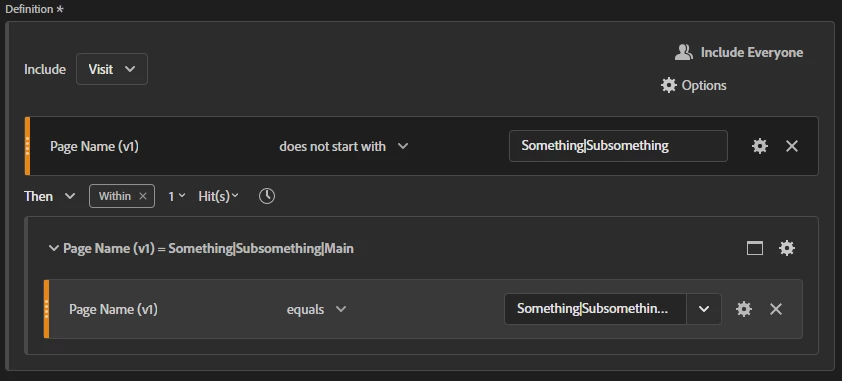

Appreciate any suggestion.

This post is no longer active and is closed to new replies. Need help? Start a new post to ask your question.
yuhuisg
yuhuisgAccepted solution
New Participant
Apr 28, 2022 2:39 AM UTC

You could also let AA build the base segment for you first, using the Flow visualisation.

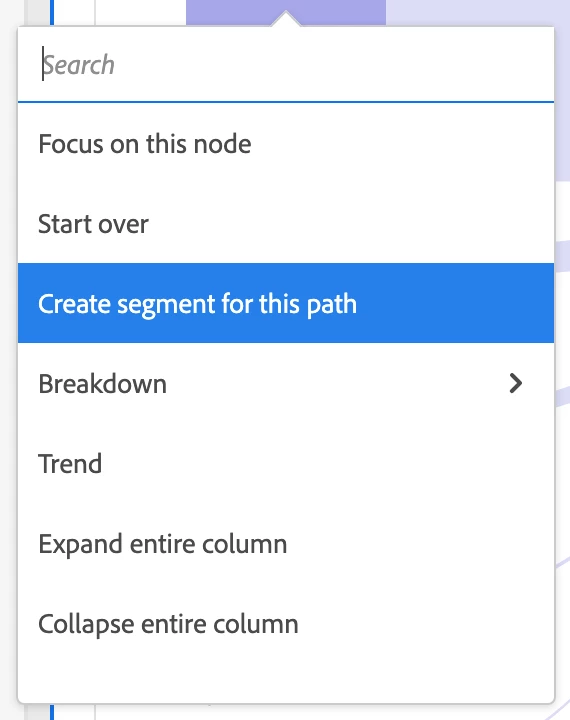
First, create the Flow visualisation. Drag your "Something|Subomething|Main" as the page to build the flow. Then, look for a previous page that matches your "Something|" condition, e.g. the page "Something|A|Index". Right-click that page and choose "Create segment from path".


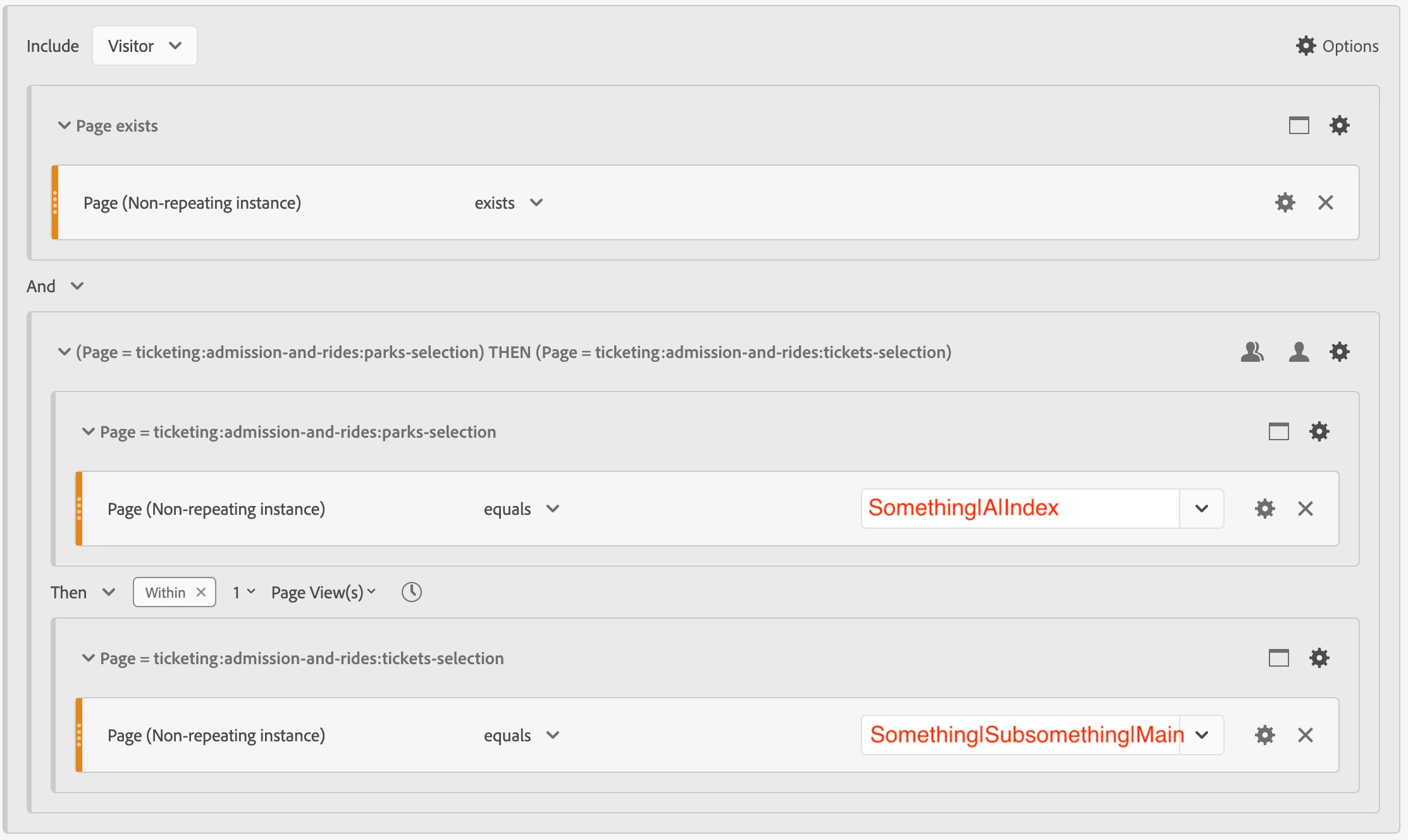
AA should show you its segment builder for that specific previous page:

Now, modify the condition for that previous page (e.g. "Something|A|Index" in my screenshot) to match the conditions that you need.

Hope that works for you!

2 replies

yuhuisg
yuhuisgAccepted solution
New Participant
Apr 28, 2022 2:39 AM UTC

You could also let AA build the base segment for you first, using the Flow visualisation.

First, create the Flow visualisation. Drag your "Something|Subomething|Main" as the page to build the flow. Then, look for a previous page that matches your "Something|" condition, e.g. the page "Something|A|Index". Right-click that page and choose "Create segment from path".


AA should show you its segment builder for that specific previous page:

Now, modify the condition for that previous page (e.g. "Something|A|Index" in my screenshot) to match the conditions that you need.

Hope that works for you!

Translate
New Participant
Apr 28, 2022 9:27 PM UTC

Thank you! It works.

Translate