Marketing Channel Processing Rule Setup - Please Verify | Community
Skip to main content
New Participant
May 4, 2018
Solved

Marketing Channel Processing Rule Setup - Please Verify

  • May 4, 2018
  • 32 replies
  • 19458 views

Hi Guys,

I've followed the below steps for Marketing Channel Processing Rules setup.

Kindly review the below steps.

  1. Click on Admin --> Report Suites
  2. Selected the 'report suite id' for creating marketing channel
  3. Edit Settings --> Marketing Channels --> Marketing Channel Manager
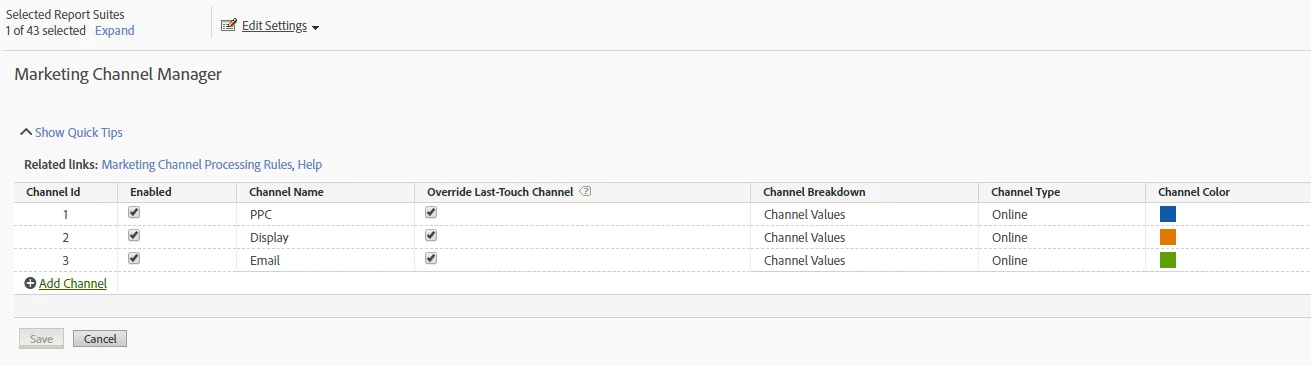
  4. Name the channel as below

5. Clicked on Related Links and configured rules for the below URLs as:

http://www.mysite.com/?utm_source=google&utm_medium=ppc&utm_campaign=motor_2018

http://www.mysite.com/?utm_source=RTB&utm_medium=display&utm_campaign=motor_remarketing&utm_content=add_2

http://www.mysite.com/?utm_source=CRM&utm_medium=email&utm_campaign=motor&utm_content=winback

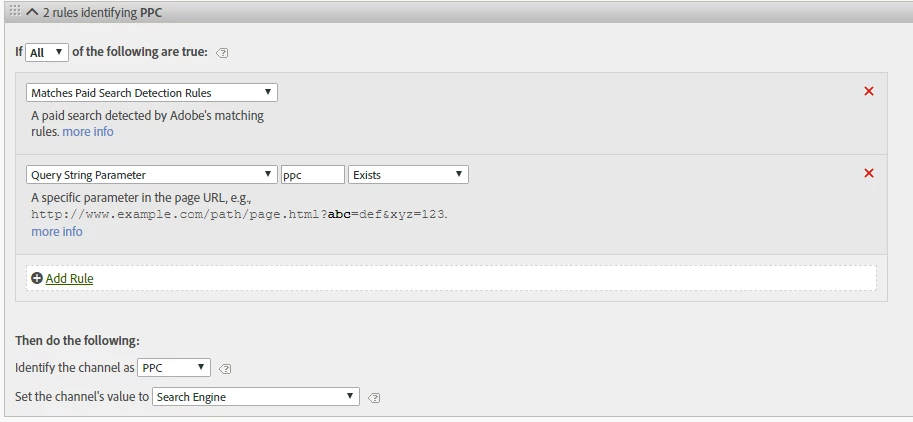
PPC - Processing Rules:
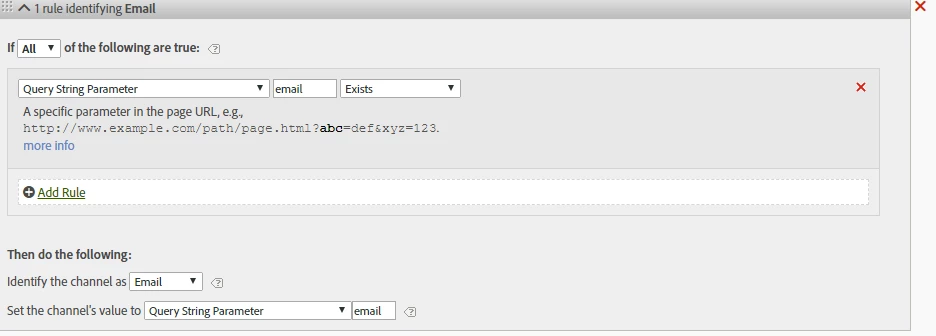
Email - Processing Rules:
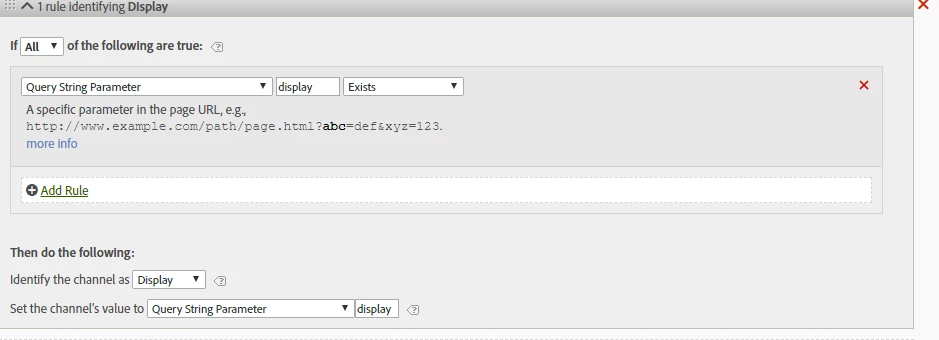
Display - Processing Rules:
This post is no longer active and is closed to new replies. Need help? Start a new post to ask your question.
Best answer by Urs_Boller
  • the main problem with the rules provided as screenshots are: you mixed up „query string parameter“ and „value of the parameter“

let me explain: given the url

mysite.com/landingpage.html?utm_source=google&utm_medium=ppc&utm_campaign=motor_2018

your parameters is eg. „utm_source“ and the value is „google“ (i marked the parameters)

in your rules, you need to check for the „parameters“ (not the values). looking at the pcc-rule you need to change the following:

  • conditions: change it to „query string parameter (utm_medium) equals (ppc)“ (change from „exists“ to „contains“
  • set channel value: change to „query string parameter (utm_medium)“

the same needs to be done with the other rules in a similar way...

i hope that helps

32 replies

prathiv23Author
New Participant
May 17, 2018

Hi Rawsoft​ - Yes,can you please let me know if this is correct order for setting up processing rules ie. PPC followed by Email & Display

Also, please review the setup followed in the 3 screenshots.

Thanks

PV

Rydal_Williams
New Participant
May 17, 2018

Are you trying to figure out if this is working or are you having issues?