New Custom Event not saving?! | Community
Skip to main content
New Participant
July 6, 2017
Solved

New Custom Event not saving?!

  • July 6, 2017
  • 19 replies
  • 11418 views

Hi,

I defined a new tag in DTM named "registration" and associated it with event10, and went back into Analytics (Admin > Report Suites) and tried to create a custom event to match/sync this variable with DTM. However, it does not create a new custom event for me.

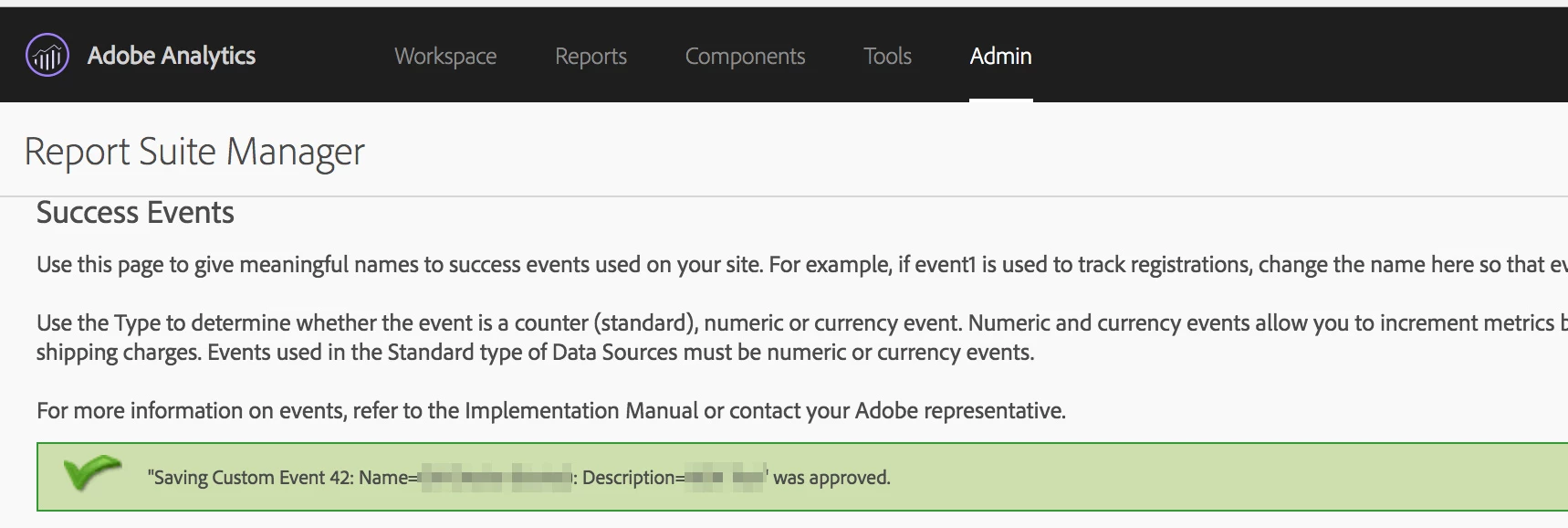
I see the following message (screenshot also included) but I never see the new custom variable in the list of variables below. What might be causing this erratic behavior?

"Saving Custom Event XX: Name=<myEventName>: Description=<myDescription>" was approved.

Thanks

ParitMittalJantzen.Belliston

This post is no longer active and is closed to new replies. Need help? Start a new post to ask your question.
Best answer by NiraEp

After switching to a new Report Suite, events are incrementing. Thanks to everyone who contributed to this ticket. Please close this now.

19 replies

NiraEpAuthorAccepted solution
New Participant
July 18, 2017

After switching to a new Report Suite, events are incrementing. Thanks to everyone who contributed to this ticket. Please close this now.

jantzen_b
Employee
July 17, 2017

Hi -

Thanks for sending the details in the private message. In order to keep this thread updated, I wanted to ask a few questions. In the first few replies, you mention event 10. Later on, you mention event 40. Are you trying to set event 10 and event 40?

Thanks,
Jantzen

NiraEpAuthor
New Participant
July 12, 2017

Hi Jantzen,

I sent you an email (private messaging from your profile page not working). Please let me know if you haven't received it and if you need more information.

Thanks!

jantzen_b
Employee
July 10, 2017

Yes, if your server is accessible outside your network, please send me a private message with the URL and steps to trigger the beacons.

As some general troubleshooting, If the beacons are being fired correctly, DTM is doing its job and there may be something within Analytics that needs to be changed. Once I get a chance to review the beacons, I can provide more direction.

NiraEpAuthor
New Participant
July 10, 2017

Debugger only shows event9, no event40.

Chrome's Network Panel shows 3 calls, one of which shows event40 which I need.

If you are looking for the entire server URL/client info, I can private message you the non-blurred screenshots.

jantzen_b
Employee
July 10, 2017

If do you have a screenshot of your image request in the debugger?

Adobe Debugger

NiraEpAuthor
New Participant
July 10, 2017

Just updated my post, I am also seeing event40 in the network panel.

NiraEpAuthor
New Participant
July 10, 2017

Thanks guys.

Yes, I do have s.tl() selected in DTM - and the event specified (event40 in this case, which is also created in Analytics and enabled).

Here's what the call looks like, I do see event40 and in the console it shows: SATELLITE: Rule "Breadcrumbs" fired.

What could be wrong?

New Participant
July 10, 2017

1) I am currently embedding Staging library code on the site, and also have the report suite specified in DTM (screenshot below).

This is the correct set-up for your non production environment to verify Adobe Analytics.

2) The rule was Active, but unapproved. I just approved it, waiting to see if that helps. Does it need to be approved in DTM in order to start showing up in Adobe Analytics?

Rule just needs to be Active to test staging library code. Approve & publish combined is needed to move DTM rules to production library code.

Looks like issue with DTM rule itself. Did you set-up event10 & choose s.tl() call within DTM rule set-up?

As suggested by Jantzen,  also check, within Developer tools, network tab & filter by "/ss/" to check if you are able to see any Adobe Analytics request when your rule fires. Reference screenshot below:

jantzen_b
Employee
July 10, 2017

Do you have a screenshot of the image request being sent?

With the screenshots you've provided, we can see that you only have a report suite specified for your staging environment. This means you'd need to load the staging library in order to send an actual analytics beacon. 

Once we verify an Analytics beacon is being sent from the page with the correct report suite ID and events variable, we should see the data start to show up in reporting within 30-60 minutes.