Report Builder Create/Manage windows not loading correctly | Community
Skip to main content
Level 2
Jan 3, 2019 3:05 PM UTC
Solved

Report Builder Create/Manage windows not loading correctly

Has anyone experienced this issue before?

Report Builder works fine for me in other Excel workbooks, but certain files shows this when I go to 'Manage' option of Report Builder.
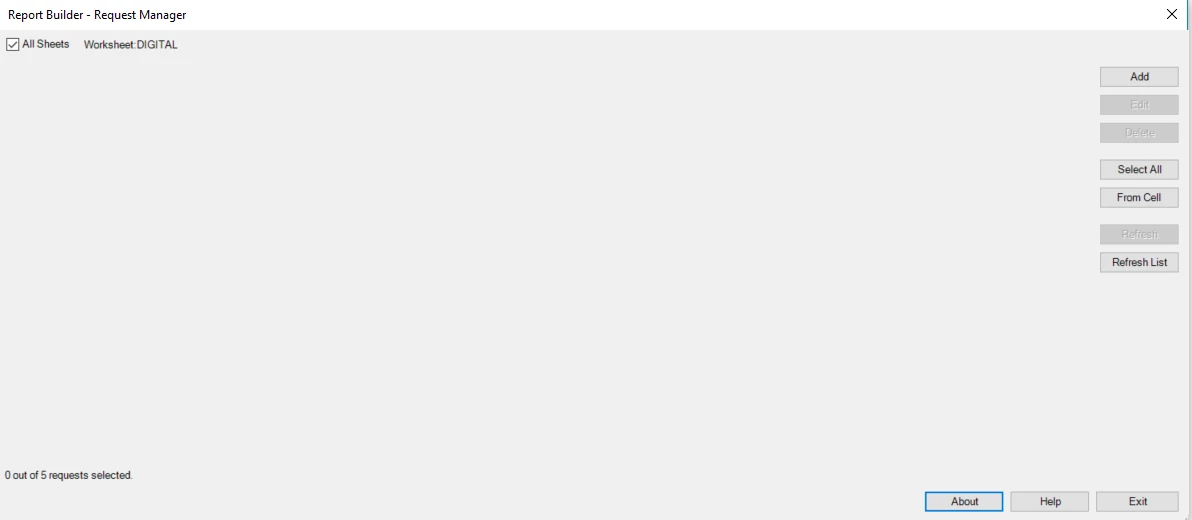
I'm running version 5.6.23.0 currently which I believe is up to date.

This post is no longer active and is closed to new replies. Need help? Start a new post to ask your question.
jantzen_b
jantzen_bAccepted solution
Employee
Apr 6, 2021 8:00 PM UTC

It appears this may have been a bug with either Excel or Report Builder. If you continue to experience this issue, please open a ticket with Customer Care so they can replicate the bug and log it for our engineering team.


https://experienceleague.adobe.com/?support-solution=General#support

7 replies

jantzen_b
jantzen_bAccepted solution
Employee
Apr 6, 2021 8:00 PM UTC

It appears this may have been a bug with either Excel or Report Builder. If you continue to experience this issue, please open a ticket with Customer Care so they can replicate the bug and log it for our engineering team.


https://experienceleague.adobe.com/?support-solution=General#support

Translate
jantzen_b
Employee
Feb 3, 2021 9:52 PM UTC
Do any of the answers below answer your initial question? If so, can you select one of them as the correct answer? If none of the answers already provided answer your question, can you provide additional information to better help the community solve your question?
Translate
Level 2
Apr 26, 2019 1:16 PM UTC

After deleting the Data Connection the menus are now visible.

Can this be investigated further as I believe it's a limitation of Report Builder?

Translate
Level 2
Apr 25, 2019 8:12 AM UTC

Hi,

I think the issue only occurs in workbooks containing data tables.

I have a direct connection to our SAS server that pulls a data feed into an Excel data table.

When I try to open Report Builder in these workbooks I see these images:

Here is the data connection:

Is this a limitable of Report Builder, or a compatibility issue between Excel and Report Builder?

Are you able to replicate this issue?

Thanks,

James

Translate
Gigazelle
Employee
Jan 9, 2019 11:51 PM UTC

For the sake of troubleshooting the issue, does the issue fix itself when you reduce the number of tabs, or if you remove the connections to your data warehouse?

Another thing you could try is uninstalling/reinstalling Report Builder - occasionally that does the trick as well.

Translate
Level 2
Jan 9, 2019 8:29 AM UTC

Hi,

Yes the workbooks where this happens are quite large in terms of number of tabs, but not in size (less than 1MB in some instances).

They do have data connections to our data warehouse, but previously this wasn't an issue.

It's only within the last month or two that I'm getting the image provided in my initial post.

Thanks,

James

Translate
Gigazelle
Employee
Jan 9, 2019 1:02 AM UTC

Hi James,

You're saying this only happens with some workbooks, and not others? Are the workbooks that exhibit this issue particularly complex?

Translate