Schedule options of 20MB file of Report Builder | Community
Skip to main content
New Participant
June 28, 2023
Solved

Schedule options of 20MB file of Report Builder

  • June 28, 2023
  • 2 replies
  • 575 views

Hi All,


A detailed report in my company scheduled to stakeholder on daily basis which is around 20MB file size. A stakeholder stopped getting this report due to large file size since a month.

What are the possible ways to share adobe analytics data with them in excel?


Thank you!
This post is no longer active and is closed to new replies. Need help? Start a new post to ask your question.
Best answer by Jennifer_Dungan

There is an "Advanced Scheduler" option that will allow you to send the files to an FTP server:


Or there is also an option to publish to Power BI, but I am not sure what that does to your formatted report... probably not what you want:


Your best option with that file size is probably to use FTP, then maybe work with your DevOps team to create a job to grab the file from FTP and drop into a shared folder for your stakeholders?

2 replies

kumararajak
New Participant
June 28, 2023

Easy to share larger files through SharePoint or FTP. 

Jennifer_Dungan
Jennifer_DunganAccepted solution
New Participant
June 28, 2023

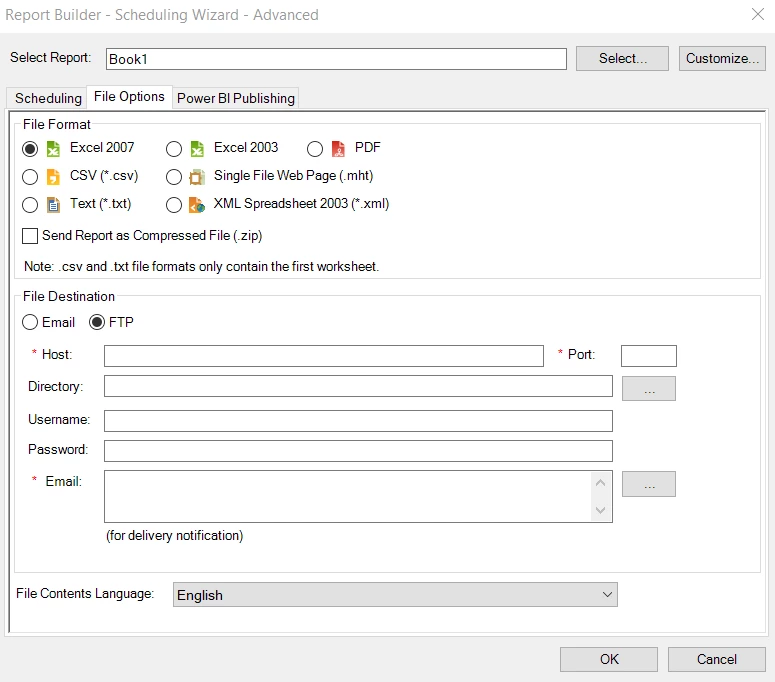
There is an "Advanced Scheduler" option that will allow you to send the files to an FTP server:


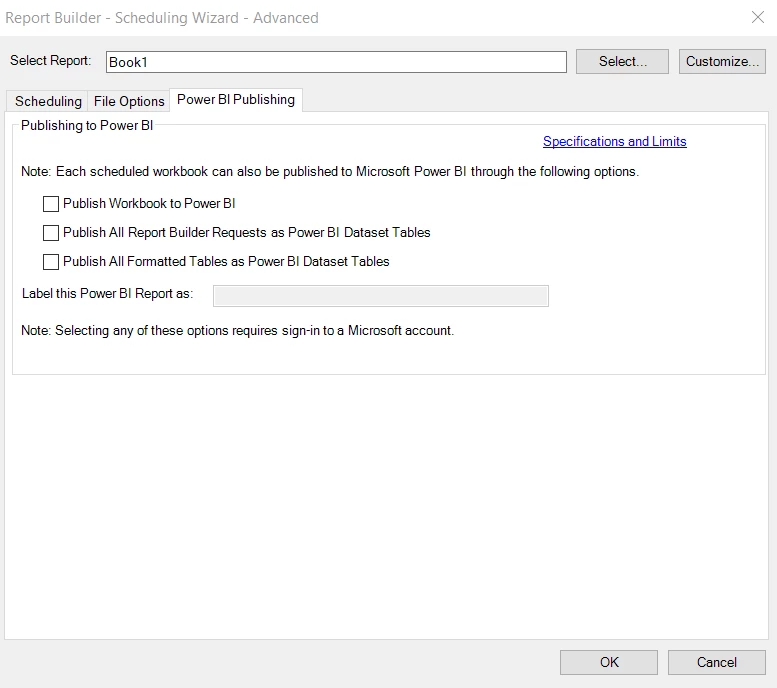
Or there is also an option to publish to Power BI, but I am not sure what that does to your formatted report... probably not what you want:


Your best option with that file size is probably to use FTP, then maybe work with your DevOps team to create a job to grab the file from FTP and drop into a shared folder for your stakeholders?