Segment Builder - Excluding a Date Range | Community
Skip to main content
iamjasona
New Participant
February 5, 2018
Solved

Segment Builder - Excluding a Date Range

  • February 5, 2018
  • 3 replies
  • 4450 views

So, I'm trying to build a segment that, in part, excludes certain date ranges.  It's not really working out and, after troubleshooting a bit, I think the problem is simply that we can't build a segment that excludes a date range.  This is really problematic since a common use case for segments is to filter out problematic data; sometimes, this can be date-bound.

I've created a very simple scenario to illustrate:

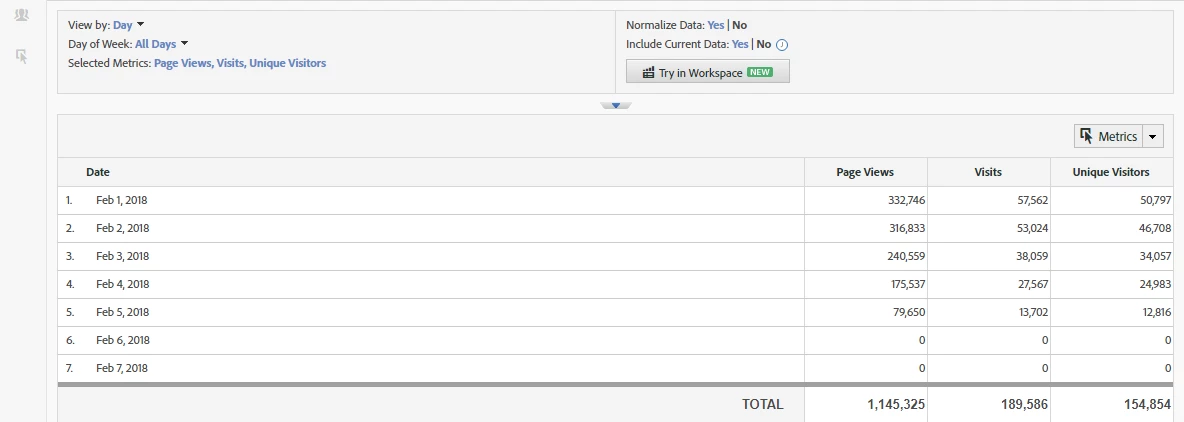
  • Pull up Key Metrics report with no segments applied to view Page Views, Visits, and Unique Visitors.
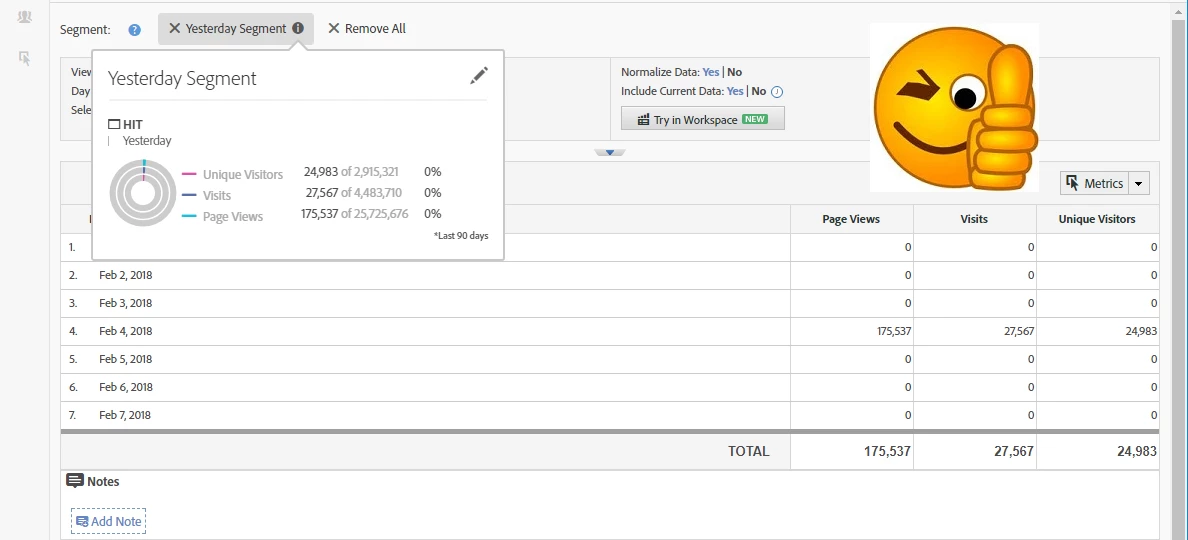
  • Create a segment called "Yesterday Segment", which is based on hits occurring "Yesterday" (i.e., the out-of-the-box "Yesterday" date range).  Only data for yesterday is present in the report (yay!).
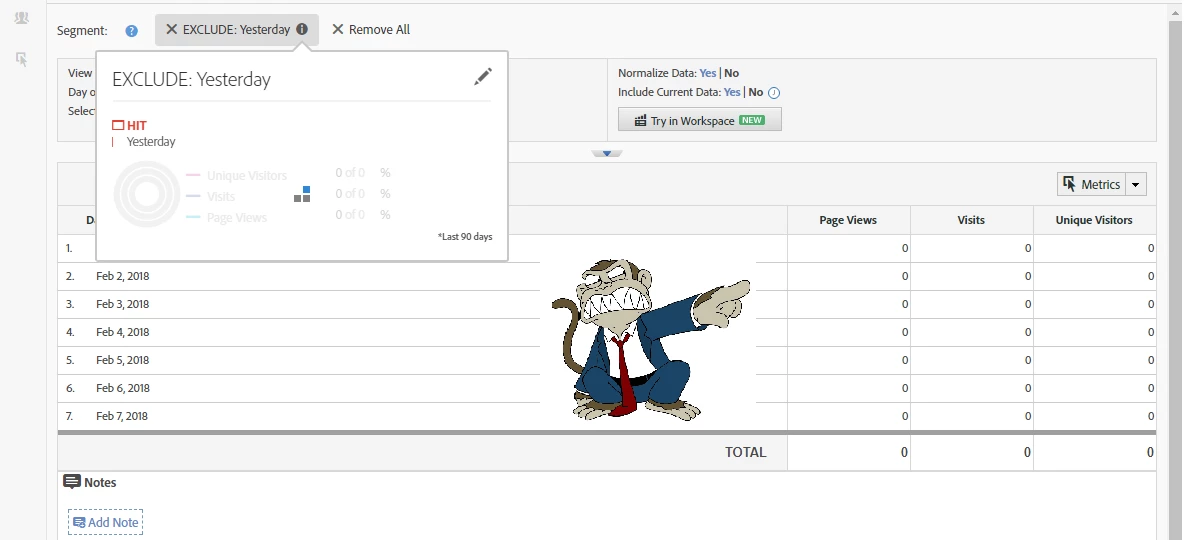
  • Create a segment called "EXCLUDE: Yesterday", which simply excludes the "Yesterday Segment".  Or, you can base it on the "Yesterday" date range.  I expected that data for all other days except yesterday would be present, but it seems to have eliminated all data.  I've also tried wrapping the exclusion inside a container, in case that might do the trick, but no luck. 
Anyone have any clever ideas?  I've been fighting this all morning - in a much more complex segment and spent most of the morning figuring I have problems with contains, includes/excludes, ands/ors in other parts of the segment.  It turns out it was just the time-based portion of the rule that isn't working....

Thanks,

Jason

This post is no longer active and is closed to new replies. Need help? Start a new post to ask your question.
Best answer by iamjasona

I think I figured out what's going on.  In order to exclude a date range, you must explicitly include a date range.  Not sure if that's a bug or a feature....

In my example above, amending the segment to include something like "This Year" and excluding "Yesterday" does the trick.  In my practical application, it means I have to create a date range that spans "all time", which I can use whenever I want to exclude specific date ranges.

3 replies

trevor-paulsen
Employee
February 8, 2018

Hmm, interesting. I'll have our engineering folks take a look.

Gigazelle
Employee
February 8, 2018

Thanks for the update! I'll bring this up with the team to see if this functionality is working as designed. As a workaround, you could use a rolling daily custom date range that encompasses all data, at least as far back as your data retention policy allows. For most people that's going to be either 25 or 37 months (this number varies from organization to organization, and could be longer).

iamjasona
iamjasonaAuthorAccepted solution
New Participant
February 5, 2018

I think I figured out what's going on.  In order to exclude a date range, you must explicitly include a date range.  Not sure if that's a bug or a feature....

In my example above, amending the segment to include something like "This Year" and excluding "Yesterday" does the trick.  In my practical application, it means I have to create a date range that spans "all time", which I can use whenever I want to exclude specific date ranges.