Segment is not filtering visits properly | Community
Skip to main content
New Participant
October 7, 2019
Solved

Segment is not filtering visits properly

  • October 7, 2019
  • 11 replies
  • 9782 views

Hi Team,

You can refer project here: https://sc5.omniture.com/x/5_9yvti

I have a created a segment for particular campaign as shown below:
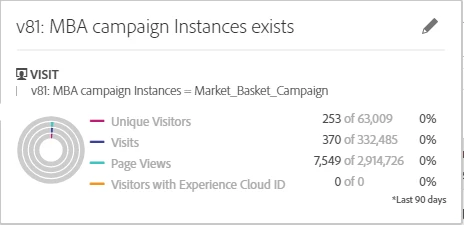
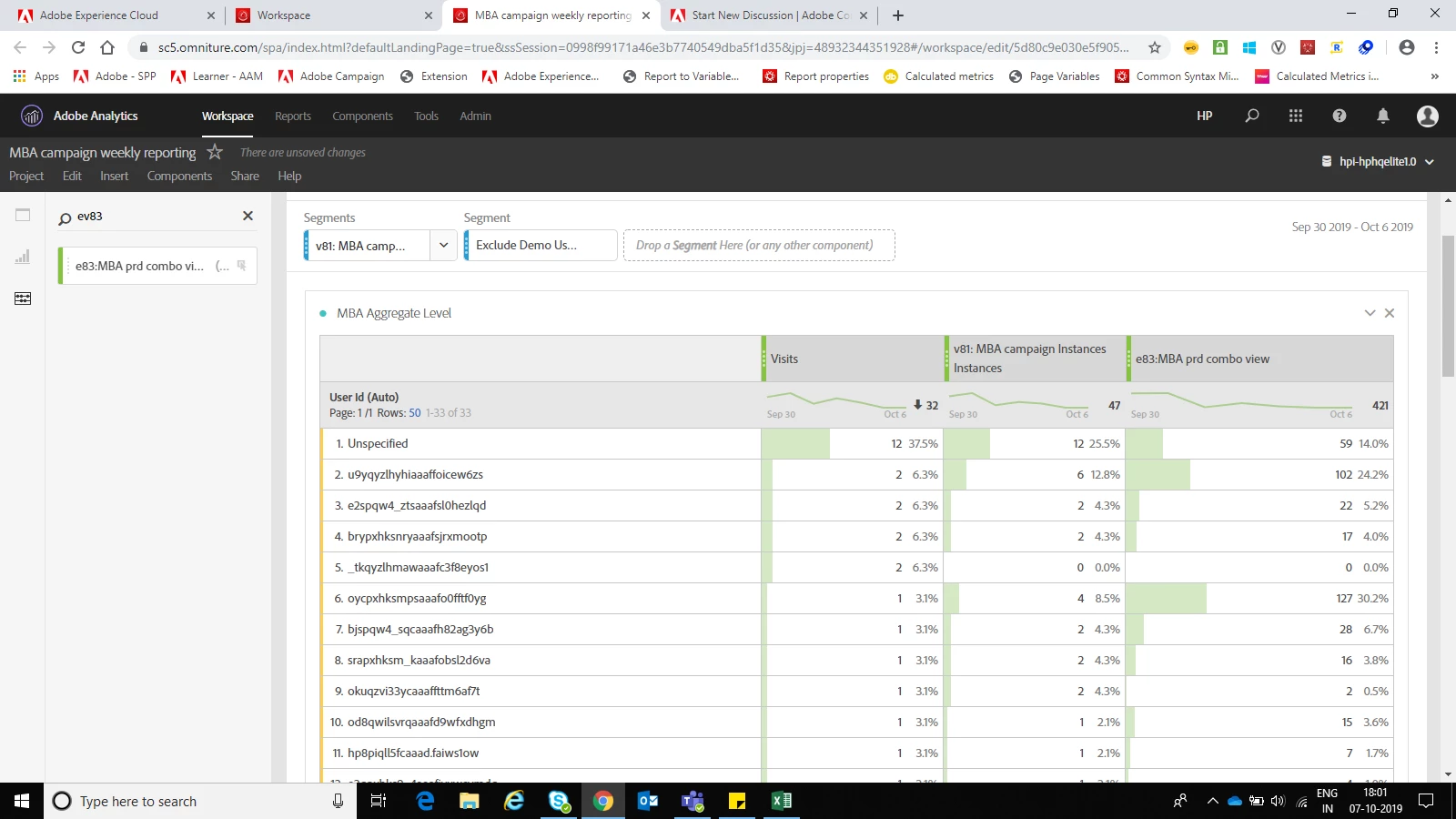
I am using the above segment to filter out the campaign visits from overall visits. v81 fires only when user see the banner(campaign). Along with v81, I am firing event83 as a counter.  As in the below screen shot, row#5 has 2 visits, v81 = 0, e83= 0. How is this possible? when v81 = 0 (means v81 not fired for that particular visits) how come Segment named v81: MBA campaign is allowing that visits in the report. I think row#5 should not be present in the below table. Please help me here.
This post is no longer active and is closed to new replies. Need help? Start a new post to ask your question.
Best answer by Urs_Boller

but did the visits without the zero-numbers on the right disappear with the new segment?

btw: what is your evar81 expiry?

and a last comment about the orders: you're right, you can't add the standard "orders" metric. but you could create another {visit segment with hit-container (order exists and eVar81=Market_Basket_Campaign)}. just add this segment as new row with visits counter and you should see how many visits with order you had (even in the overall hit-segmentation).

11 replies

Urs_Boller
New Participant
October 7, 2019

your segment is looking for VISITS where the eVar81 matches SOMEWHERE within the visit. that means the user in row 5 had the login/userID set AFTER the eVar81 has been set. sounds possible?

the easiest fix would be to change the segment to HIT container where "eVar81 instances = 1" (only get hits where you have eVar81 on the hit)