Are you sure the trigger is coming from the same rule?
Try turning on debugging... in your Browser's console you can turn on debugging by using:
// Turn ON Debugging
_satellite.setDebug(true);

// Turn OFF Debugging
_satellite.setDebug(false);
This should show you which rules are triggering on your click
The other possibility is that you have multiple Events on the same rule, and multiple of them align to your element:
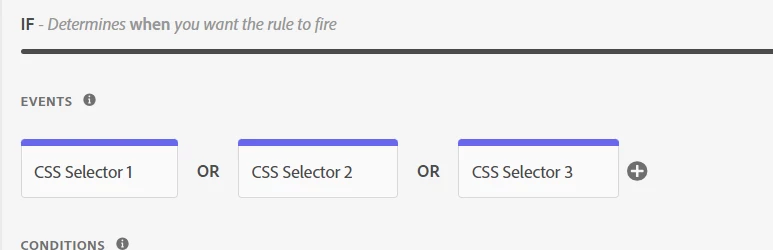
As in, both "CSS Selector 1" and "CSS Selector 3" match your element, making the rule trigger twice.
Example:
- CSS Selector 1
- CSS Selector 2
- CSS Selector 3
You can combine CSS Selectors into one big string to simplify this, by using:
(You can combine multiple selectors using comma)
Or you can add a Condition to the rule for "Max Frequency":
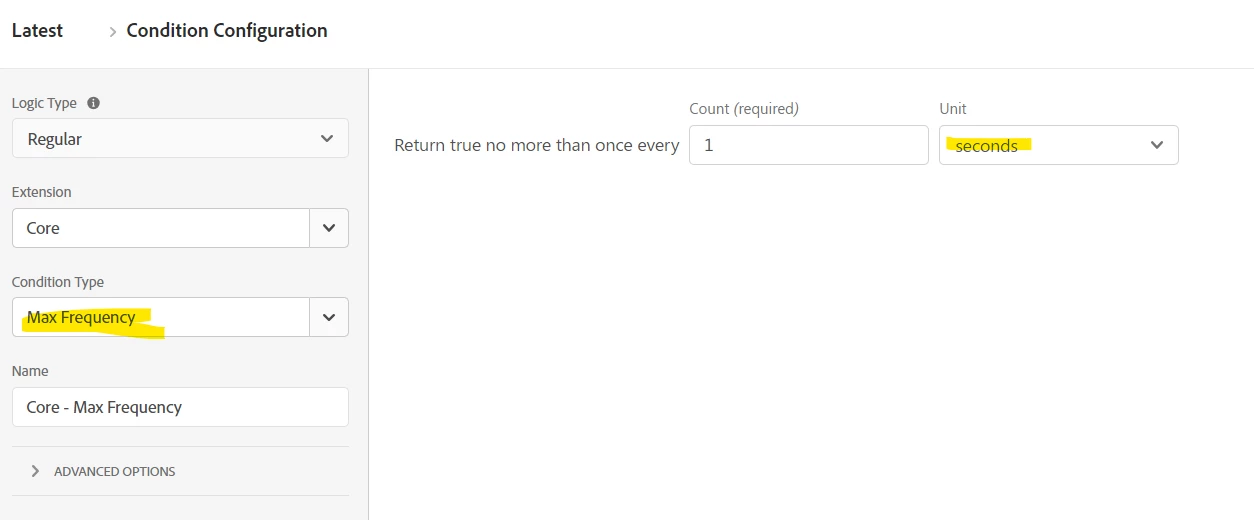
Using 1 Second should be enough, as CSS click selectors on the same element will be within milliseconds or one another, and this will allow additional subsequent hits on the same page (if the user isn't navigated away) to continue tracking.
