Tracking Code not displayed | Community
Skip to main content
Level 2
Oct 25, 2018 3:44 AM UTC
Solved

Tracking Code not displayed

I'm setting s.campaign with 'cid' as so;

if (s.Util.getQueryParam('cid'))  s.campaign = s.Util.getQueryParam('cid');

When checking the beacon (filtering for b/ss) I can see v0 is populated with the cid parameters;

Also in Admin > Report Suites > Conversion > Conversion Variables.... I have the campaign variable set.

Yet my tracking code report still looks like this:
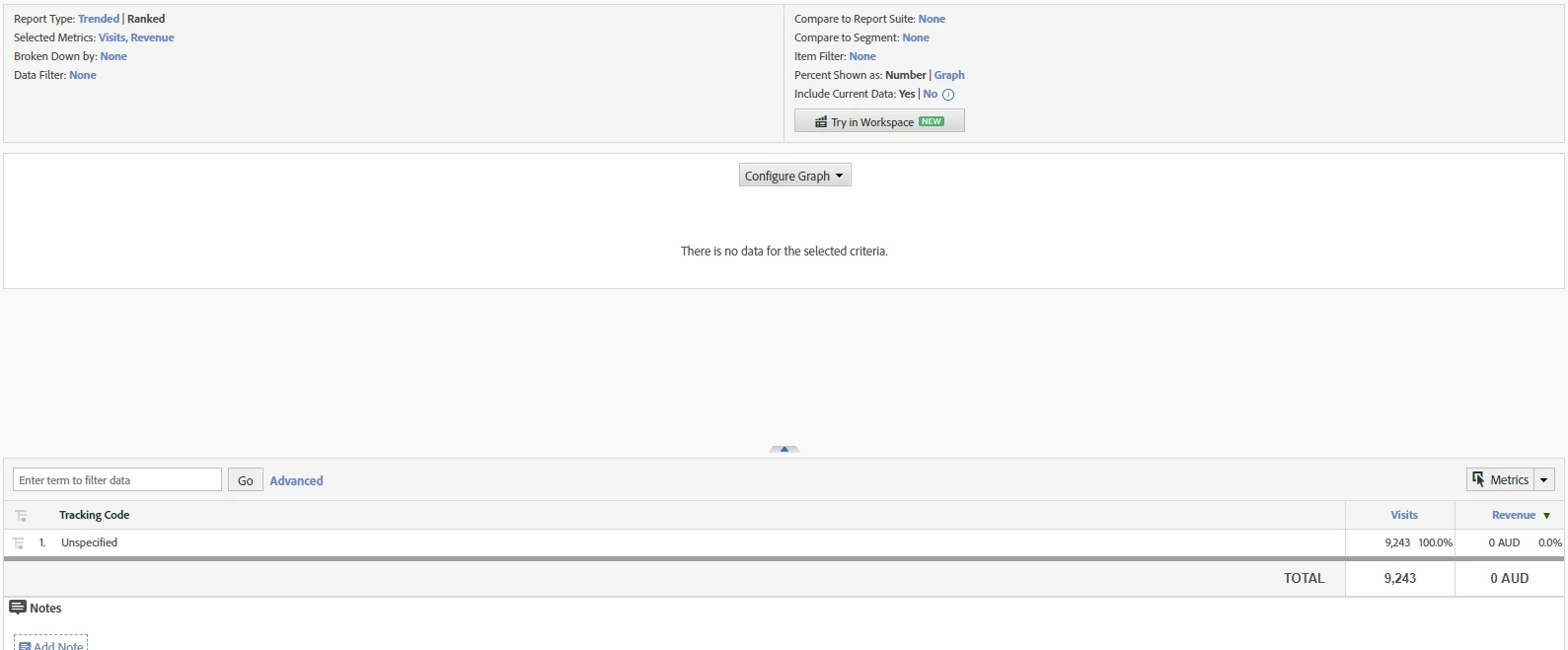
Any assistance on this would be great!

This post is no longer active and is closed to new replies. Need help? Start a new post to ask your question.
Timf7292Accepted solution
Level 2
Oct 31, 2018 11:19 PM UTC

Hi All,

Thanks for the help on this one!

It was one of those dumb moments when I realized that the processing rules weren't quite right. The implementation was using context data and in the process of adding the rules included setting the campaign variable, when it was already being sent to v0.

4 replies

Timf7292AuthorAccepted solution
Level 2
Oct 31, 2018 11:19 PM UTC

Hi All,

Thanks for the help on this one!

It was one of those dumb moments when I realized that the processing rules weren't quite right. The implementation was using context data and in the process of adding the rules included setting the campaign variable, when it was already being sent to v0.

Translate
Gigazelle
Employee
Oct 30, 2018 6:58 PM UTC

Hi Tim, were Hyder's or Pablo's answers able to answer your question?

Translate
Pablo_Childe
New Participant
Oct 25, 2018 2:23 PM UTC

It seems you have a bunch of different pieces of info in tracking code. Is it possible you just haven`t uploaded any associated SAINT categories and the "Tracking Code" report is really a sub report blank...

Can you display where in menu hierarchy the Tracking code report is?

Also just a recommendation. You may not have hit it yet but "pipe" delimiters can cause 3rd parties issues with your click through URLs

Switching over to underscore "_" will eliminate that.

Regards

Translate
Hyder_Ziaee
Employee
Oct 25, 2018 8:44 AM UTC

Hi Tim,

You might have already done this, but have you verified the report suite ID?

also you can get a data feed for a day/hour when you are sure to have sent the data and check the exclude_hit, campaign and post_campaign columns. If the exclude_hit is >0 then it the hit is being excluded. Also if the campaign column contains the value but not the post_campaign, then there is something manipulating the value in the interim.

Translate