Turn off background & percentages by default (Workspace) | Community
Skip to main content
pwolly-cr
New Participant
January 19, 2022
New

Turn off background & percentages by default (Workspace)

  • January 19, 2022
  • 2 replies
  • 1045 views

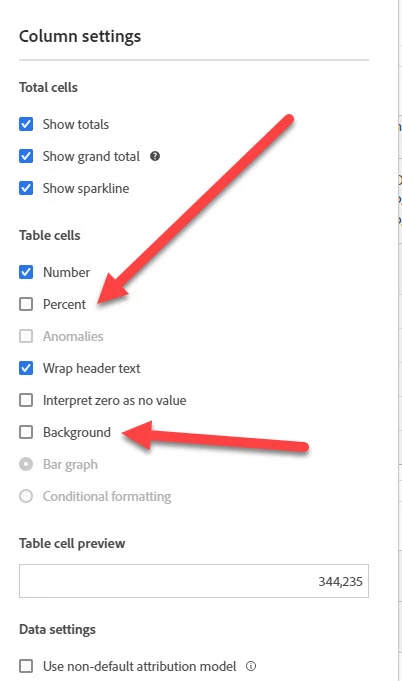
In Workspace, is there a way to turn off background and percentages at an account level?  Every project I create I have to go into each column in every table and turn off these features.  Would be great if I could do that once at a project level or even at an account level.  Thanks.

-Peter


2 replies

jeff_bloomer
New Participant
February 10, 2022

An alternative would be to do this at the PROJECT level.  Create the project, and then open a panel, turn things ON/OFF, and then start building.

You're right, it's a real hassle and an absolute productivity loss to have to open up multiple gears and doe this over and over and over and over.... 🤢

New Participant
January 20, 2022

I think that leaving them on is a benefit for new users more so than power users. If these are turned off by default, someone who is a novice may not realize that these options are even available. Additionally, having percentages turned off by default would mean using metrics that are percentages, such as bounce rates, would show blank cells.


Alternatively, Adobe could allow users to set default settings for the projects that they create. This would allow you, for example, to have options like background and anomalies disabled by default.