Uncaught (in promise) ReferenceError: s is not defined | Community
Skip to main content
New Participant
August 10, 2023
Solved

Uncaught (in promise) ReferenceError: s is not defined

  • August 10, 2023
  • 2 replies
  • 1594 views

The error came from here. s is not defined


This post is no longer active and is closed to new replies. Need help? Start a new post to ask your question.
Best answer by Jennifer_Dungan

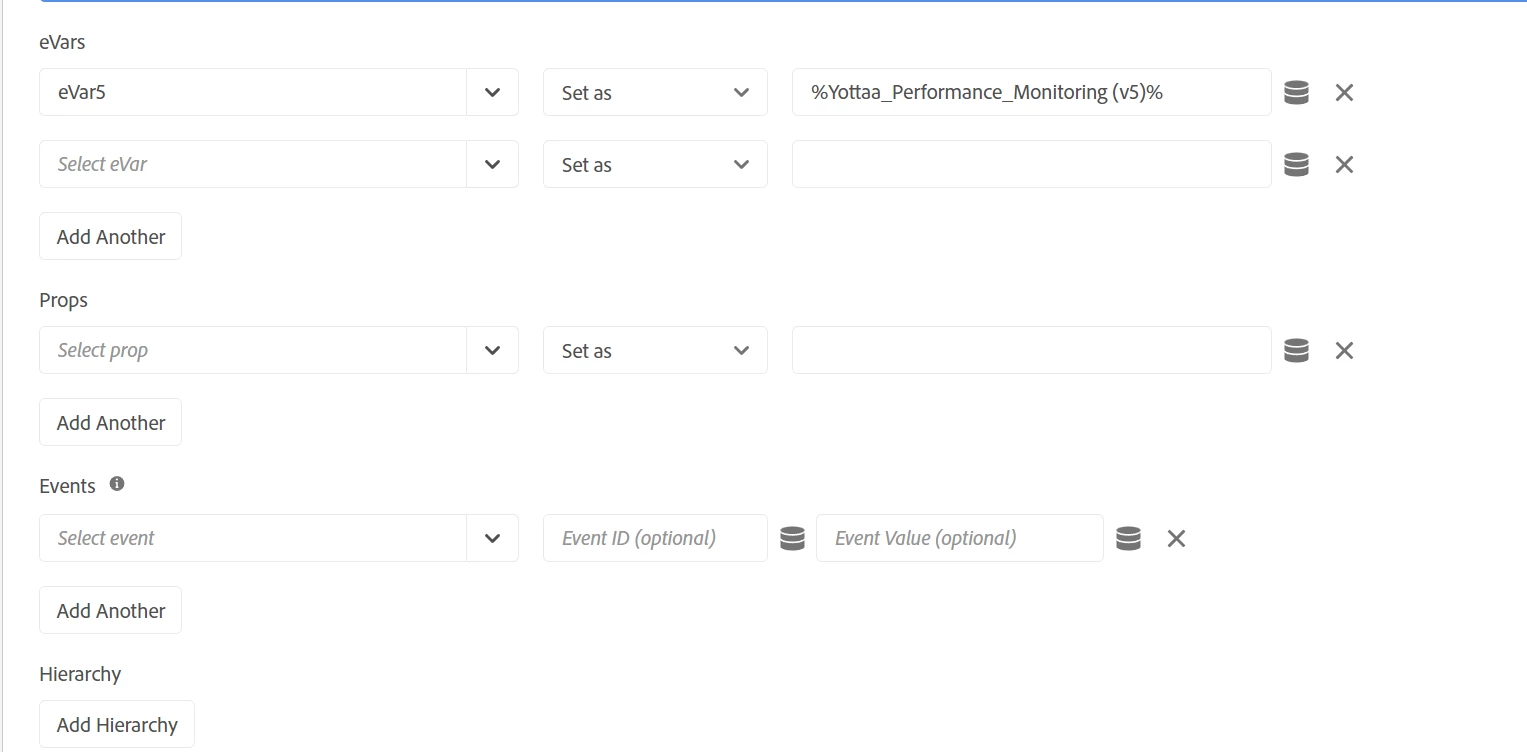
What is that first image of?


s.eVar5 = window.Yo ? Yo.rum.get().optState : 'yo-not-present';


Is this the code inside your Data Element "Yottaa_Performance_Monitoring (v5)"??


If so, the s object is not available inside of Data Elements, but this also is not how Data Elements work...


If you are setting an eVar to a Data Element:

 

Then you shouldn't be trying to set the dimension inside that code... 


Data Elements set a value (using standard JS)


var MyVar = "something"; //or var MyDataElement = _satellite.getVar('anotherElement'); // Do some manipulation, logic, etc here that results in "finalValue": var finalValue = "X"; return finalValue;


That return passes whatever value your code creates (or "empty string" if the final result is null).


Then you set the Data Element into your dimensions in your tracking rules to take the value of the Data Element and set it where you want it....


2 replies

Jennifer_Dungan
Jennifer_DunganAccepted solution
New Participant
August 10, 2023

What is that first image of?


s.eVar5 = window.Yo ? Yo.rum.get().optState : 'yo-not-present';


Is this the code inside your Data Element "Yottaa_Performance_Monitoring (v5)"??


If so, the s object is not available inside of Data Elements, but this also is not how Data Elements work...


If you are setting an eVar to a Data Element:


Then you shouldn't be trying to set the dimension inside that code... 


Data Elements set a value (using standard JS)


var MyVar = "something"; //or var MyDataElement = _satellite.getVar('anotherElement'); // Do some manipulation, logic, etc here that results in "finalValue": var finalValue = "X"; return finalValue;


That return passes whatever value your code creates (or "empty string" if the final result is null).


Then you set the Data Element into your dimensions in your tracking rules to take the value of the Data Element and set it where you want it....


yuhuisg
New Participant
August 10, 2023

It could be that there is something that's blocking AA's AppMeasurement.js from being loaded properly in your page. Are you able to share the web page URL for us to preview and troubleshoot?