adobe target audience setup for mobile app alone | Community
Skip to main content
New Participant
March 21, 2024
Question

adobe target audience setup for mobile app alone

Hi 
Just confused about this audience for mobile app, Need to assign audience only for the mobile apps and which should not include the mobile browsers..i have a script added in the pageload event at the experience tab in the activity, 
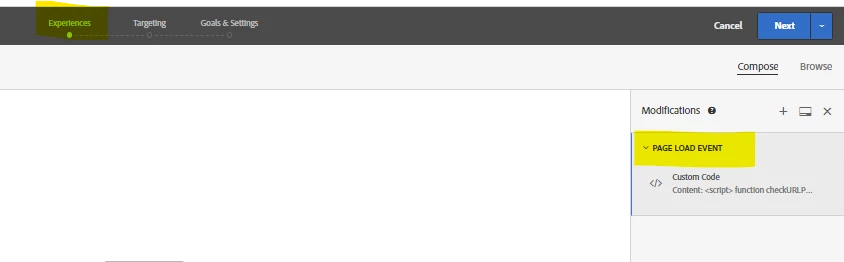
Now i need to assign audience at the targeting tab, how can i target only to the mobile app users,and need not include the mobile browser ones.

Can anybody suggest a solution for this..


Thanks,

Vaishnavi


This post is no longer active and is closed to new replies. Need help? Start a new post to ask your question.

1 reply

pradnya_balvir
New Participant
May 30, 2024

Hi @vaishnavi_selva ,

For Mobile App, you need to create separate activity for mobile. It will capture only mobile app visitors not mobile browser.


Create an A/B Test

There are many types of activities you can create in Adobe Target and implement in a mobile app. For this lesson, you will implement an A/B test.

  1. In the Target UI, select Activities from the top bar.

  2. Select Create Activity and A/B Test from the context menu.

  3. In the Create A/B Test Activity dialog, select Mobile as the Type, select a workspace from the Choose Workspace list, and select your property from the Choose property list if you are a Target Premium customer and specified a property token in the datastream.

  4. Select Create

    For information on Mobile SDK tracking and implentation, refer below document:

    https://experienceleague.adobe.com/en/docs/platform-learn/implement-mobile-sdk/experience-cloud/target
Translate