
CloudEvent calling Webhook successfully, but Body is empty | Community
Skip to main content
nuzil
New Participant
April 13, 2022
Solved

CloudEvent calling Webhook successfully, but Body is empty

  • April 13, 2022
  • 1 reply
  • 1281 views

Hello,


I'm playing around with CloudEvents and have the following issue:


I configured Eventmetadata and then fire an event like folowing:

function createCloudEvent(providerId, eventCode, payload) { let cloudevent = new CloudEvent({ source: 'urn:uuid:' + providerId, type: eventCode, datacontenttype: "application/json", data: { hello: 'world' }, id: uuid.v4() }); return cloudevent }


As a result, event is fired successfully and webhook got triggered.

But Body of it is always empty:
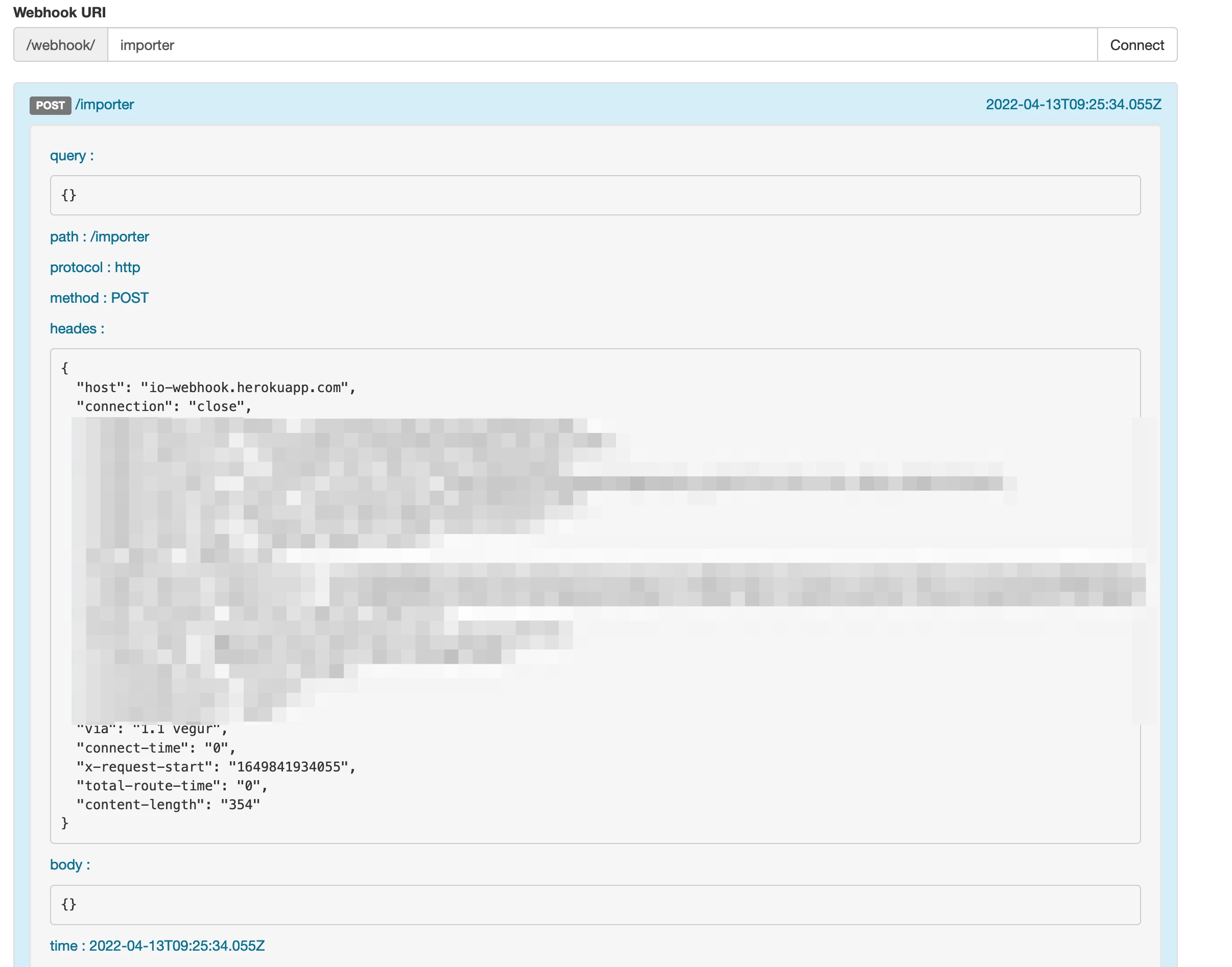


Will be very thanksfull for any help

This post is no longer active and is closed to new replies. Need help? Start a new post to ask your question.
Best answer by shikhartanwar

Hi @nuzil,

I noticed that you are using the https://io-webhook.herokuapp.com/ as the webhook server. There is a known bug in this server where it's only able to display payloads when the content type is application/json.

If you created this integration using developer console, you should be able to view debug traces of the events flowing.

Alternatively, you can use https://webhook.site as the webhook server, but you'll have to take care of challenge deliveries manually then.

Hope this helps!

Thanks, Shikhar

1 reply

shikhartanwarAccepted solution
Employee
April 13, 2022

Hi @nuzil,

I noticed that you are using the https://io-webhook.herokuapp.com/ as the webhook server. There is a known bug in this server where it's only able to display payloads when the content type is application/json.

If you created this integration using developer console, you should be able to view debug traces of the events flowing.

Alternatively, you can use https://webhook.site as the webhook server, but you'll have to take care of challenge deliveries manually then.

Hope this helps!

Thanks, Shikhar

nuzil
nuzilAuthor
New Participant
April 13, 2022

Thats it! Thanks a lot.

I also noticed that in console.adobe.io is correct payload shown.