'400: Bad Request' when I try to use Accelerated Queries API endpoint on Postman
I got the following SQL statement:
SELECT DISTINCT branchID, branchName
FROM ds_sucursales
WHERE branchName IS NOT NULL
LIMIT 5
ds_sucursales is a dataset based on a branch type schema. The statement was saved on Query Service UI with the ID 4aaf637a-0712-4342-b549-4e77c0382057.
I want to execute the statement using the Accelerated Queries API endpoint on Postman, so I follow the Accelerated Queries API Endpoint Doc.
I put the request headers. Likewise, I include the Postman generated headers, that include Accept, Accept-Encoding, etc.
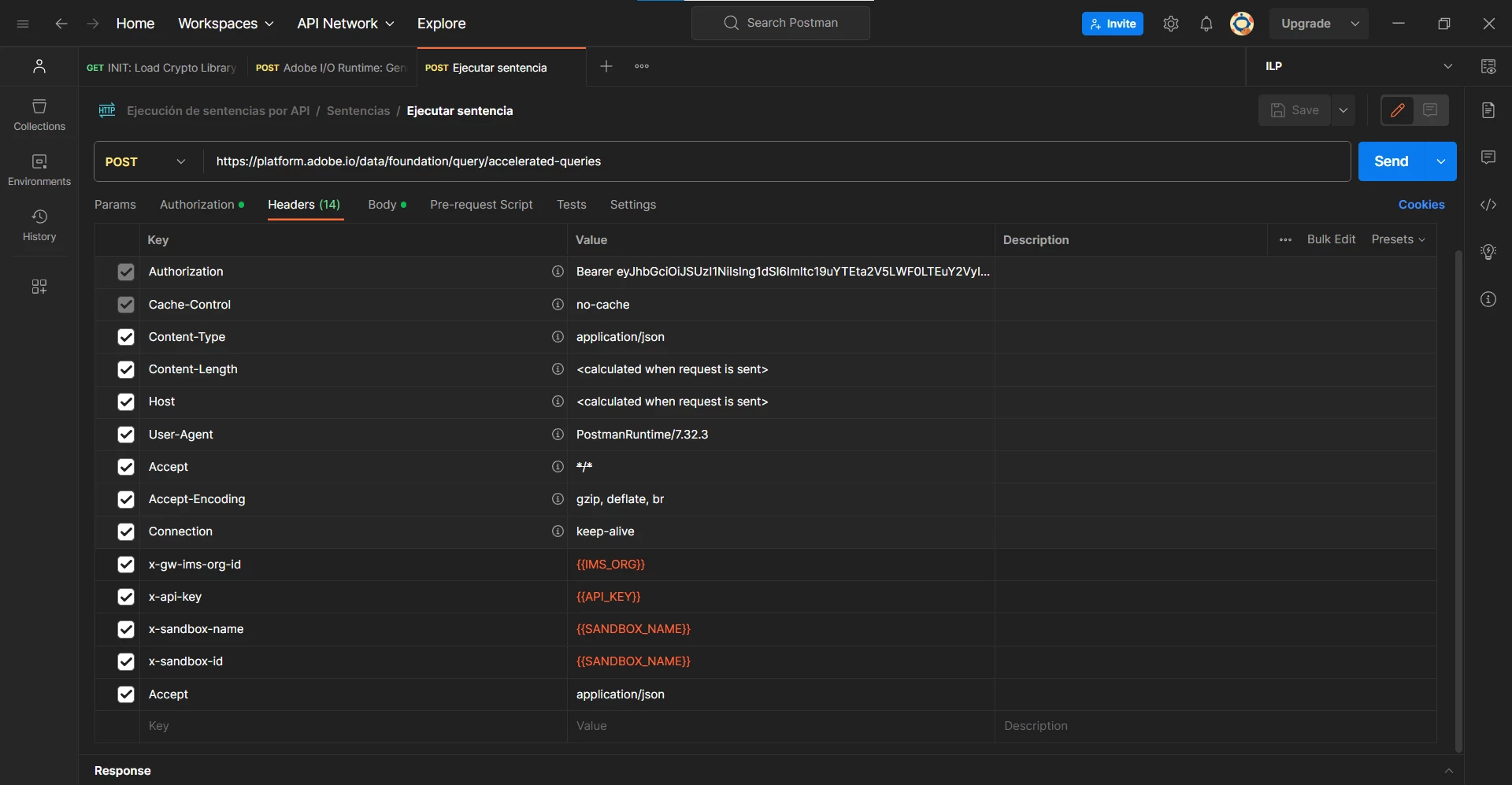
Then, I put the request body:
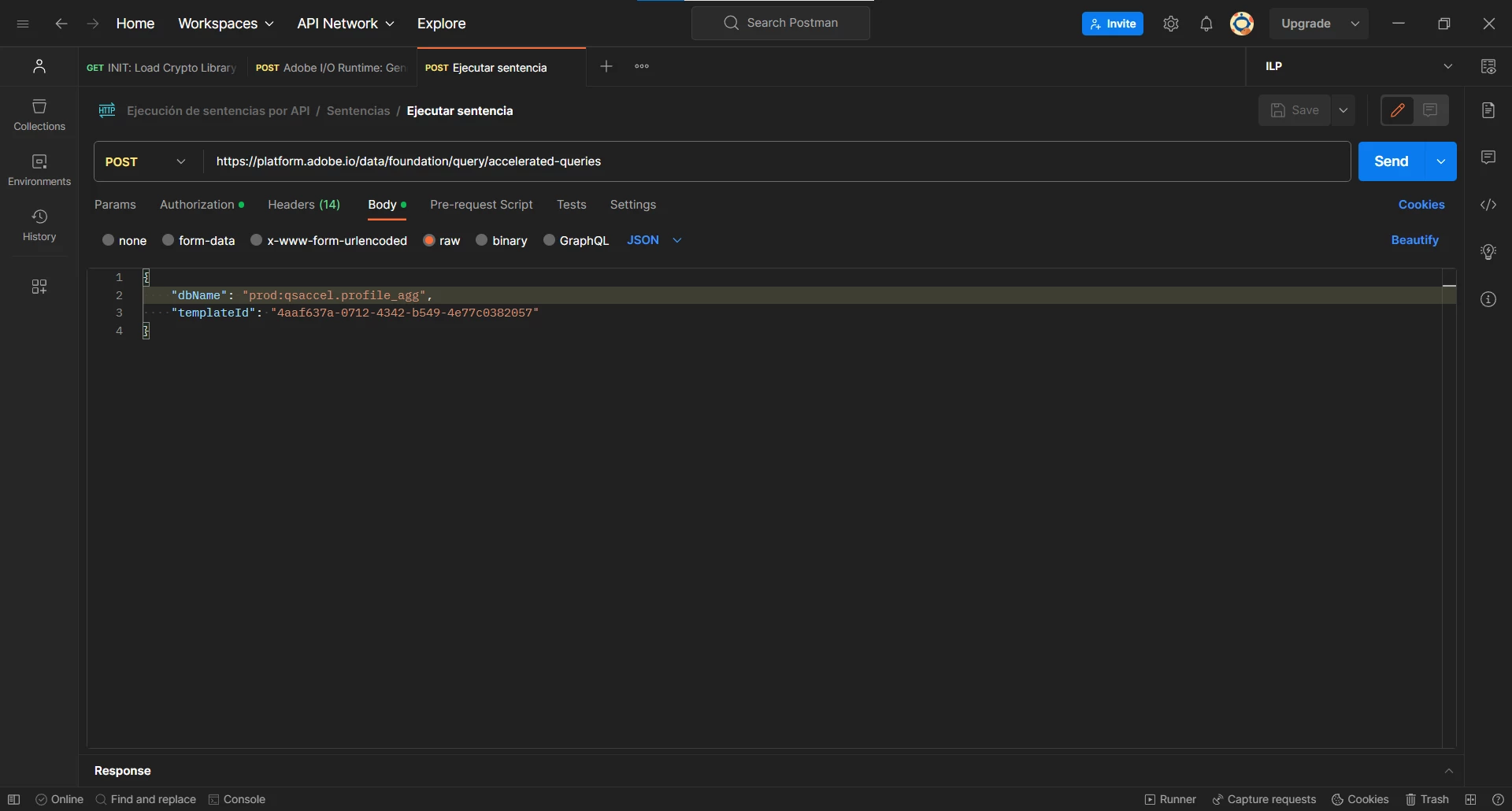
I get ACCELERATED_STORE_DATABASE and ACCELERATED_STORE_SCHEMA using the following SQL statement:
SHOW SCHEMAS
Query response showed two databases and two schemas:
| DATABASE | SCHEMA |
| qsaccel | profile_agg |
| cjm_qsaccel | cjm_reporting_aggs |
I built the dbName using the following pattern:
{SANDBOX_NAME}:{ACCELERATED_STORE_DATABASE}.{ACCELERATED_STORE_SCHEMA}
When I try to send the request, I get the error:
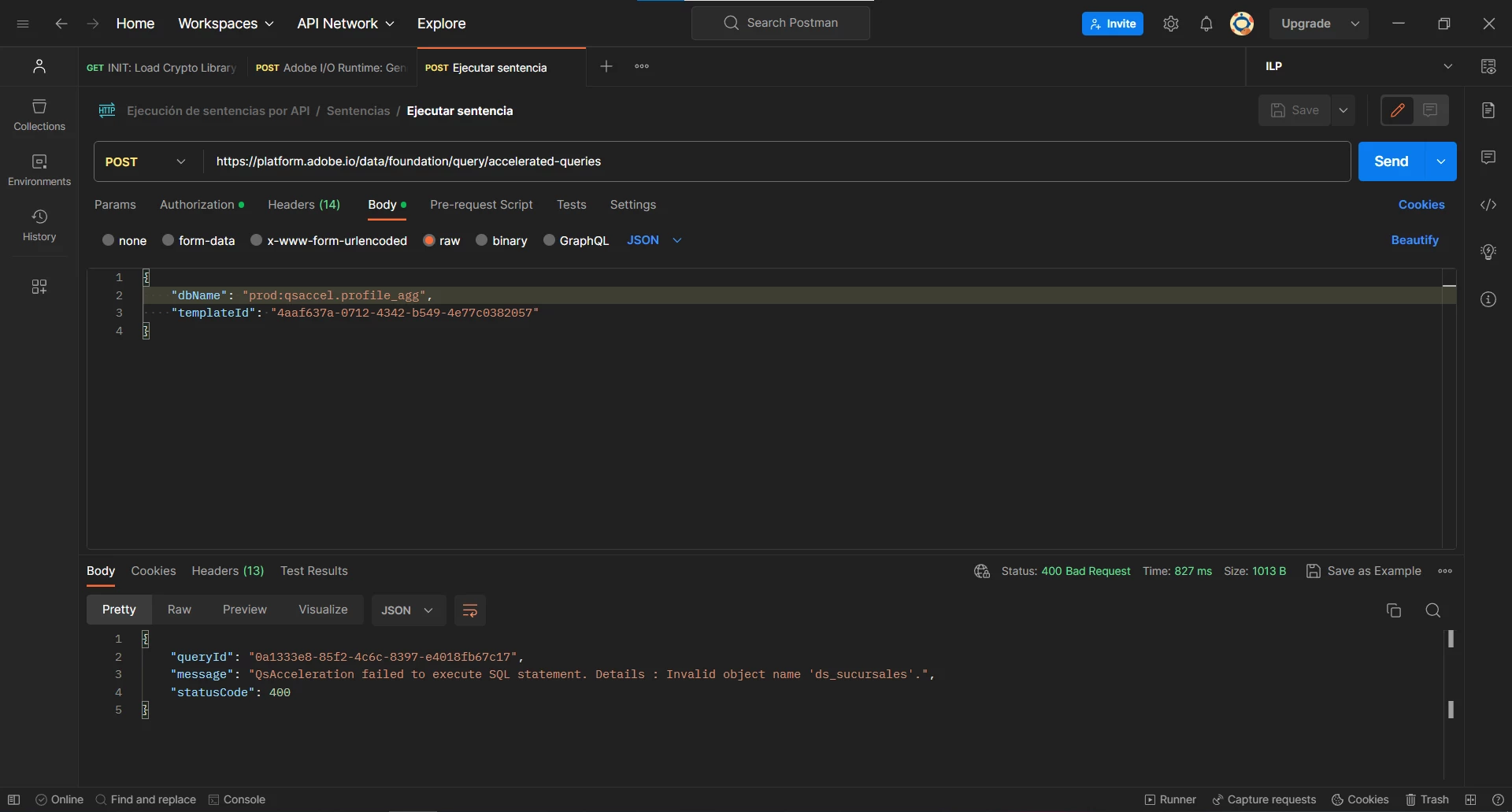
I also tried to build the dbName using the another database and schema, but it doesn't work. Likewise, I tried to build the dbName using the following pattern:
{SANDBOX_NAME}:{ACCELERATED_STORE_DATABASE}:{ACCELERATED_STORE_SCHEMA}
I tried this one because request sample uses : instead of . on dbName. But when I send the request I get a 500: Internal Server Error:
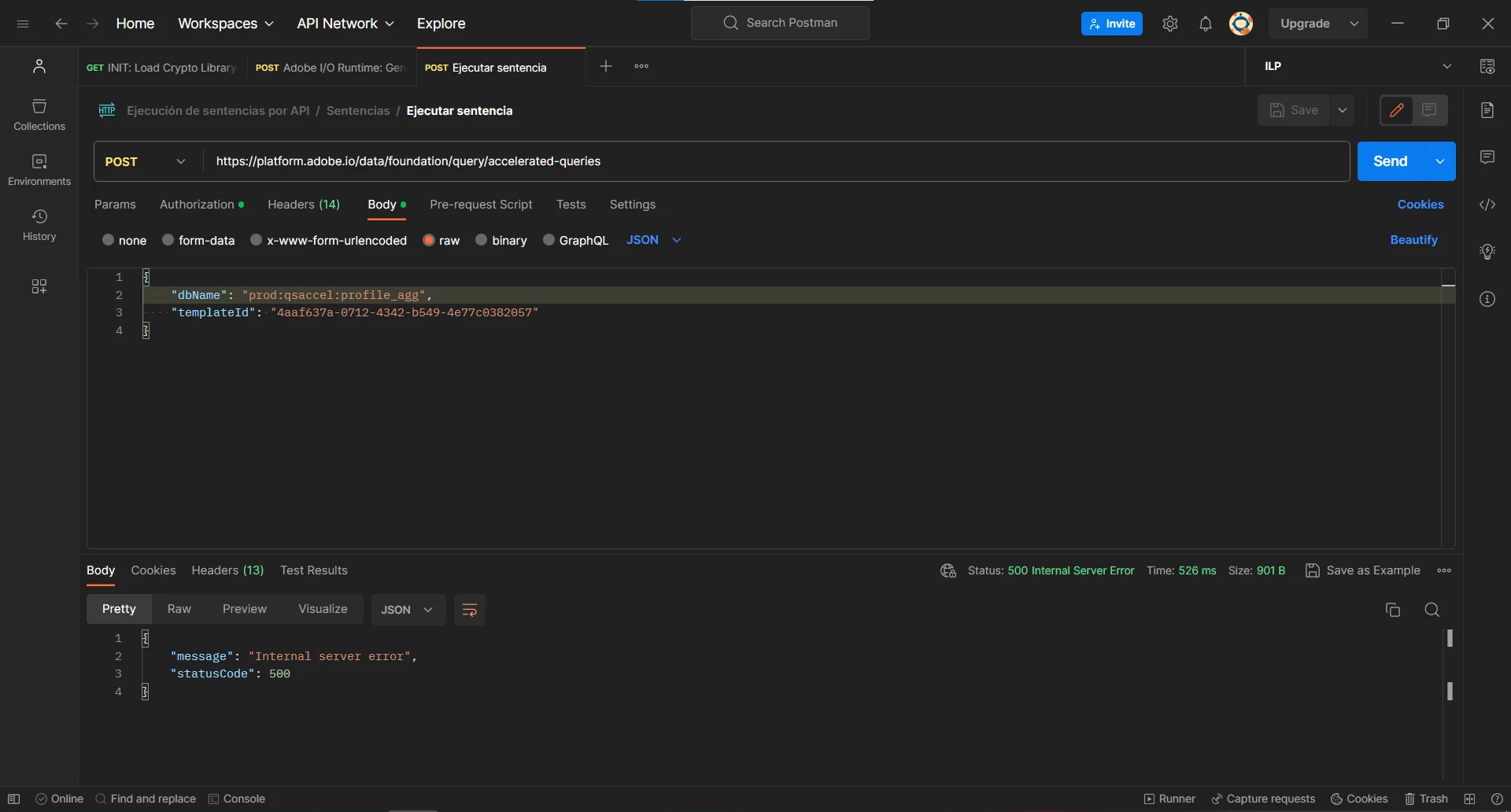
What am I doing wrong?
Thanks in advance