Condition based on data-target selector? | Community
Skip to main content
richm92841132
Level 2
Aug 8, 2018 9:08 PM UTC
Solved

Condition based on data-target selector?

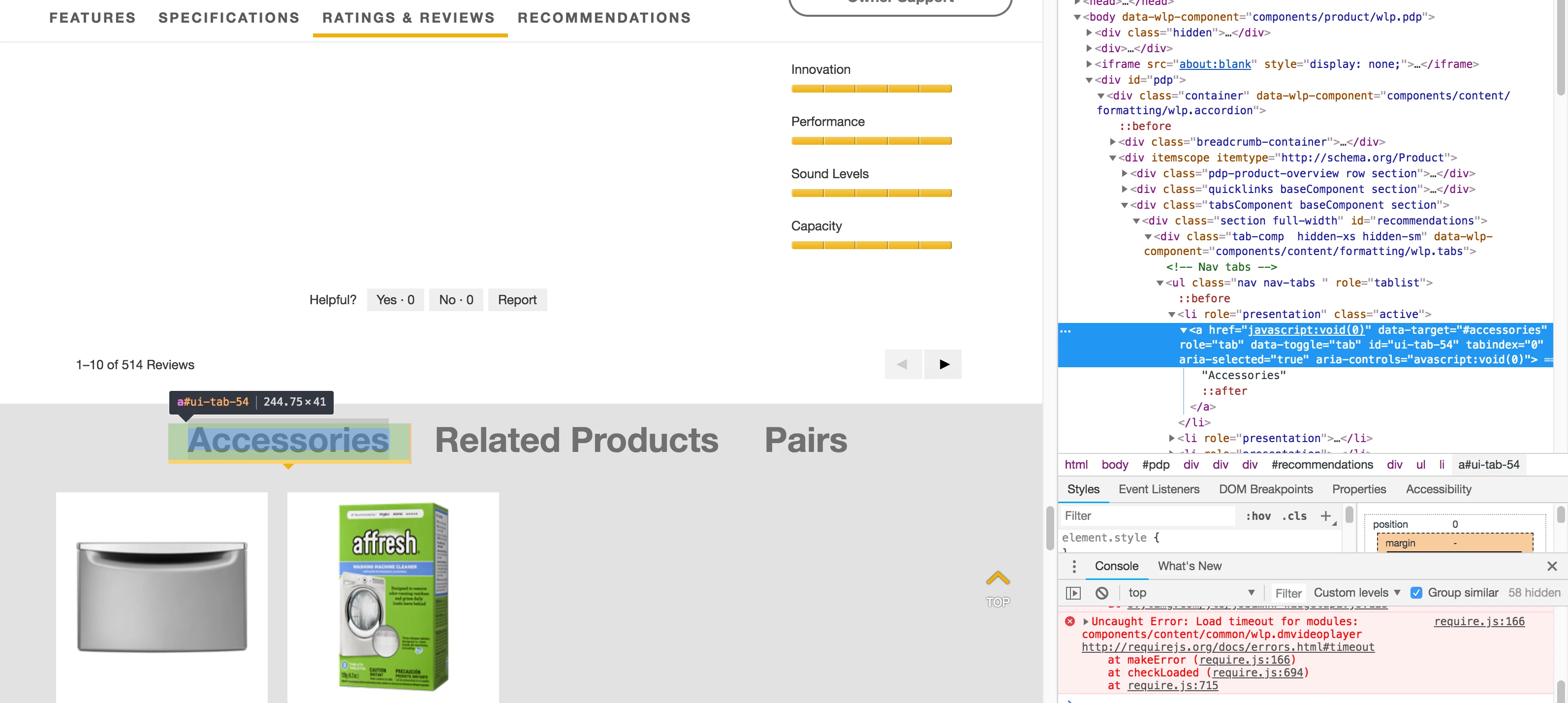
I want to fire a rule when someone clicks on the Accessories link (see screenshot below). There is no specific class or ID i can use (each page is using a different ID for the same link) but, if I could trigger the rule based on the data-target="#accessories" selector, it should work. Any idea on how to do this?
This post is no longer active and is closed to new replies. Need help? Start a new post to ask your question.
AnalyticsAlice
AnalyticsAliceAccepted solution
Level 2
Aug 9, 2018 4:04 PM UTC

Hi richm,

The basic selector you'd need to broadly target all links with data-target="#accessories":

a[data-target='#accessories']

If there are other links on the page using that data-attribute and you want to exclude them from your rule, you can leverage the parent div with ID #recommendations and other classes assigned to parent elements to make the selector more specific to that section, for example:

div#recommendations ul li a[data-target='#accessories']

2 replies

richm92841132
Level 2
Aug 9, 2018 6:24 PM UTC

Perfect, thanks AnalyticsAlice!

-Rich

Translate
AnalyticsAlice
AnalyticsAliceAccepted solution
Level 2
Aug 9, 2018 4:04 PM UTC

Hi richm,

The basic selector you'd need to broadly target all links with data-target="#accessories":

a[data-target='#accessories']

If there are other links on the page using that data-attribute and you want to exclude them from your rule, you can leverage the parent div with ID #recommendations and other classes assigned to parent elements to make the selector more specific to that section, for example:

div#recommendations ul li a[data-target='#accessories']

Translate