
Experience platform debugger not allowing to add launch script | Community
Skip to main content
Employee
July 26, 2024
Solved

Experience platform debugger not allowing to add launch script

  • July 26, 2024
  • 2 replies
  • 1055 views

Hi,

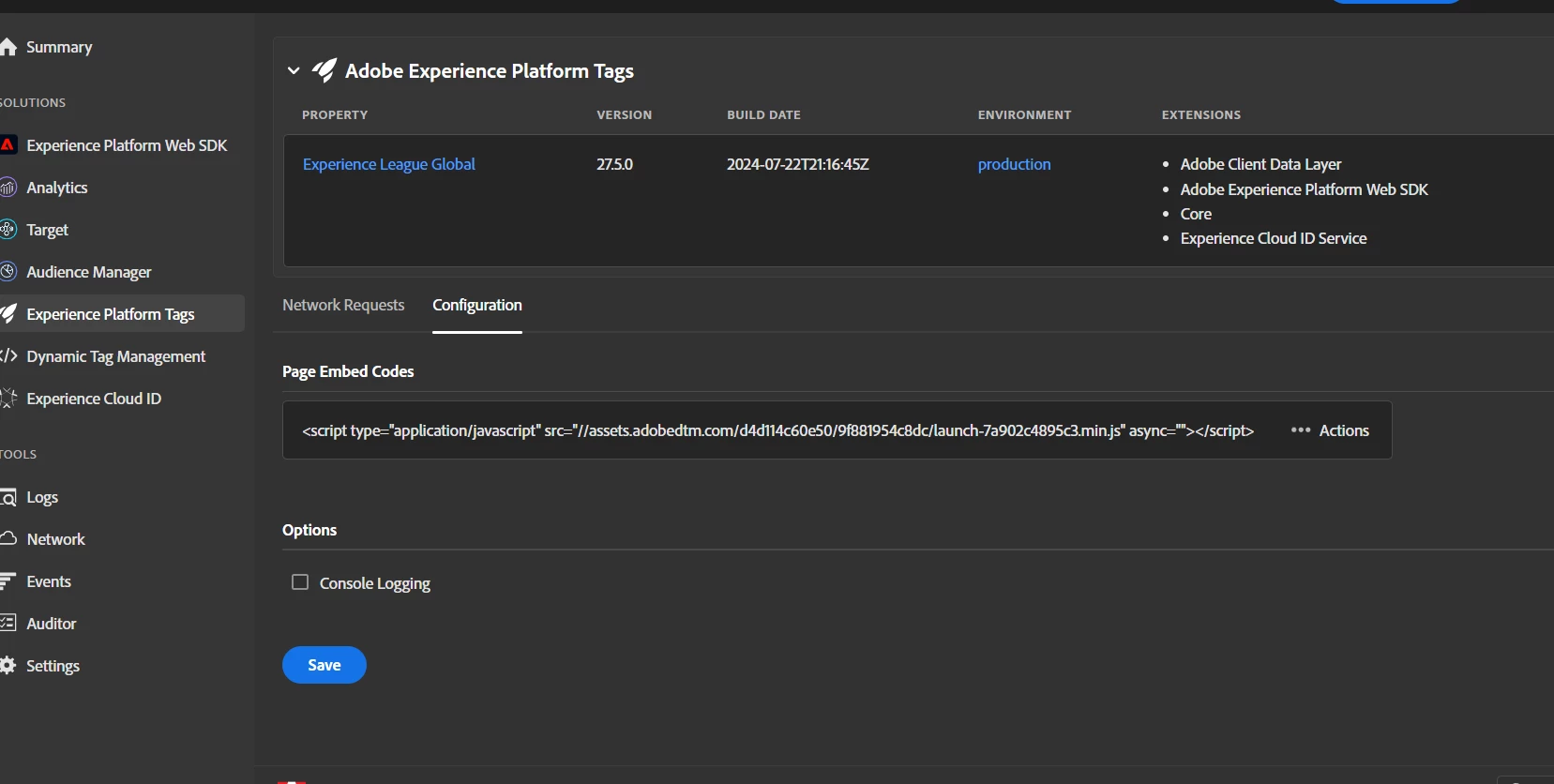
It looks like there is a change in the Chrome extension Experience Platform Debugger where it is not possible to specify the Launch script. The earlier provided text field is not even there.

Can someone please look into this.

Regards,

Suvadeep Dey

This post is no longer active and is closed to new replies. Need help? Start a new post to ask your question.
Best answer by _Manoj_Kumar_

Hello @sudey  You will have to first add some version of the launch script on the page and then the replace option will appear.
 

2 replies

kautuk_sahni
Employee
October 18, 2024

@sudey  If you have successfully found a solution on your own, we kindly ask that you share it with the community for future reference and mark it as the correct answer.

Kautuk Sahni
_Manoj_Kumar_
_Manoj_Kumar_Accepted solution
New Participant
July 26, 2024

Hello @sudey  You will have to first add some version of the launch script on the page and then the replace option will appear.


     Manoj     Find me on LinkedIn
sudeyAuthor
Employee
October 21, 2024

@_manoj_kumar_ ,


This issue was fixed quite some time back. The old UI that had the place to add the launch tag has been re-introduced.