How to I update sdk to Android Analytics 1.2.8 | Community
Skip to main content
New Participant
July 26, 2021
Solved

How to I update sdk to Android Analytics 1.2.8

  • July 26, 2021
  • 2 replies
  • 1606 views

Using React Native, I need to update my sdk to 1.2.8 due to the error below


Can some please tell me how to do this? 


> Could not resolve all task dependencies for configuration ':app:debugCompileClasspath'. > Could not find :unspecified:. Required by: project :app > com.adobe.marketing.mobile:analytics:1.2.7


This post is no longer active and is closed to new replies. Need help? Start a new post to ask your question.
Best answer by VaniBhemarasetty

@harrisma 


 In the build.gradle file, instead of using implementation 'com.adobe.marketing.mobile:analytics: 1.+'

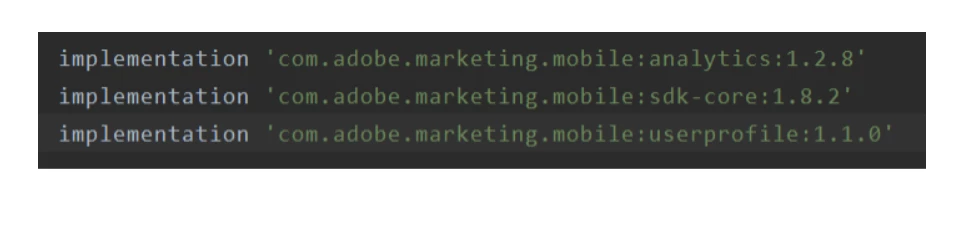
Try implementing by specifying the exact version and build it once. By adding this below line as shown in the above screenshot
implementation 'com.adobe.marketing.mobile:analytics:1.2.8'


2 replies

Employee
July 26, 2021

Hi @harrisma 


Are you including "mavenCentral()" in you Android application's repository list? If not, can you include it and try your build again using dynamic versioning for the Analytics dependency as below?

implementation 'com.adobe.marketing.mobile:analytics:1.+'


Thanks,

Kevin

VaniBhemarasetty
VaniBhemarasettyAccepted solution
Employee
July 26, 2021

@harrisma 


 In the build.gradle file, instead of using implementation 'com.adobe.marketing.mobile:analytics: 1.+'

Try implementing by specifying the exact version and build it once. By adding this below line as shown in the above screenshot
implementation 'com.adobe.marketing.mobile:analytics:1.2.8'