How to search for failed records after partial batch ingestion in UI | Community
Skip to main content
New Participant
July 25, 2025
Solved

How to search for failed records after partial batch ingestion in UI

  • July 25, 2025
  • 2 replies
  • 331 views

Is there any way to find out what records failed after partial batch ingestion in adobe experience platform UI? I don't have access to API. There is one record failed when ingested 100K record and want to find out what is the issue with failed record? 

Best answer by Elanchezhiyan_E

Hi @mv05,


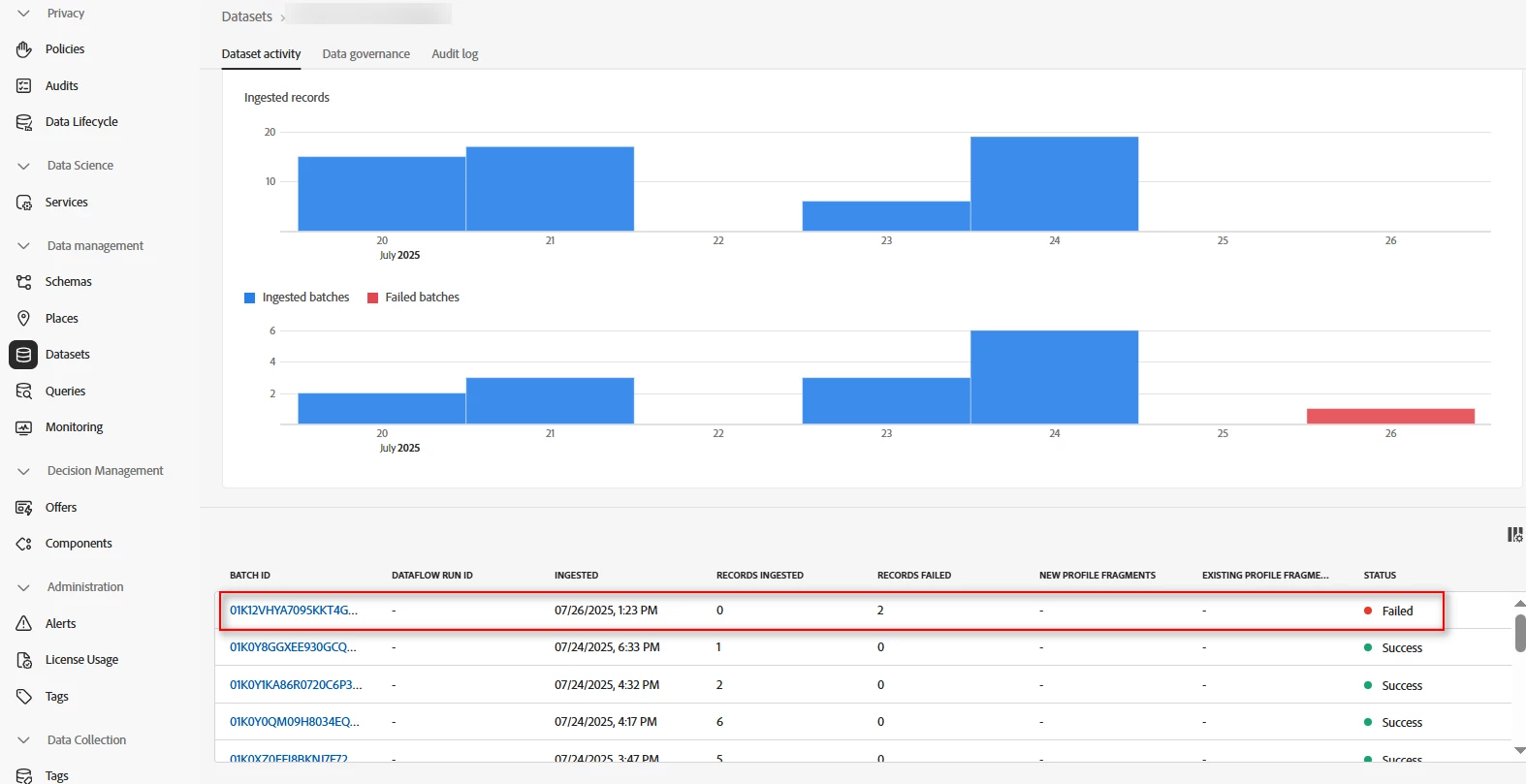
In the Platform UI, navigate to the Datasets Section and select your desired dataset. You will be able to view the dataset activity, and bottom of the page, you can see the batches that were successfully injected into AEP and as well as failed batches.

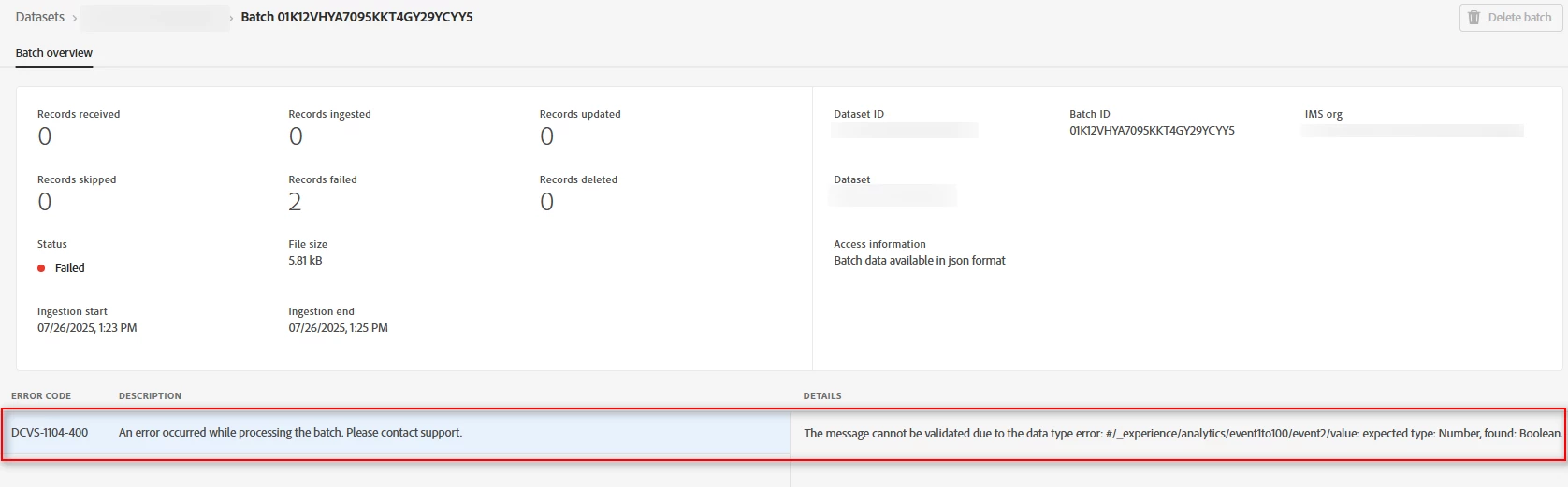
Click on the failed batch, then you can see why that particular batch was failed.

Let me know if you need further assistance.

Good Luck!

2 replies

KumarRishii
New Participant
July 26, 2025

To find failed records after a partial batch ingestion in Adobe Experience Platform UI:
 
- Go to Dataset → Activity → Batch → Diagnostics
- Look for "Download Failed Records" or error messages
- You'll see what caused the failure (e.g., schema mismatch, bad data)

I hope the above reference helps clarify your queries.

Elanchezhiyan_E
Elanchezhiyan_EAccepted solution
New Participant
July 26, 2025

Hi @mv05,


In the Platform UI, navigate to the Datasets Section and select your desired dataset. You will be able to view the dataset activity, and bottom of the page, you can see the batches that were successfully injected into AEP and as well as failed batches.

Click on the failed batch, then you can see why that particular batch was failed.

Let me know if you need further assistance.

Good Luck!