
Need help - How to set cookieLifetime value to None for ECID | Community
Skip to main content
RitendraS11
New Participant
September 22, 2022
Solved

Need help - How to set cookieLifetime value to None for ECID

  • September 22, 2022
  • 1 reply
  • 1394 views

Hi Team,


I have to set the cookieLifetime value of the ECID extension to None in order not to create ECID cookies(AMCV and AMCVS) under certain conditions.


When I try to configure it directly on the extension, it works fine and the ECID cookies are not created and tags are being sent.
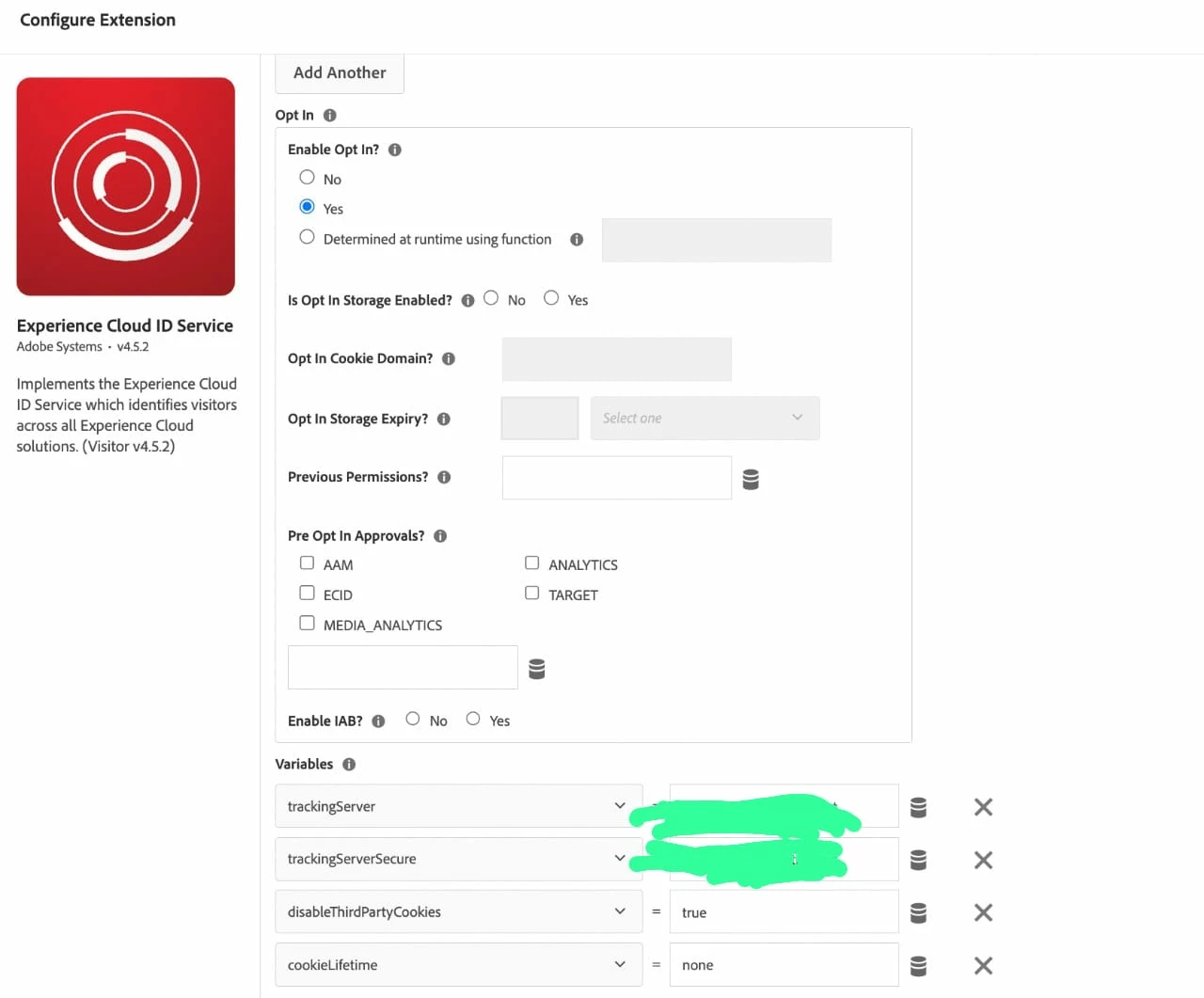
As per my need, I need to set/unset the ECID Cookies based on some conditions. So, I tried to add it using the below code.

var visitor = Visitor.getInstance ("<ORG_ID>",{
trackingServer: "<tracking_server>",
trackingServerSecure: "<tracking_server_secure>",
disableThirdPartyCookies: true,
doesOptInApply: false,
cookieLifetime: "NONE" // This value is set as default when ECID cookies need to be created.
});


Also, I am trying to execute the code after OptIn change:

adobe.optIn.approveAll();
adobe.optIn.complete();


This way, it doesn't work and ECID cookies are getting created irrespective of the condition. Please suggest a better way to implement it OR any other pointers would be helpful!

This post is no longer active and is closed to new replies. Need help? Start a new post to ask your question.
Best answer by yuhuisg

If you notice in the ECID extension, you can use a data element as the value for the "cookieLifetime" parameter. So you can provide your own data element that returns "none" when your required conditions are met, or some other value in other cases.

1 reply

yuhuisg
yuhuisgAccepted solution
New Participant
September 24, 2022

If you notice in the ECID extension, you can use a data element as the value for the "cookieLifetime" parameter. So you can provide your own data element that returns "none" when your required conditions are met, or some other value in other cases.

RitendraS11
New Participant
September 24, 2022

Thanks! this solution works. I have one small issue:

Need to know, if there is any way to set the dataElement from the Rule.

I can set the cookieLifeTime using DataElement and it works OK. The dataElement is executed on PageLoad.

But, the setting of OptIn is being done via a different rule. And, when OptIn is accepted or not - the CookieLifetime is already set by the DataElement. Now, after only page refresh - the latest value gets updated by dataElement. If you can help me here, would be great!

yuhuisg
New Participant
September 25, 2022

You can write your own custom code action in your Optin rule to update the cookie's new expiry.

E.g. in your Optin rule, add a Custom Code action of JavaScript type:

// get all of the cookies into an array
var cookies = document.cookie.split(',');
var newExpirySeconds = 7 * 24 * 60 * 60; // 7 days
cookies.forEach(function(cookie) {
  // for each cookie, if its name starts with "AMCV", then update its expiry
  var cookieParts = cookie.trim().split('=');
  var cookieName = cookieParts[0];
  var cookieValue = cookieParts[1];
  if (/^AMCV/.test(cookieName)) {
    // found an AMCV cookie
    document.cookie = cookieName + '=' + cookieValue + ';path=/;domain=' + document.location.hostname + ';max-age=' + newExpirySeconds;
  }
});

WARNING! Please test this first! I haven't tested it myself to verify that it works according to your needs. But it should be a starting point for you.