New property button not working in Tags | Community
Skip to main content
New Participant
May 10, 2023
Solved

New property button not working in Tags

  • May 10, 2023
  • 1 reply
  • 724 views

Hi ,

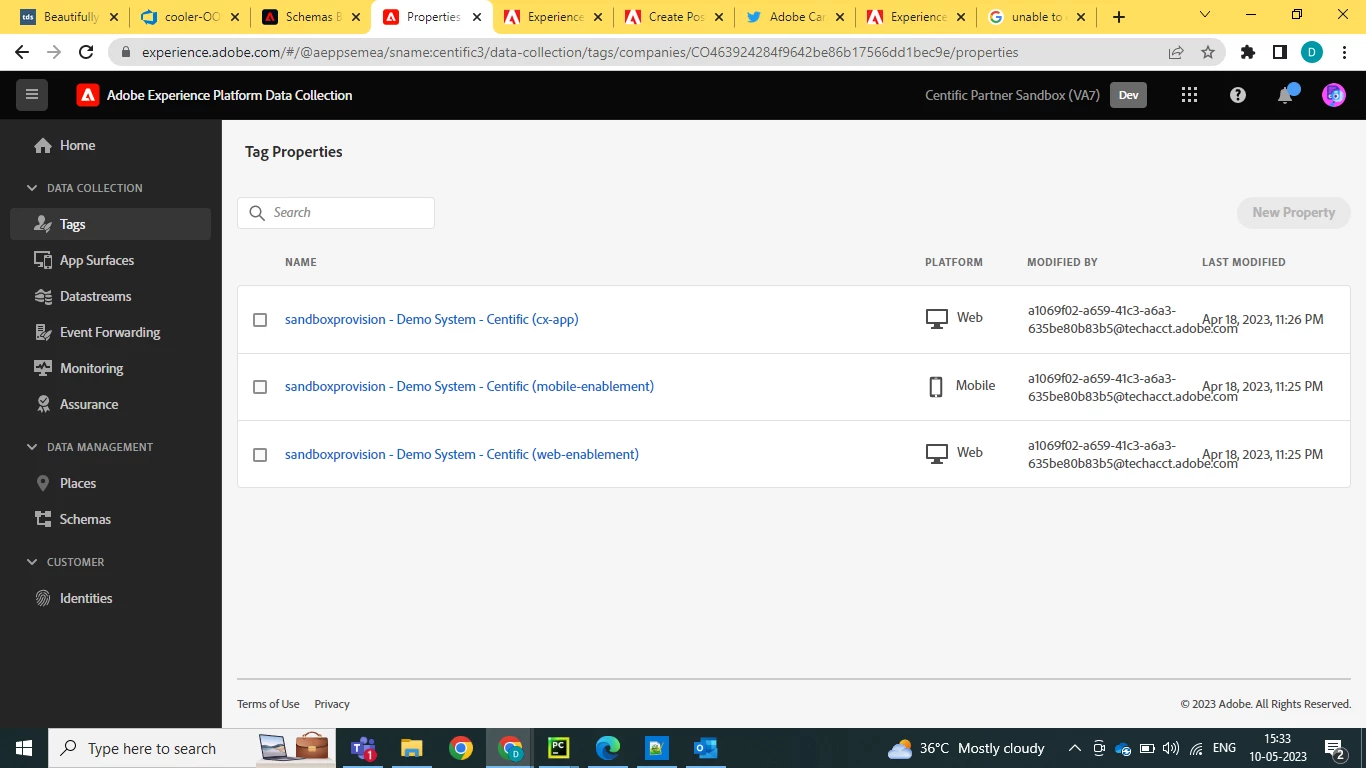
    I am unable to create new property in tags in AEP data collection. Please help, PFA screenshot
 

This post is no longer active and is closed to new replies. Need help? Start a new post to ask your question.
Best answer by ranjithd
  1. Check your permissions: Make sure that you have the necessary permissions to create new properties in tags. You can check this by going to the "User Management" section in the AEP console and reviewing your user role. 

Or selecting whichever Properties you want the group to have access to.


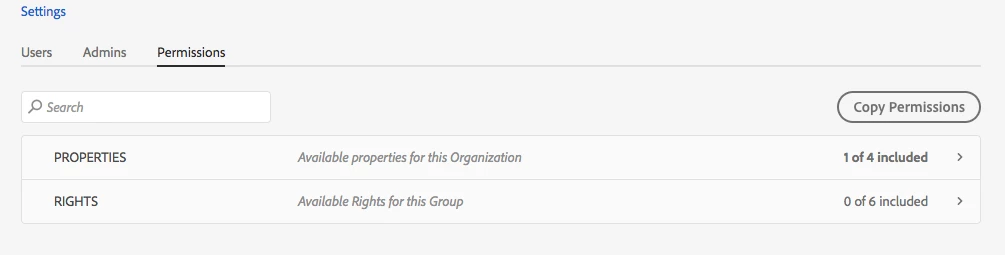
The Permissions Tab for the product configuration looks like this:  notice how the Properties are only including 1 of X:


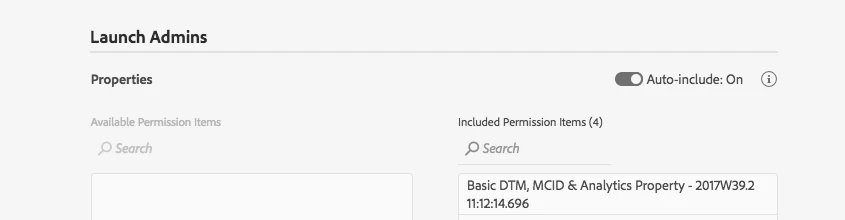
if you edit the properties you have it auto include as they are added:


This way all properties are visible as they are added

NOTE: the screenshots are reference.


1 reply

ranjithd
ranjithdAccepted solution
New Participant
May 10, 2023
  1. Check your permissions: Make sure that you have the necessary permissions to create new properties in tags. You can check this by going to the "User Management" section in the AEP console and reviewing your user role. 

Or selecting whichever Properties you want the group to have access to.


The Permissions Tab for the product configuration looks like this:  notice how the Properties are only including 1 of X:


if you edit the properties you have it auto include as they are added:


This way all properties are visible as they are added

NOTE: the screenshots are reference.