Populate Data Element with eVar Value | Community
Skip to main content
New Participant
November 16, 2023
Solved

Populate Data Element with eVar Value

  • November 16, 2023
  • 2 replies
  • 896 views

Can I populate a Data Element with the value from an eVar? 

I am trying to access the value of an eVar in the custom code for a rule I have created, hence why I am assigning it to a Data Element.

Is it possible to assign an eVar to a Data Element? For example MyDataElement = evar24

Thanks!

This post is no longer active and is closed to new replies. Need help? Start a new post to ask your question.
Best answer by franzli

Yes you can do that.

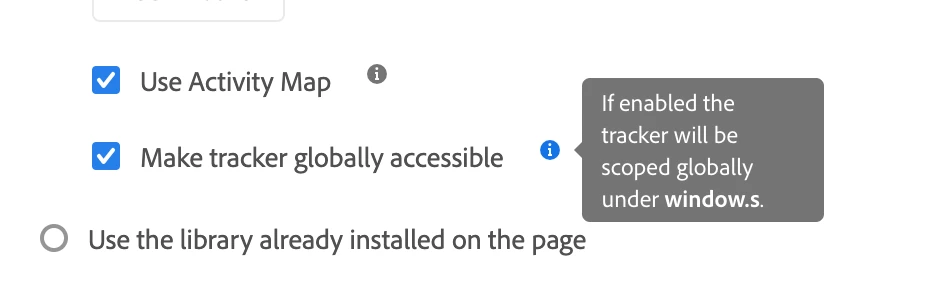
As long as you have the "s" value available in the window. (This can be set in the Adobe Analytics extension page)


Turn this on and then you can set your custom code in your data element to be:


return s.eVar24;


2 replies

yuhuisg
New Participant
November 22, 2023

Err, no.

... Well, ok, yes, you could, but it's not normally done. A data element normally contains the value that you want to pass to the eVar. It's not meant to work the other way around.

Can you describe your situation to explain why you want to set a data element with an eVar's value?

franzli
franzliAccepted solution
New Participant
November 16, 2023

Yes you can do that.

As long as you have the "s" value available in the window. (This can be set in the Adobe Analytics extension page)


Turn this on and then you can set your custom code in your data element to be:


return s.eVar24;