Adobe Target iOS Receiving Empty Content Response | Community
Skip to main content
New Participant
January 30, 2024
Solved

Adobe Target iOS Receiving Empty Content Response

  • January 30, 2024
  • 1 reply
  • 839 views

Hello, 

I am working on a project where I am integrating the Adobe Target SDK into my iOS app.

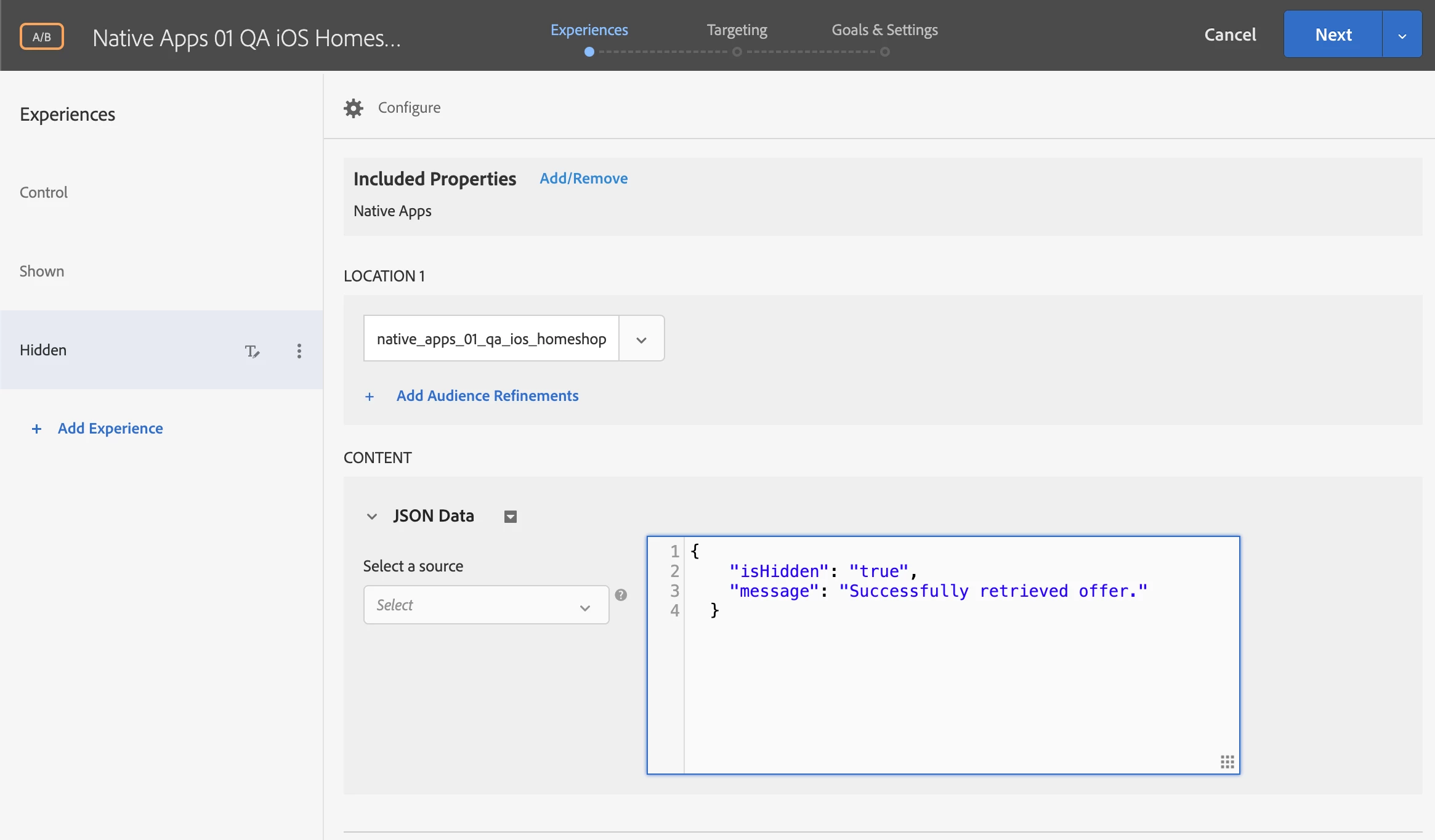
I have went through the process to create an A/B test. Below is a screenshot of my setup.
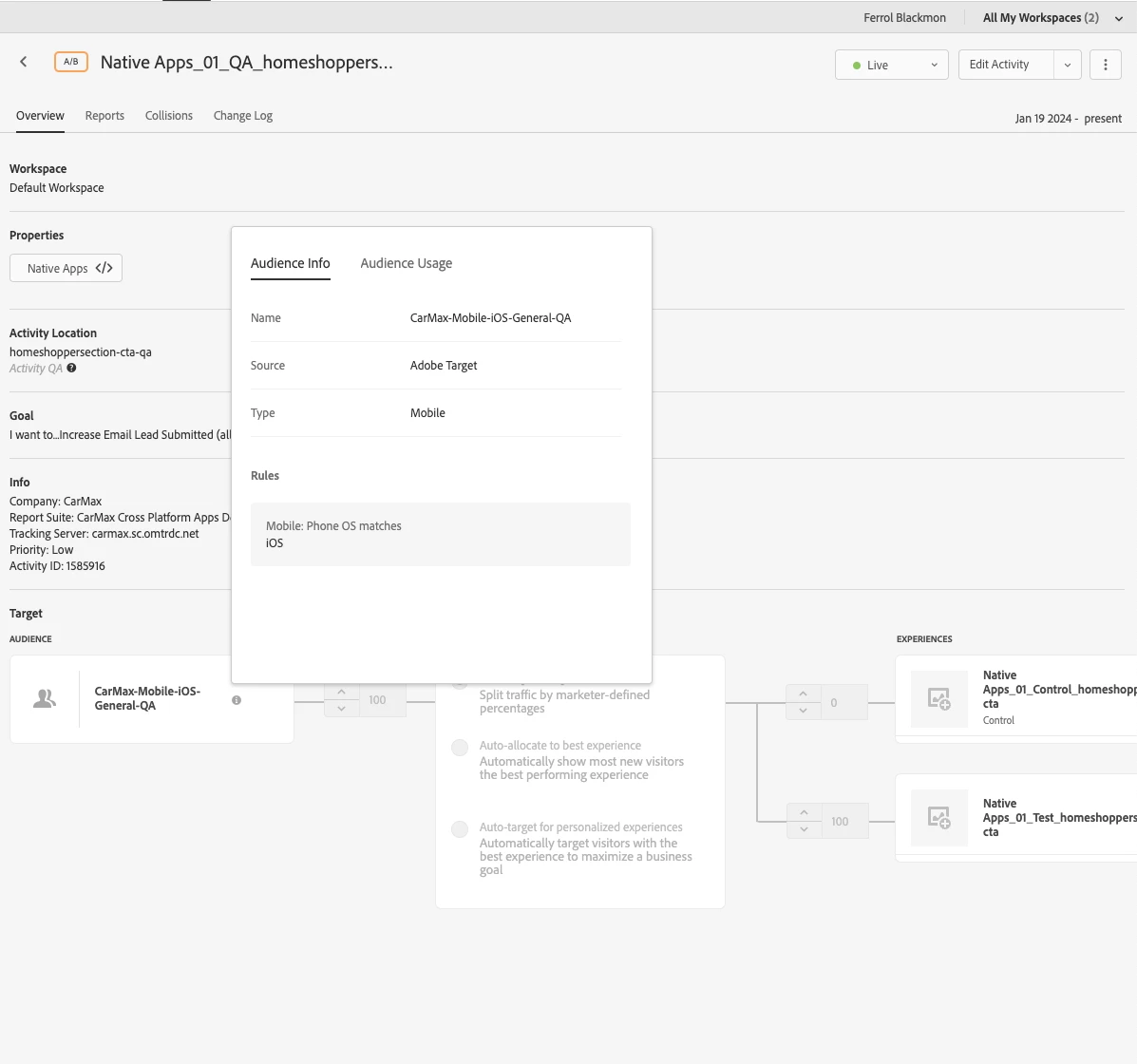
In the activity I am associating JSON data to given experiences so that the app can parse the data and make the necessary updates to the UI.


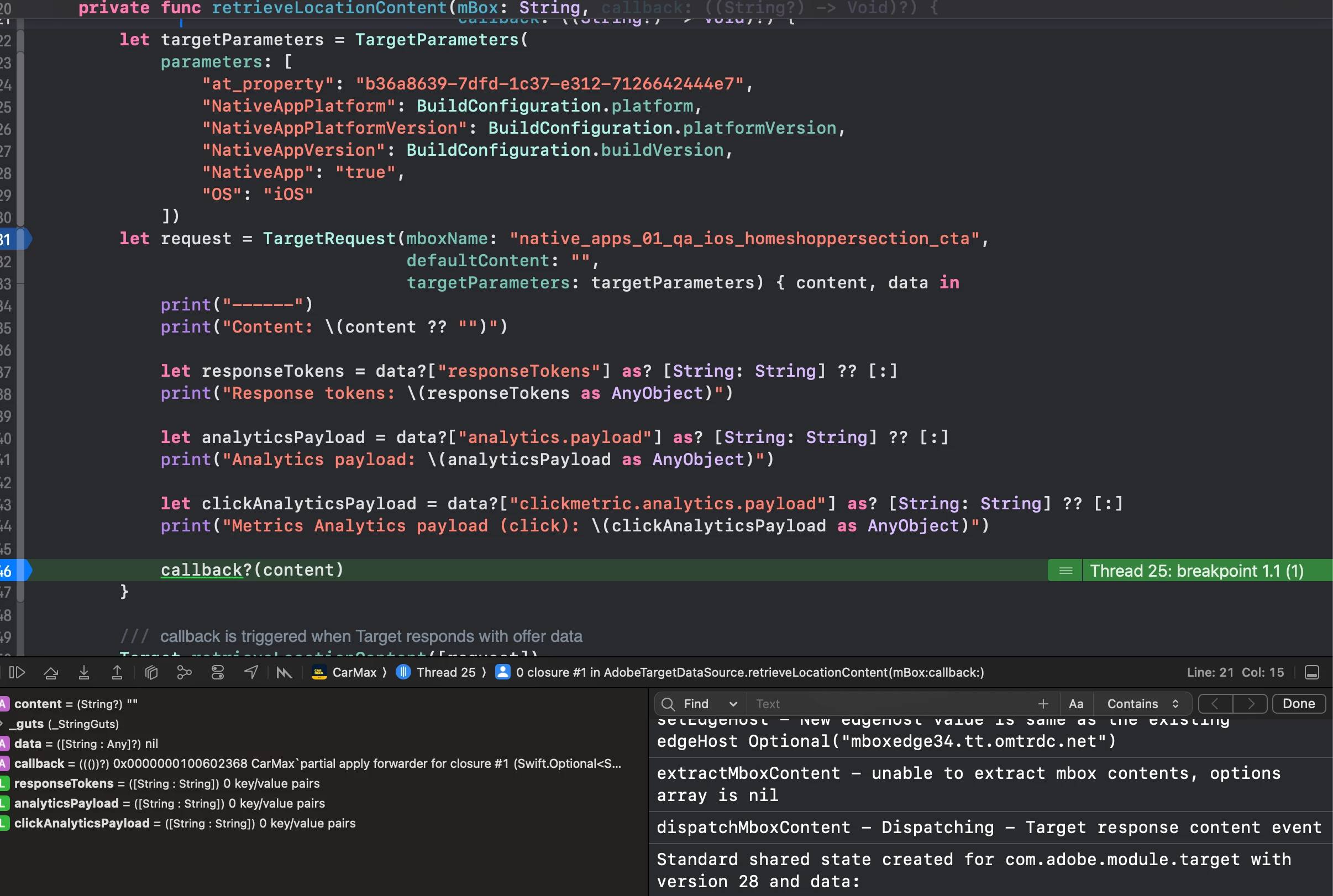
In the iOS, app I have created a `TargetRequest` that is utilizing the location name from the setup above to perform the request. I have even provided the `at_property`. 

My questions are:

1. Why is it that, we are unable to extract the mbox contents?  Is my setup incorrect? What changes do I need to make?
2. If I want to provide target parameters, how do I ensure that the right A/B activity pulls in the correct content? Does this have something to do with audience creation? Do I need to create an audience that relies on the sent criteria?

 

This post is no longer active and is closed to new replies. Need help? Start a new post to ask your question.
Best answer by alexbishop

Have you tried without the Audience applied? There's two things:
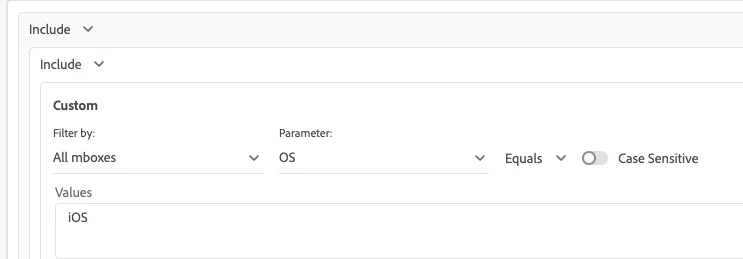
a) if you want your audience to be based on that "OS" parameter you're passing, then you would create your Audience like this:


b) I would expect the Audience you've created, based on the out of the box Mobile > OS targeting, but it might be that doesn't work when using Xcode


I would try without any Audience criteria first though, just to rule out any more fundamental issues with the implementation

1 reply

alexbishop
alexbishopAccepted solution
Employee
January 31, 2024

Have you tried without the Audience applied? There's two things:
a) if you want your audience to be based on that "OS" parameter you're passing, then you would create your Audience like this:


b) I would expect the Audience you've created, based on the out of the box Mobile > OS targeting, but it might be that doesn't work when using Xcode


I would try without any Audience criteria first though, just to rule out any more fundamental issues with the implementation