Analytics for Target (A4T) identifiers | Community
Skip to main content
New Participant
December 14, 2023
Solved

Analytics for Target (A4T) identifiers

  • December 14, 2023
  • 1 reply
  • 595 views

Hi!

According to this documentation, Adobe Target can automatically forward the analytics payload to Adobe Analytics if the following identifiers are provided: supplementalDataId and trackingServer.

Would you mind pointing me out where to find those identifiers?

This post is no longer active and is closed to new replies. Need help? Start a new post to ask your question.
Best answer by abhinavbalooni

Hey @pedrofi 


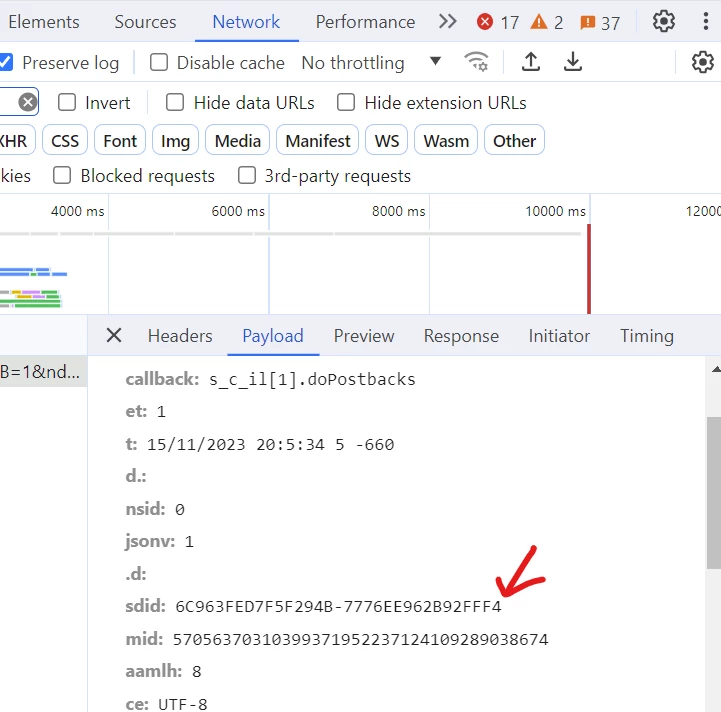
You can find the supplemental data id as the sdid parameter in your analytics (filter for 'b/ss' in the network panel)


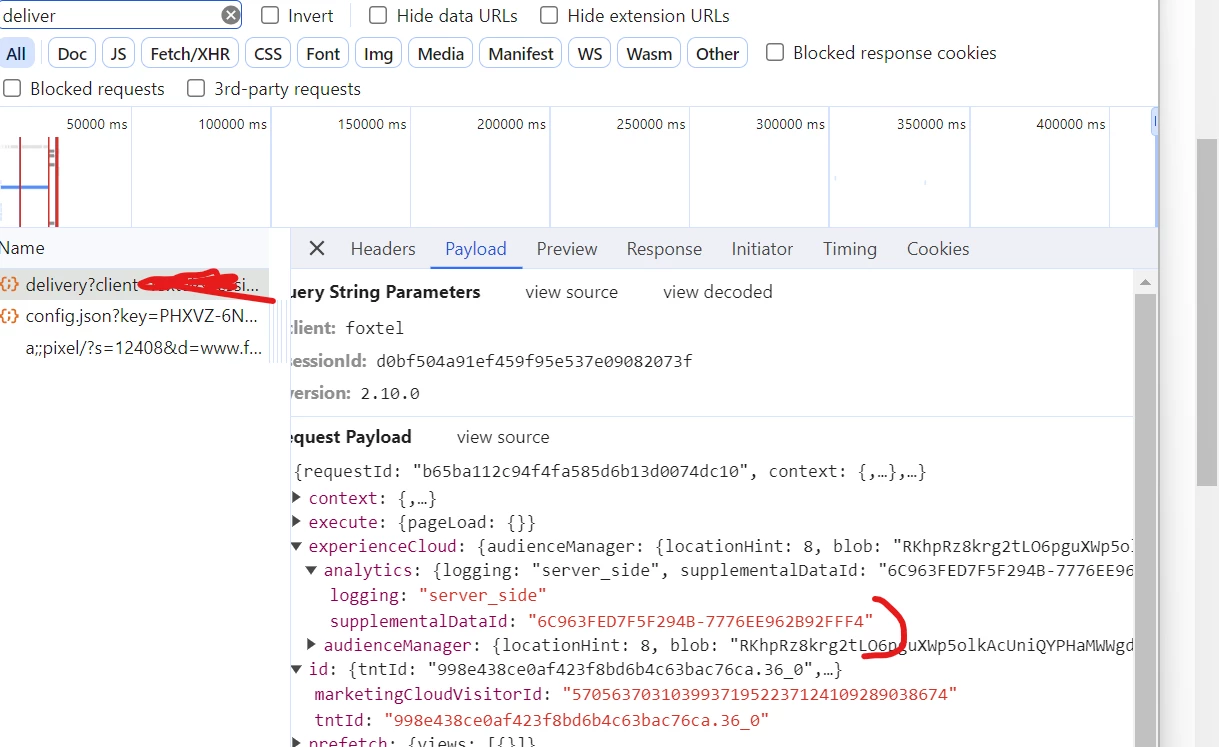
This value, should match your target delivery call  supplemental data id(search for 'delivery' in network panel). Look at the below supplemental data id, it matches the above analytics call for A4T setup to work correctly.


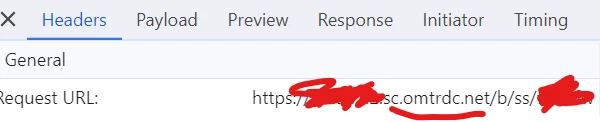
In the same analytics call, under header, look for the request url and look for the domain, that is your tracking server.


Hope the above helps.


Regards,

Abhinav


1 reply

abhinavbalooni
abhinavbalooniAccepted solution
New Participant
December 15, 2023

Hey @pedrofi 


You can find the supplemental data id as the sdid parameter in your analytics (filter for 'b/ss' in the network panel)


This value, should match your target delivery call  supplemental data id(search for 'delivery' in network panel). Look at the below supplemental data id, it matches the above analytics call for A4T setup to work correctly.


In the same analytics call, under header, look for the request url and look for the domain, that is your tracking server.


Hope the above helps.


Regards,

Abhinav