Hey @burcakk14301493
Just been playing around with this and found a solution that will work:
1) You need to fire a custom get / apply offer function on the page you are intending to show the banner (either in the code or with Adobe DTM/Launch), this code should be triggered on the user leaving the input field or on key up (you can decide). Using jQuery it would look something like this:
$("#validationDefault01").focusout(function(){ // This is triggering on user leaving an input field
adobe.target.getOffer({
"mbox": "target-global-mbox",
"params": {
"bankID": $("#validationDefault01").val(), // This is the value of that input field being passed to Target
},
"success": function(offer) {
adobe.target.applyOffer( {
"mbox": "target-global-mbox",
"offer": offer
} );
},
"error": function(status, error) {
console.log('Error', status, error);
}
});
});
2) Once you have the param sending to Target create a profile script like this:
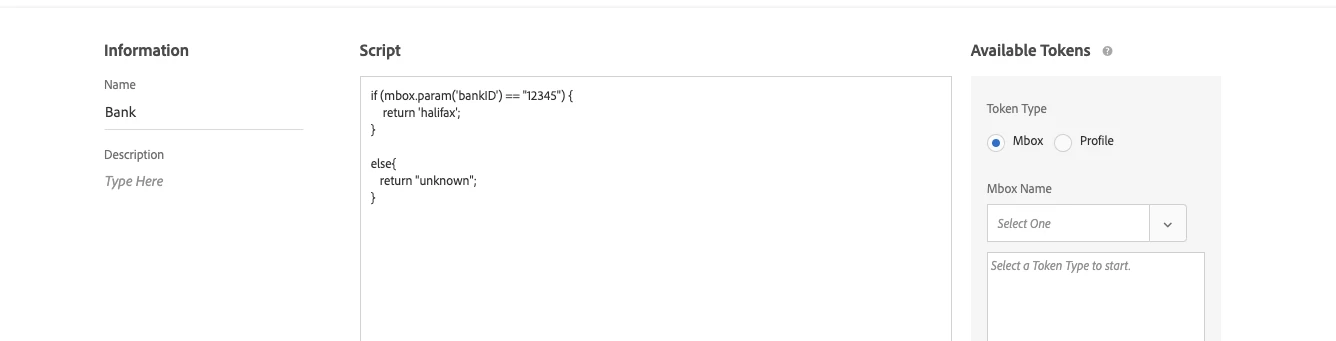
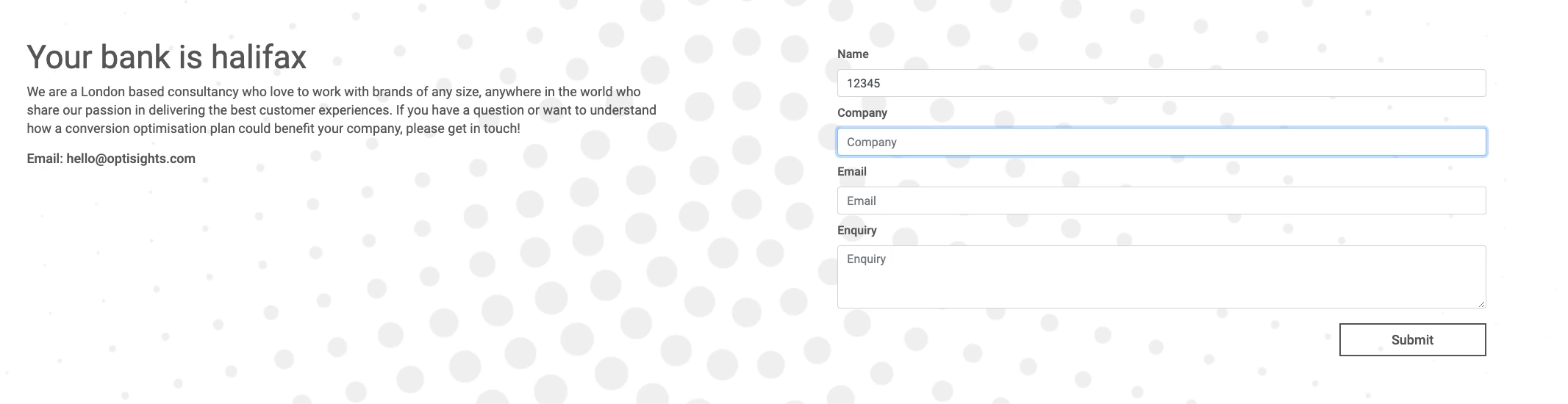
This profile script will mach user input "12345" to the bank Halifax, you will need to add all your band codes to this.
3) Once you have this you can set up and audience and create a test with it.
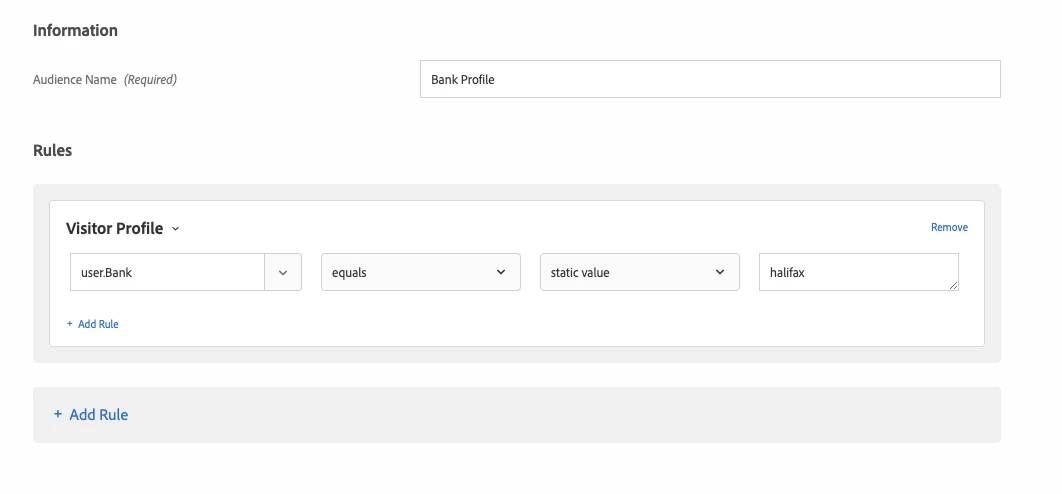
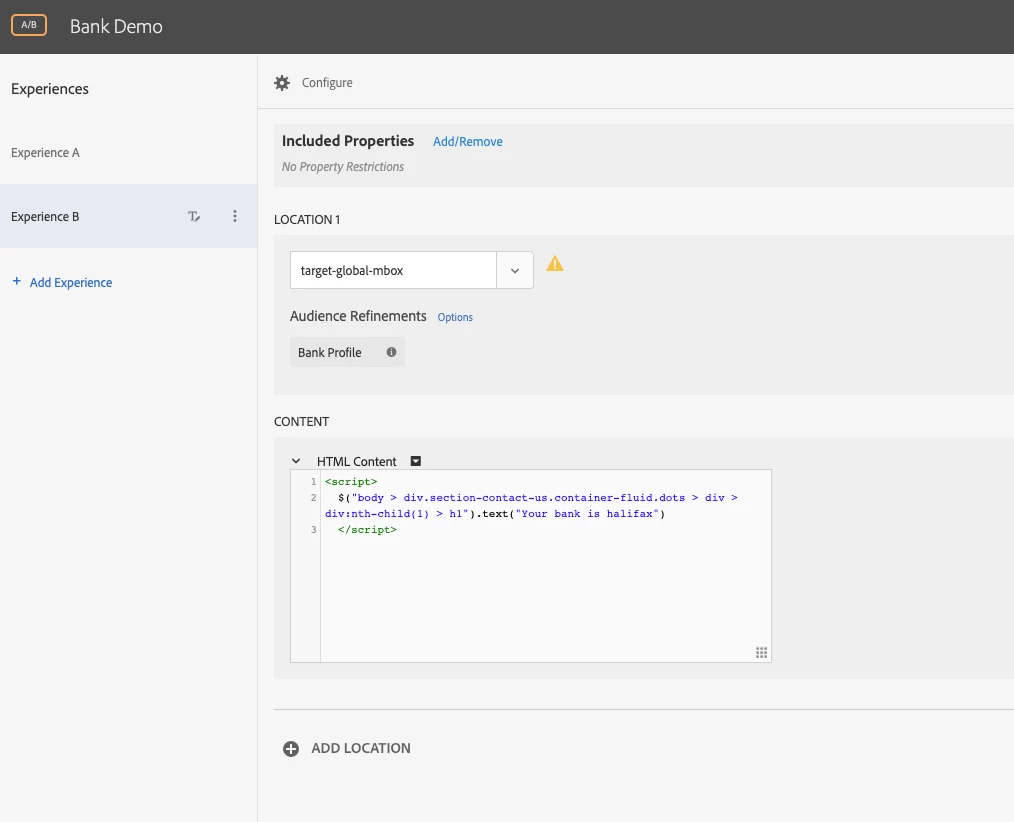
I have set up an example test here:
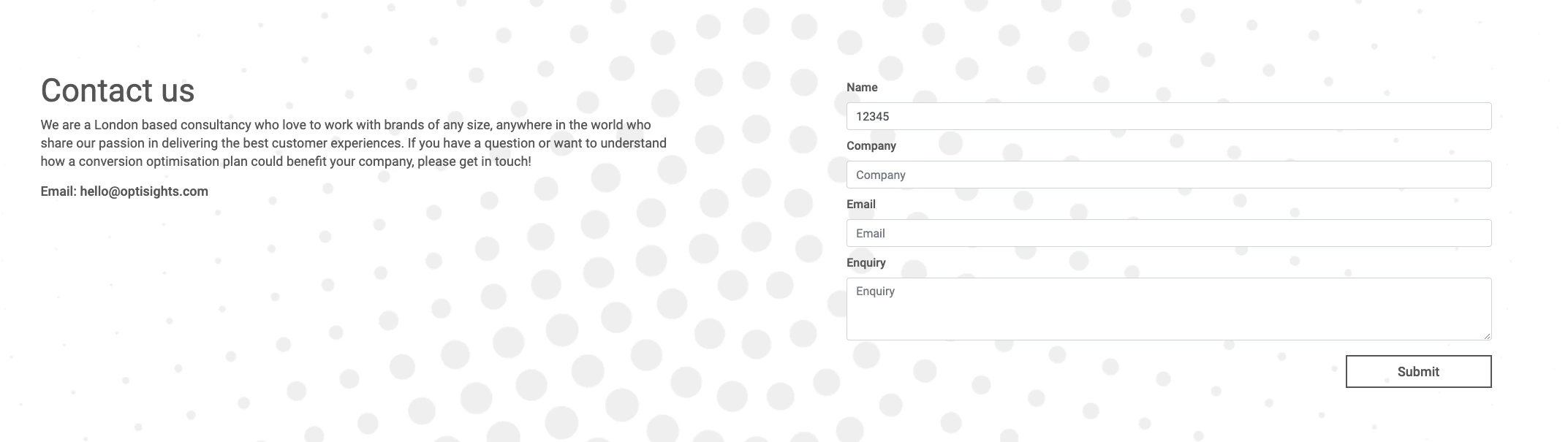
https://www.optisights.co.uk/contact
If you paste the above function into the Javascript console and type 12345 into the name field of my contact form, when you tab / click away you will see the test fire.
Hope this helps.
Thanks
Daniel