Custom at js configuration not persisted | Community
Skip to main content
New Participant
April 18, 2024
Solved

Custom at js configuration not persisted

  • April 18, 2024
  • 1 reply
  • 587 views

Hi All, I am trying to upgrade my at js version for a website running on AEM. I have integrated it with target via cloud services. 

Upon browsing for the custom at js file that was downloaded, the changes do not get persisted. May I know if there is any other way to do this or it is  glitch.
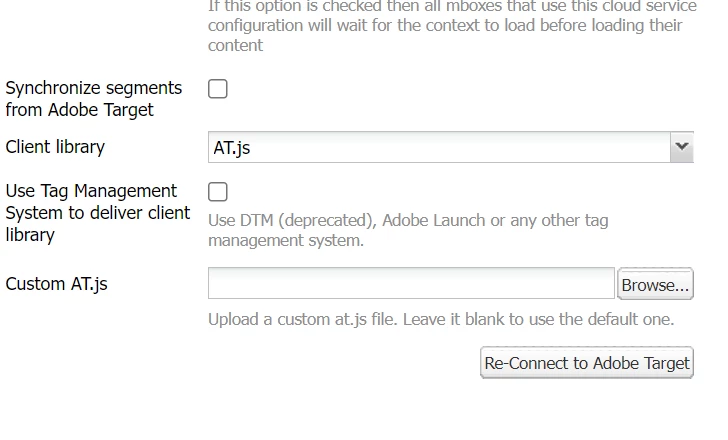


The custom js field remains empty even after several saves.

This post is no longer active and is closed to new replies. Need help? Start a new post to ask your question.
Best answer by viveksachdeva

I believe you followed https://experienceleague.adobe.com/en/docs/experience-manager-learn/aem-target-tutorial/aem-target-implementation/using-aem-cloud-services

It appears to be just UI issues. What you should check is :

  1. Are you able to successfully do "Connect with AT"
  2. Upon applying configuration on the page, do you see at.js loading.

If those are working fine, integration is good to go.

1 reply

viveksachdeva
viveksachdevaAccepted solution
New Participant
May 2, 2024

I believe you followed https://experienceleague.adobe.com/en/docs/experience-manager-learn/aem-target-tutorial/aem-target-implementation/using-aem-cloud-services

It appears to be just UI issues. What you should check is :

  1. Are you able to successfully do "Connect with AT"
  2. Upon applying configuration on the page, do you see at.js loading.

If those are working fine, integration is good to go.
