Custom Target Audience building with Analytics Segment | Community
Skip to main content
JyotiSharmaV
New Participant
July 10, 2023
Solved

Custom Target Audience building with Analytics Segment

  • July 10, 2023
  • 1 reply
  • 939 views

I am building personalization for our upcoming workshop where we want to show personalized content to our certain niche accounts/customers. What kind of Activity/Test it would be?


Secondly, I want to create an Audience in Target by combining the existing Adobe Analytics "Segment Audience" with Mbox parameter.


I have a mBox parameter that passes with each server calls and I want to use this mBox parameter in conjunction with one of my Adobe Analytics segment that is pulled to Target.


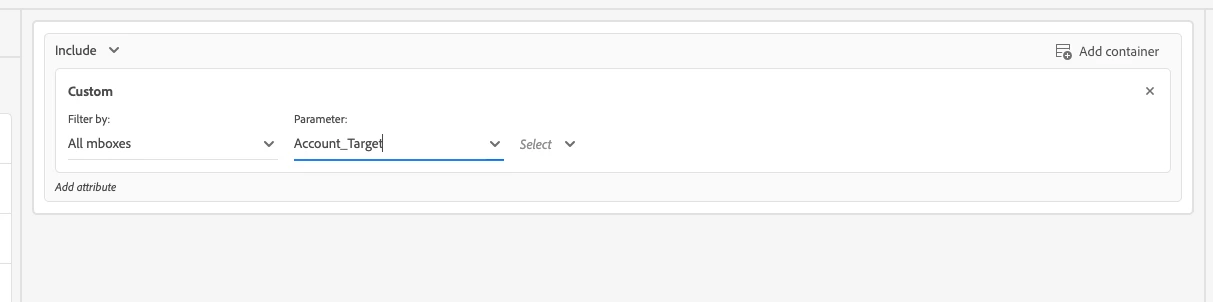
1) below is the mBox parameter that I want to use


2) I have one Adobe Analytics segment that I have published with a look-up window of 90 days. This segment is coming up in my Target Audience Library already. Here is the AA segment that I want to use:
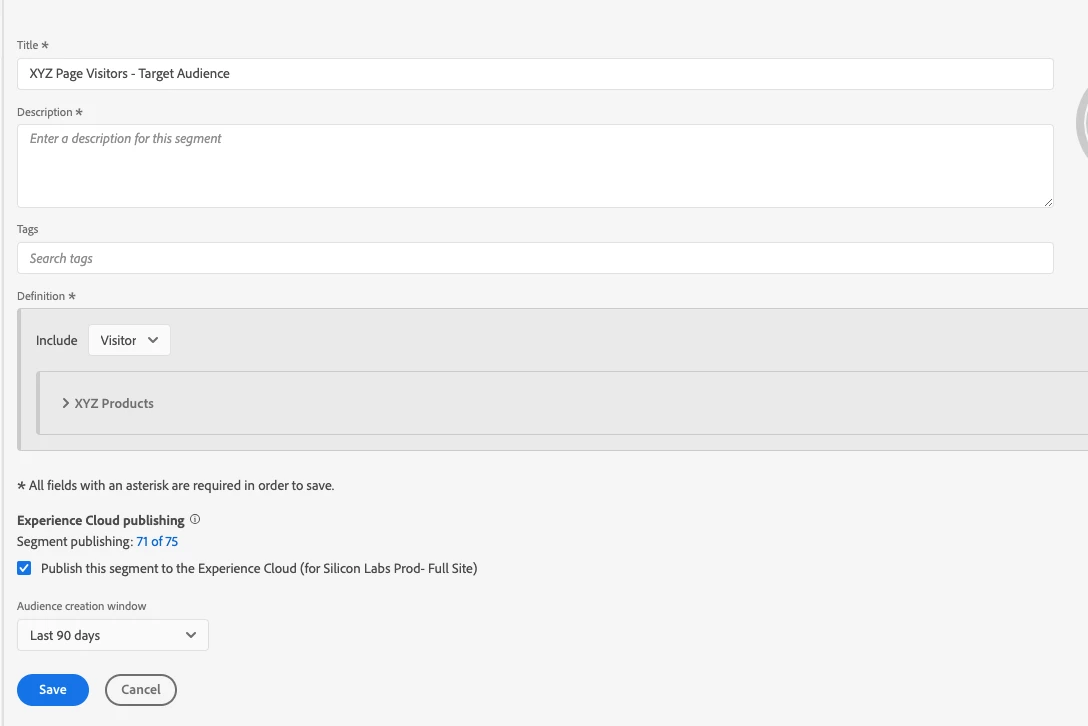
 

Use-Case of the personalization is like this: For all visitors who have visited my XYZ pages in the past 90 days and have an Account Name (e.g. ABC), show them personalized Experience A and rest Experience B.


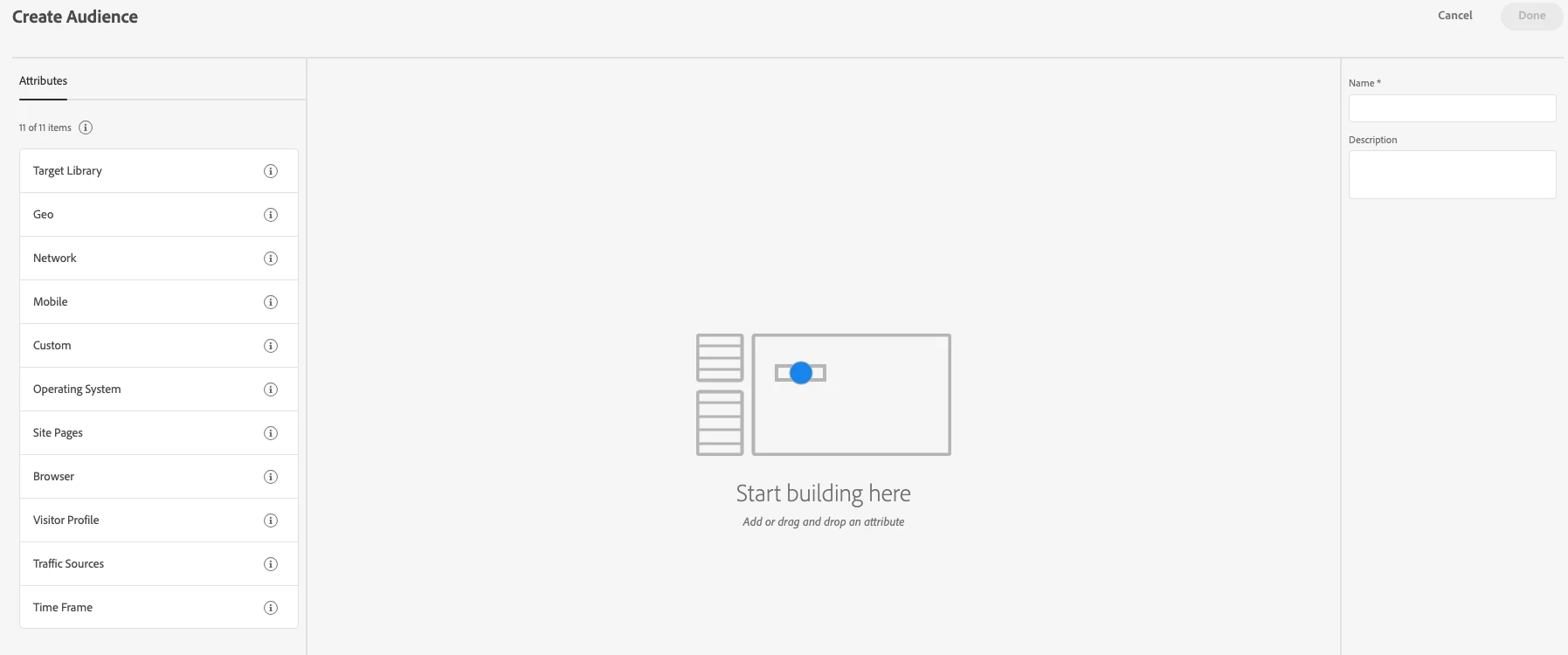
My question is how to combine these above two? I don't see any option to pull the Analytics segments from the library while creating an audience below: 


This post is no longer active and is closed to new replies. Need help? Start a new post to ask your question.
Best answer by alexbishop

It sounds like you will want to use an Experience Targeting activity, so that you can deliver a particular experience to that audience. In terms of combining segments, you can do this on Step 1 of the Activity Config workflow......

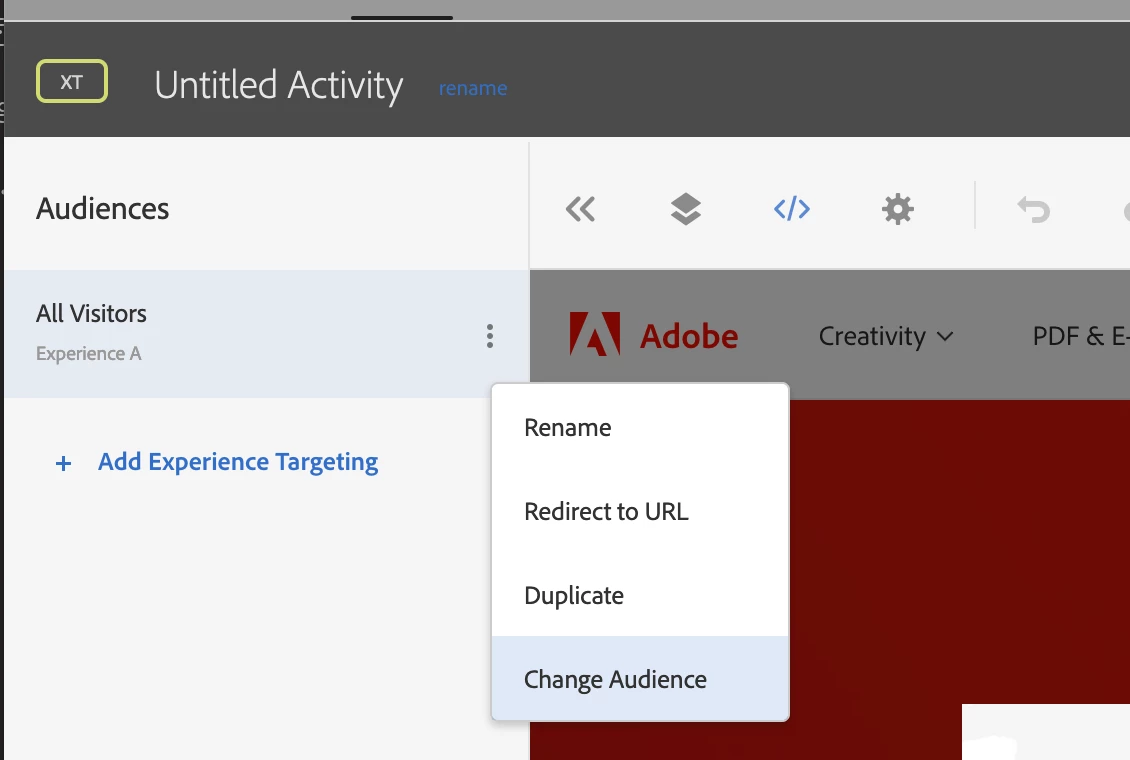
i) Click the 3 dots and choose "Change Audience"


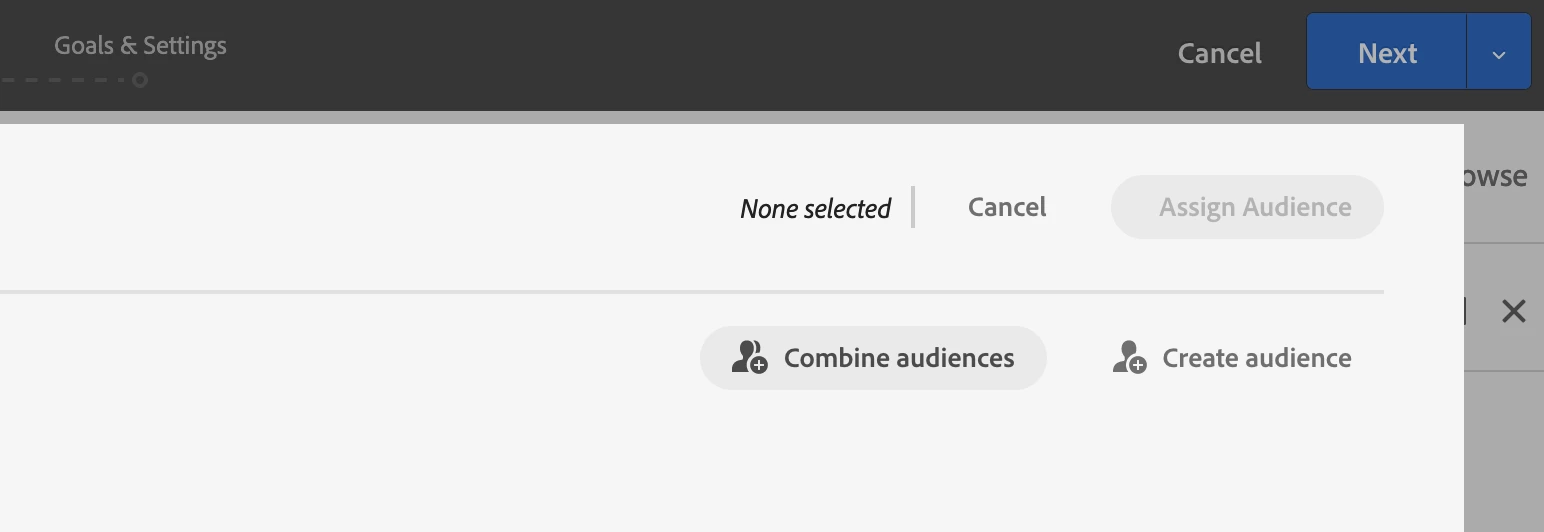
ii) Click "Combine audiences"


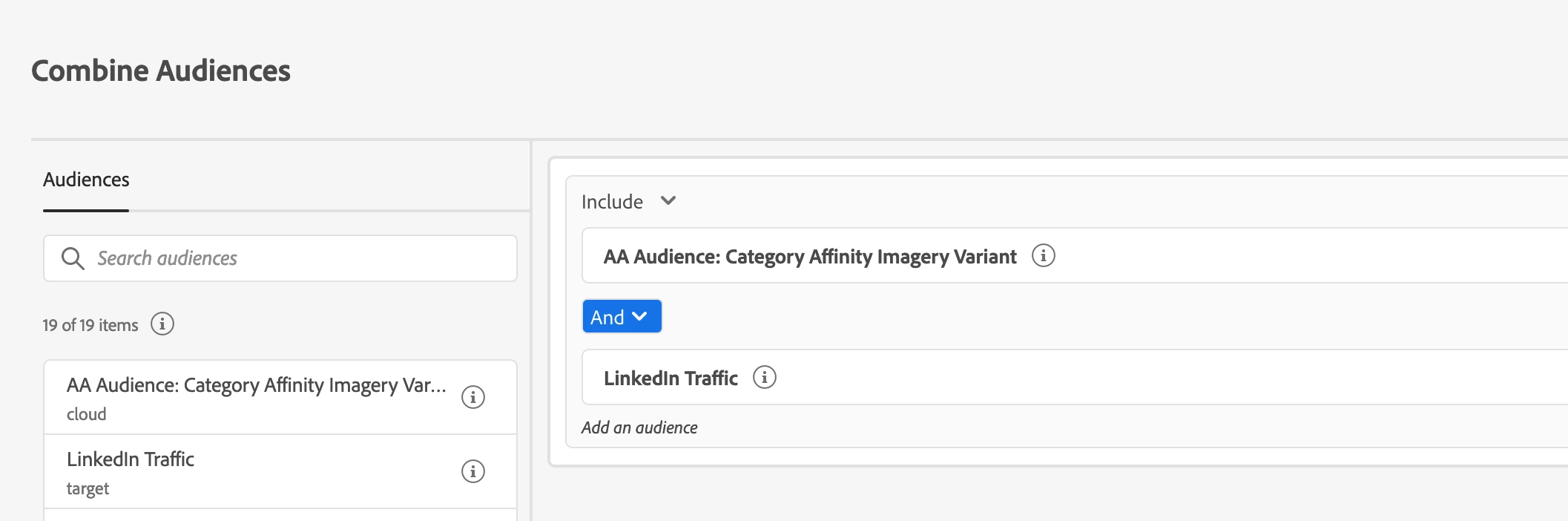
iii) Drag your existing audiences from the left-hand panel to create a new combined audience:

1 reply

alexbishop
alexbishopAccepted solution
Employee
July 11, 2023

It sounds like you will want to use an Experience Targeting activity, so that you can deliver a particular experience to that audience. In terms of combining segments, you can do this on Step 1 of the Activity Config workflow......

i) Click the 3 dots and choose "Change Audience"


ii) Click "Combine audiences"


iii) Drag your existing audiences from the left-hand panel to create a new combined audience:

JyotiSharmaV
New Participant
July 11, 2023

Thank you so much @alexbishop