Storing and Retrieving data in Target using JQuery/JavaScript | Community
Skip to main content
New Participant
April 7, 2022
Solved

Storing and Retrieving data in Target using JQuery/JavaScript

  • April 7, 2022
  • 1 reply
  • 1445 views

I'm currently storing information in cookies. Example: how many times an ad have been shown to a user. This is all done through Jquery (custom code option within Adobe Target Visual Composer). I may have more than one targeted ad for one ad location.


I want to move away from cookies. Is there a way to store this information in Adobe Target instead? I want the information to be stored for a month or a time specified by me.


Can I use profiles to store this information as long as I want it and retrieve it whenever I want?

Is there another way I can store and retrieve information in Adobe Target?


Example:
var counter = ${profile.countValue};

This post is no longer active and is closed to new replies. Need help? Start a new post to ask your question.
Best answer by Rajneesh_Gautam_

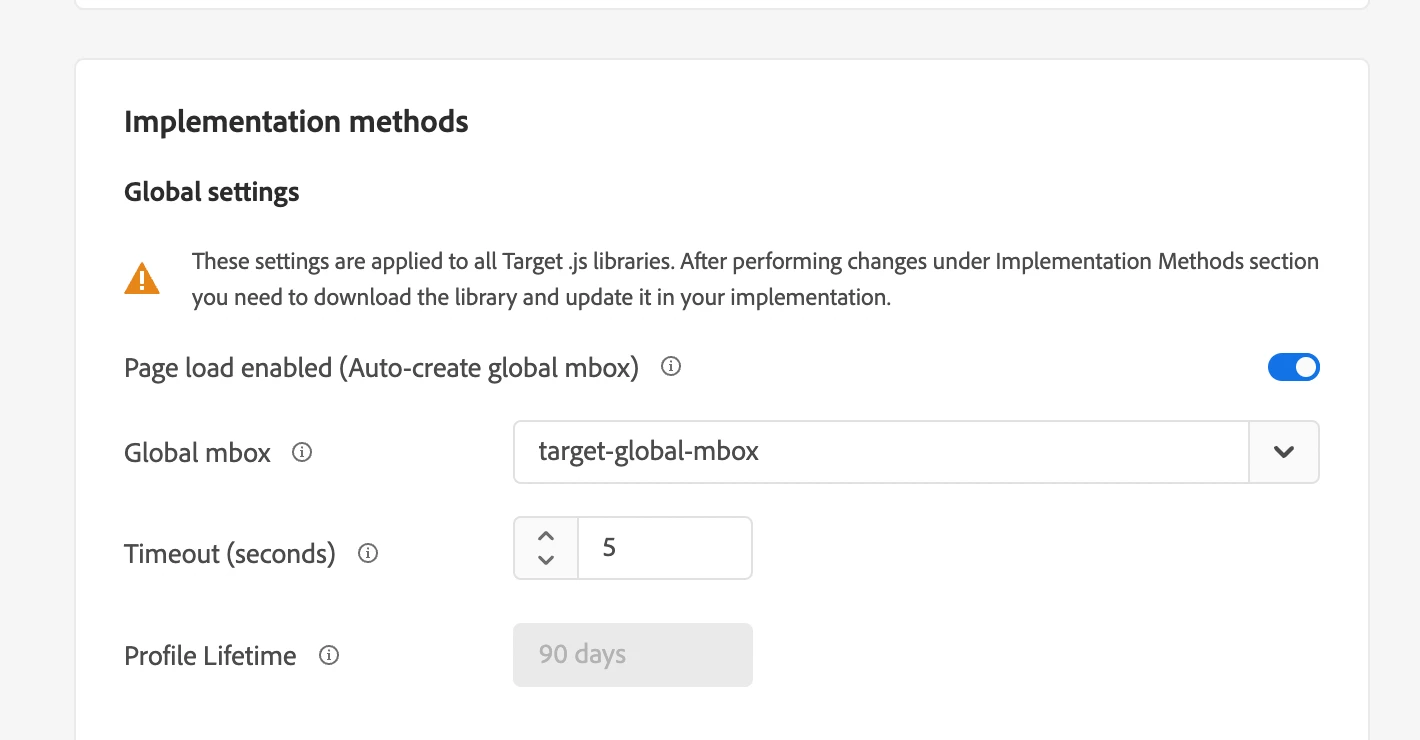
@arshdeepvi  - by default profile scripts are stored for 14 days. This duration is reset if a visitor returns back within 14 days. To check what is this value for your account, go to Administration > Implementation > Implementation methods > Profile Lifetime.


If needed, you can get this changed to max 90 days by reaching out to client-care (https://experienceleague.adobe.com/docs/target/using/audiences/visitor-profiles/visitor-profile-lifetime.html?lang=en). 


Hope it helps,


Regards

Rajneesh

1 reply

SundeepKatepally
New Participant
April 9, 2022

If you store it via js code , then you can store it in the browser.

Con: It will be flushed when user deletes the cookies..etc 


If you use profile script , you can maintain the counter in the server side (at the target server side). This is the right way for capture such data.

New Participant
April 11, 2022

That was the question.


If I use profile script, how long can I store the counter value on server side (target)? Is it possible to control the duration.

Rajneesh_Gautam_
Rajneesh_Gautam_Accepted solution
New Participant
April 14, 2022

@arshdeepvi  - by default profile scripts are stored for 14 days. This duration is reset if a visitor returns back within 14 days. To check what is this value for your account, go to Administration > Implementation > Implementation methods > Profile Lifetime.


If needed, you can get this changed to max 90 days by reaching out to client-care (https://experienceleague.adobe.com/docs/target/using/audiences/visitor-profiles/visitor-profile-lifetime.html?lang=en). 


Hope it helps,


Regards

Rajneesh