Target Activity Showing Default Content on local AEM | Community
Skip to main content
New Participant
November 15, 2019
Solved

Target Activity Showing Default Content on local AEM

  • November 15, 2019
  • 14 replies
  • 21384 views

Hello all,

I am currently trying to set-up an Adobe Target demo on a local AEM 6.4 instance. I integrated AEM with Target using Adobe Launch and currently have it set-up with the following rules:
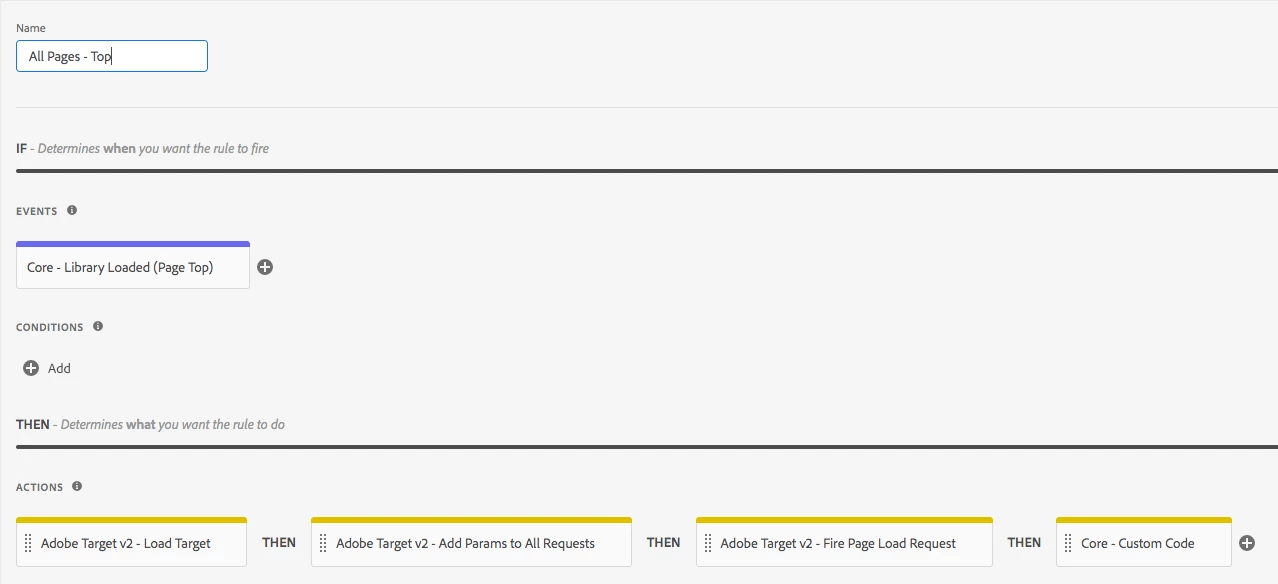
This was done following this tutorial and I added a message box at the end notifying me when the actions have run for debugging purposes: https://helpx.adobe.com/experience-manager/using/aem_adobetarget_integration.html

Integrating Adobe Experience Manager with Adobe Target using Adobe Launch

In Adobe Target, I have set-up an A/B test that is pointing at [http://localhost:4502/content/we-retail/us/en.html] and changed both Experience A and B to say "Shop Later" and "Shop Tomorrow" respectively.
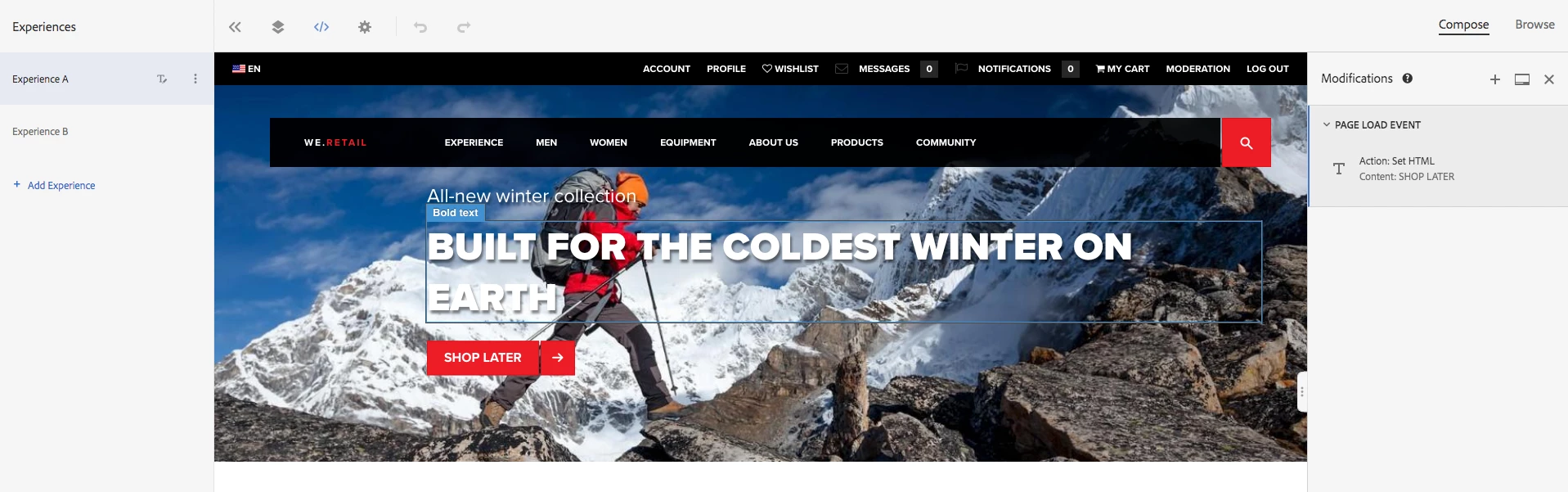
After setting this all up and integrating my local instance with Launch, I navigated to the page and the message box appears successfully as shown below but the "Shop Now" button is still there when neither of my experiences have that. Is there a step that I am missing here? I understand how AEM connects with Launch but I think the issue must be where Launch isn't connected with Target. Both Launch and Target and used within the same enterprise account. Any help or suggestions would be greatly appreciated!

This post is no longer active and is closed to new replies. Need help? Start a new post to ask your question.
Best answer by Shruti_Premkumar

justinl40680371​Have you verified that target calls are firing on the page as expected? If you go to the network tab and filter by .tt, you should see the target call. Once you have verified that, check if the activity is delivering on the page by running the mbox trace.

Information on how to run the mbox trace can be found at Troubleshoot content delivery

14 replies

Employee
November 19, 2019

How is the launch hosted is it akamai adapter you are using?  If so, do you see the assets.adobedtm.com network requests firing in your developer tools?  Also, in the web console in the dev tools, try _satellite.setDebug(true);  Once done, you refresh the page, and it should list off everything launch is doing in the console, each rule, initializing extensions etc.  I'm wondering if you are seeing any of that and if the launch urls are loading.  Here's a pretty good blog that walks through it a little bit: Using Debug Mode and _satellite.logger in Adobe Launch | Bounteous 

I hope that helps,

Seth

New Participant
November 18, 2019

I have also created a new library where I changed the custom message to have an exclamation mark now and left this library in Staging. Now I can see the local site show the message with the exclamation mark but it still doesn't say launch is loaded.

New Participant
November 18, 2019

I have the library published already. But I am using the staging environment. Does it only work on staging when it is in the staging part of the publishing?

Employee
November 18, 2019

This usually means that the Launch library is not referenced correctly and hence it cannot find the launch libraries . You could maybe validate your launch implementation by following the steps mentioned at Publish your Launch property

New Participant
November 18, 2019

So I have installed the switch, and it doesn't seem to give me anything useful. This is what I see on the we-retail site:

This menu appears so it doesn't seem like launch is triggering correctly. However, it shows the "Target Loaded" message that I added in the Custom Code in the Launch rules.

Employee
November 18, 2019

You can get the same from the Chrome extensions : Launch and DTM Switch - Chrome Web Store

New Participant
November 18, 2019

Also, interestingly enough. Launch is not found either but the Rule that I put in fires.....

New Participant
November 18, 2019

I don't. I am currently just working off of my local instance. Which is the Launch Debug switch?

Employee
November 18, 2019

justinl40680371​ Is there a publicly accesible site where you have this implementation so that we can take a quick look to see what might be going on? Without that it is hard to help pin point where in the implementation the issue lies. Also I would recommend using the Launch Debug switch and examining the console statements to check if all your Launch rules are firing as expected .

New Participant
November 18, 2019

Using the Adobe Experience Cloud Debugger, It seems Target is not found. So it isn't being loaded at all.

I am looking at the Luma demo site and it seems like the ID is implemented correctly.