Target Inferface Decisioning Method | Community
Skip to main content
New Participant
January 30, 2025
Question

Target Inferface Decisioning Method

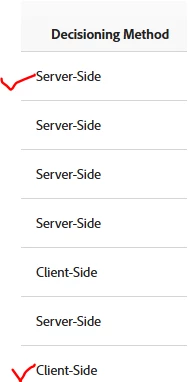
Hello!  Does anyone know how the Decisioning Method is determined?  We have tests created on the same page but one shows server-side and one shows client-side.  Implementation is client side but using A4T. 


Thanks


This post is no longer active and is closed to new replies. Need help? Start a new post to ask your question.

2 replies

pradnya_balvir
New Participant
February 6, 2025

Hi @bcong,


Adobe Target offers the flexibility of delivering the most relevant and up-to-date experience from your experimentation and ML-driven personalization campaigns via a live server call.

When performance is most important, you can choose to utilize on-device decisioning, but when the most relevant and up-to-date experience is needed, a server call can be made instead.

On-device decisioning is available for both client-side as well as server-side implementations. 

With on-device decisioning, Target introduces a new setting called Decisioning Method. The Decisioning Method setting dictates how at.js delivers your experiences. Decisioning Method has three values:

  • Server-side only
  • On-device only
  • Hybrid

Server-side only

Server-side only is the default decisioning method that is set out of the box when at.js 2.5.0+ is implemented and deployed on your web properties.

Using server-side only as the default configuration means that all decisions are made on the Target edge network, which involves a blocking server call. This approach can introduce incremental latency, but it also provides significant benefits, such as giving you the ability to apply Target’s machine-learning capabilities that include Recommendations, Automated Personalization (AP), and Auto-Target activities.


On-device only

On-device only is the decisioning method that must be set in at.js 2.5.0+ when on-device decisioning should be used only throughout your web pages.

On-device decisioning can deliver your experiences and personalization activities at blazing fast speed because the decisions are made from a cached rules artifact that contains all of your activities that qualify for on-device decisioning.


Hybrid

Hybrid is the decisioning method that must be set in at.js 2.5.0+ when both on-device decisioning and activities that require a network call to the Adobe Target Edge network must be executed.

When you are managing both on-device decisioning activities and server-side activities, it can be a bit complicated and tedious when thinking about how to deploy and provision Target on your pages. With hybrid as the decisioning method, Target knows when it must make a server call to the Adobe Target Edge network for activities that require server-side execution, and also when to only execute on-device decisions.


For more information refer: https://experienceleague.adobe.com/en/docs/target-dev/developer/client-side/at-js-implementation/on-device-decisioning/on-device-decisioning


Translate
Gaureshk_Kodag
Employee
February 6, 2025

Hi @bcong 

In Adobe Target, the Decisioning Method determines where the logic for delivering personalized experiences is executed—either on the client-side (in the user's browser) or on the server-side (on Adobe's servers). This method can be influenced by several factors, even within a client-side implementation using Analytics for Target (A4T).

with at.js version 2.5.0, the default decisioning method is set to server-side only. This means all decisions are made on the Target edge network, involving a blocking server call.

The decisioningMethod can be configured with three possible values:


  • server-side: Decisions are made on the Target edge network.
  • on-device: Decisions are made on the client-side using a cached rules artifact.
  • hybrid: Combines both methods, where decisions are made on the server until the on-device artifact is fully downloaded.

Activity Types and Features:

Certain activity types and features may require server-side decisioning due to their complexity or reliance on real-time data. For example:

Auto-Target, Automated Personalization (AP), and Recommendations: These activities often depend on machine learning models and real-time data, necessitating server-side decisioning.

Profile Scripts and Audience Evaluations: If your activities utilize complex profile scripts or audiences that require evaluation on the server, the decisioning method may default to server-side.


Recommendations to Address the Discrepancy:

Review Activity Configurations:

Examine the specific settings of the tests showing different decisioning methods. Check if certain features or audience rules are enabled that necessitate server-side decisioning.

Check decisioningMethod Settings:

Ensure that the decisioningMethod is consistently set across your implementation. You can set this globally using the targetGlobalSettings() function or specify it per request.


Translate