Target Recommendation Feeds Importing Error 'File parsing failed' | Community
Skip to main content
New Participant
June 15, 2022
Solved

Target Recommendation Feeds Importing Error 'File parsing failed'

  • June 15, 2022
  • 2 replies
  • 1583 views

Hi team,


While setting up Adobe recommendations, we tried to import Google Product Feed. However, we ran into an error saying 'File parsing failed' (like below) with no further details.
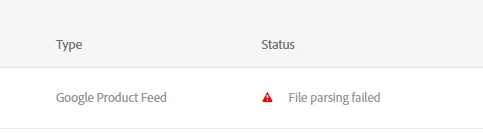


Can you provide more information on what this error is related to? Any suggestions on how to troubleshoot?


Thanks!


Regards,

Jingjing

This post is no longer active and is closed to new replies. Need help? Start a new post to ask your question.
Best answer by Gaureshk_Kodag

Hi @jjwang 


This kind of error occurs when there are mistakes in file that you are uploading. It is recommended to download sample file from target and fill your product data in it.


Also, check whether your csv file is saved as comma delimited csv


Hope this helps.


2 replies

Gaureshk_Kodag
Gaureshk_KodagAccepted solution
Employee
June 23, 2022

Hi @jjwang 


This kind of error occurs when there are mistakes in file that you are uploading. It is recommended to download sample file from target and fill your product data in it.


Also, check whether your csv file is saved as comma delimited csv


Hope this helps.


New Participant
June 21, 2022

Hi @jjwang


I'm relatively new to Adobe Target myself, but I'll see if I can help you.


The first thing I would do is compare your feed against the examples provided here:

https://experienceleague.adobe.com/docs/target/using/recommendations/entities/feeds.html?lang=en#section_8EFA98B5BC064140B3F74534AA93AFFF


For example, one of the disclaimers on that page mentions "Google feeds do not support multiple values for a custom attribute."

jjwangAuthor
New Participant
June 27, 2022

Thanks Nicholas, in my case we later found out there is a strange character in one entity attribute. Thanks for the answer still!